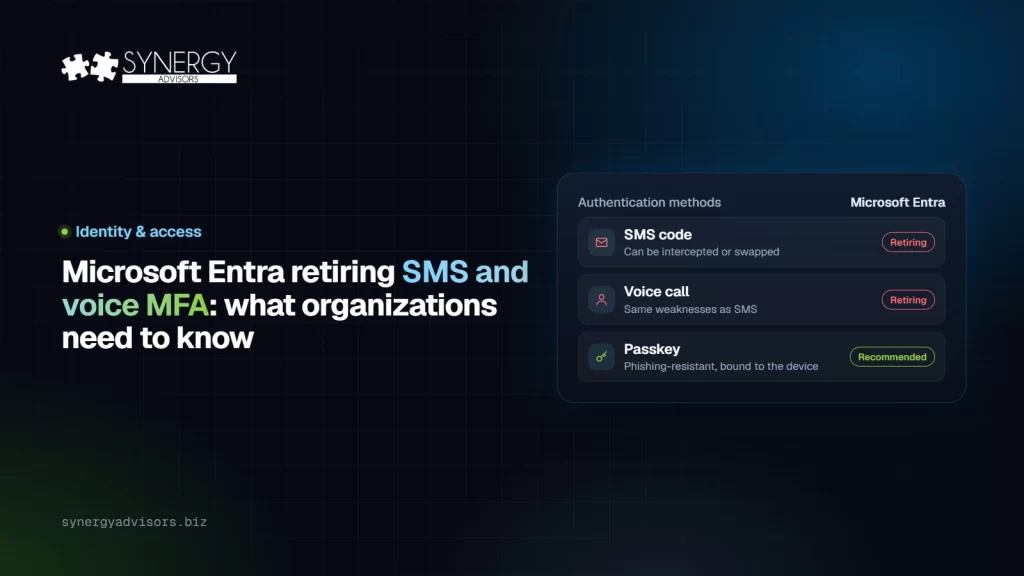

Microsoft recently announced a significant shift in Microsoft Entra ID authentication: passkeys will soon become the default authentication experience, as Microsoft retires SMS and voice authentication as native options. This change reflects our evolving security reality. Identity attacks are becoming faster, more automated, and harder for users to detect — and SMS and voice MFA no longer provide the level of protection organizations need. Organizations that still depend on text messages or phone calls for multifactor authentication should begin planning now to avoid user disruption and reduce identity risk.
What Is Changing?
Key dates:
- September 1, 2026 — Passkeys become the default authentication experience for organizations with users enabled for SMS or voice authentication. Users still configured for those methods may be prompted to register a passkey when they complete MFA.
- October 30, 2026 — Admins can begin selecting and configuring a customer-managed telecom provider through the Microsoft Security Store, for organizations that still need SMS or voice.
- February 1, 2027 — Microsoft-provided telecom delivery for SMS and voice authentication is retired in Microsoft Entra ID for all users except Global Administrators and external users. After this date, users whose only available MFA method is SMS or voice will be required to register a passkey during sign-in before they can continue accessing their account.
- July 1, 2027 — The retirement extends to Global Administrators and external users, with the same blocking passkey registration if SMS or voice is their only method.
For a practical plan, see our guide on how to migrate users from SMS and voice MFA to passkeys and the passwordless readiness checklist.
Organizations that still have a business or regulatory need to use SMS or voice authentication will need to evaluate customer-managed telecom provider options through the Microsoft Security Store. However, Microsoft’s direction is clear: organizations should prioritize phishing-resistant authentication methods such as passkeys, Windows Hello for Business, FIDO2 security keys, and certificate-based authentication wherever possible.
Watch (4 min): Secure Access E-ntelligence shows who in your tenant will be affected, which gaps matter most and what to improve first.
Why This Change Matters
SMS and voice-based authentication helped many organizations move beyond passwords, but they are no longer strong enough for the current threat landscape. These methods rely on telecom channels that can be targeted through SIM swapping, interception, social engineering, number reassignment, and MFA fatigue or bypass techniques. Attackers do not need to defeat cryptography if they can trick a user, hijack a phone number, or manipulate a recovery workflow.
Passkeys address this risk by using public-key cryptography instead of shared secrets or one-time codes. The private key remains protected on the user’s device or security key, while the service validates authentication using the corresponding public key. This design makes passkeys resistant to common phishing attacks because there is no reusable code for an attacker to steal and replay. For organizations adopting AI-enabled productivity tools, cloud services, and remote access at scale, stronger identity assurance is foundational to protecting data, devices, applications, and business processes.
What Organizations Should Do to Prepare
At Synergy Advisors, our identity architects recommend starting with an assessment:
Understand your current exposure
Identify whether your organization still has SMS and voice configured and available to end users, and which users are actively using these methods to authenticate. This population will need targeted change management to help them register and adopt new authentication methods.
Check for fallback risk
Identify users configured with SMS and voice options still available, even if not recently used — they may assume they can rely on these methods if their primary option fails.
Modernize your authentication standard
Review your target authentication standard against today’s threat landscape. For most organizations, this should include passkeys and Windows Hello for Business for standard users, with FIDO2 security keys or certificate-based authentication for privileged, regulated, or constrained scenarios.
Roll out in stages
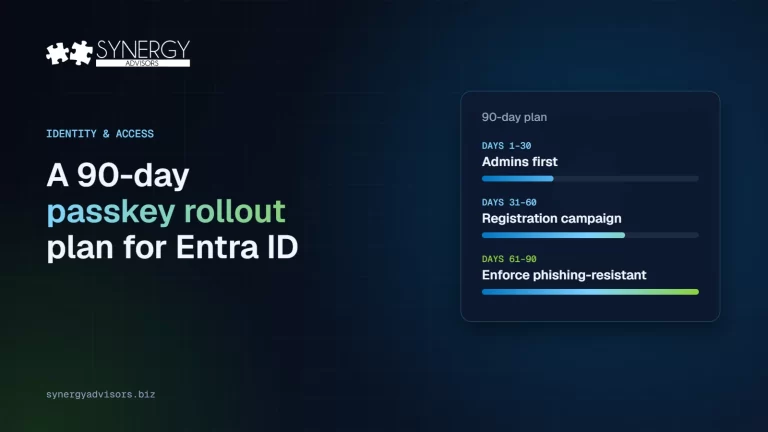
Deploy changes according to pilot best practices, supported by clear end-user communications.
Introducing the Secure Access Admin Agent
Our team has released the Secure Access Admin Agent, designed to support organizations during this transition. Built on Copilot Studio, this agent automatically evaluates your organization’s identity configuration to show the status of your authentication methods, when those methods were modified, and by whom. It also shows which users have used SMS or voice for authentication over the preceding 7 days, and gives you a list of the users in your organization who still have SMS and voice options available to them.
With this information delivered automatically, your identity teams can quickly evaluate their current authentication posture, quantify the impact of the upcoming SMS and voice retirement, and prioritize the users and policies that require attention first. Instead of manually collecting configuration details, authentication method changes, and recent usage activity across multiple administrative views, the agent brings the relevant readiness signals together in one place. This helps organizations identify where SMS and voice dependencies still exist, determine whether those dependencies are active or merely available as fallback options, and create a focused remediation plan before users are disrupted. The result is a faster, more consistent readiness assessment that supports both technical planning and executive-level visibility into migration progress.
For end users, the Secure Access User Agent answers each employee’s questions about passkeys and guides them through setup, step by step. Watch both agents in action.
Optimize Your Identity Posture
Moving users from SMS and voice to passkeys is an important step, but it should be part of a broader identity security strategy. This transition is an opportunity to optimize identity controls according to best practices, rather than minimum requirements. Organizations can further reduce identity risk by combining phishing-resistant authentication with stronger access controls, better monitoring, and mature governance.
Require phishing-resistant authentication for high-risk access
Use Conditional Access authentication strengths to require passkeys, Windows Hello for Business, FIDO2 security keys, or certificate-based authentication for privileged roles, sensitive apps, administrative portals, and high-value data.
Adopt a Zero Trust access model
Evaluate user risk, sign-in risk, device compliance, location, session context, and application sensitivity before granting access. Strong authentication should be paired with continuous evaluation and least privilege.
Strengthen privileged identity protections
Use Microsoft Entra Privileged Identity Management for just-in-time activation, approval workflows, role assignment reviews, and time-bound administrative access. Administrative accounts should use phishing-resistant authentication without exception.
Reduce password exposure
Accelerate passwordless adoption, block weak or compromised passwords, minimize legacy authentication, and remove unnecessary password-based workflows where possible.
Improve detection and response
Monitor impossible travel, unfamiliar sign-in properties, token theft indicators, risky users, suspicious MFA changes, anomalous device registration, and authentication method changes. Route high-severity identity events into security operations workflows.
Govern authentication method registration
Treat registration changes as sensitive security events. Require stronger verification for help desk resets, monitor new method additions, and periodically review users with weak or fallback methods.
Protect endpoints and browsers
Because passkeys depend on trusted devices and secure user interaction, pair identity modernization with endpoint compliance, device health checks, browser hardening, and phishing-resistant user experiences.
Run regular access and exception reviews
Review Conditional Access exclusions, emergency accounts, users allowed to use weaker methods, privileged assignments, guest access, and stale accounts on a recurring schedule.
How Synergy Advisors Can Help
Synergy Advisors helps organizations move from legacy MFA dependencies to a modern passwordless identity model built on Microsoft Entra. Our consultants combine identity architecture, security strategy, deployment planning, and change management expertise to help customers select the right authentication methods for their workforce, applications, risk profile, and compliance requirements. Rather than treating passwordless as a single configuration change, we help organizations design an end-to-end program that accounts for user experience, privileged access, device readiness, support operations, exception handling, and long-term governance.
Our approach typically begins with a readiness assessment that evaluates current Microsoft Entra authentication methods, Conditional Access policies, user registration patterns, device posture, privileged account protections, and existing operational processes. From there, we define a practical passwordless roadmap that may include passkeys, Windows Hello for Business, FIDO2 security keys, certificate-based authentication, Temporary Access Pass workflows, and authentication strengths. We then support pilot execution, policy configuration, user communications, help desk enablement, and staged rollout activities so organizations can migrate in a controlled, measurable, and user-centered way.
Beyond initial deployment, Synergy Advisors can help mature the broader identity security program by aligning passwordless authentication with Zero Trust principles, privileged identity management, access reviews, identity threat detection, lifecycle governance, and compliance expectations. This ensures the transition away from SMS and voice MFA becomes more than a retirement exercise. It becomes an opportunity to strengthen identity assurance, reduce attack surface, improve auditability, and establish authentication controls resilient enough for cloud, hybrid work, and AI-enabled productivity environments.
Frequently Asked Questions
What happens if my organization still needs SMS or voice authentication after February 1, 2027?
You’ll need to configure a customer-managed telecom provider through the Microsoft Security Store before your retirement date: February 1, 2027 for most users, or July 1, 2027 for Global Administrators and external users. Tenants that don’t configure a provider and continue relying on Microsoft-managed telephony will face SMS and voice authentication disruptions.
Do passkeys cost extra?
No. Migrating Microsoft-provided SMS and voice users to passkeys carries no additional cost. Customer-managed telecom providers, if needed, are billed separately and pricing varies by provider and region.
Can we delay the transition?
A temporary opt-out is available for the September 1, 2026 through February 1, 2027 window, allowing organizations to delay passkey and Registration Campaign enablement while completing transition activities.
What if some of our users are already using passkeys or Windows Hello for Business?
Nothing changes for them — this retirement only affects users still enabled for SMS or voice in the Authentication Methods Policy or legacy MFA settings.
Final Takeaway
The retirement of Microsoft-provided SMS and voice authentication is a forcing function for stronger identity security. Organizations should not wait until users are blocked or prompted at sign-in. By starting now, security and IT teams can reduce disruption, improve user experience, and move toward authentication methods that are more resistant to phishing, credential theft, and social engineering. The goal is not simply to replace one MFA method with another — it’s to establish a stronger identity foundation for the next generation of cloud, AI, and hybrid work.
Ready to see where your organization stands? Schedule a free authentication readiness assessment with our identity architects, or reach out at [email protected] to learn more about the Secure Access agents.