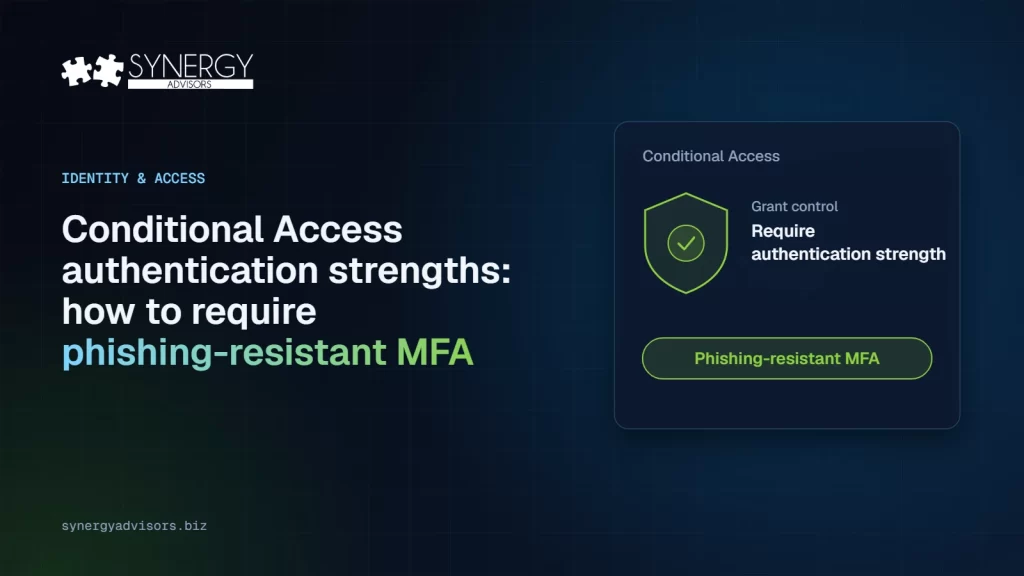

Short answer: an authentication strength is a Conditional Access grant control that defines which methods are accepted, not just whether MFA happened. To require phishing-resistant MFA, create a policy with Grant > Require authentication strength > Phishing-resistant MFA, make sure users registered a passkey first, run it in report-only mode, exclude emergency access accounts and turn it on in waves, starting with administrators. It requires Microsoft Entra ID P1.
Why “Require multifactor authentication” is no longer enough
The classic grant control Require multifactor authentication is satisfied by any second factor, including an SMS code or a voice call. Those factors can be relayed by an adversary-in-the-middle phishing page in real time. An authentication strength lets you say exactly which methods are acceptable for a given app, user or risk level, so a phished password plus a phished code is no longer enough to get in.
The three built-in strengths
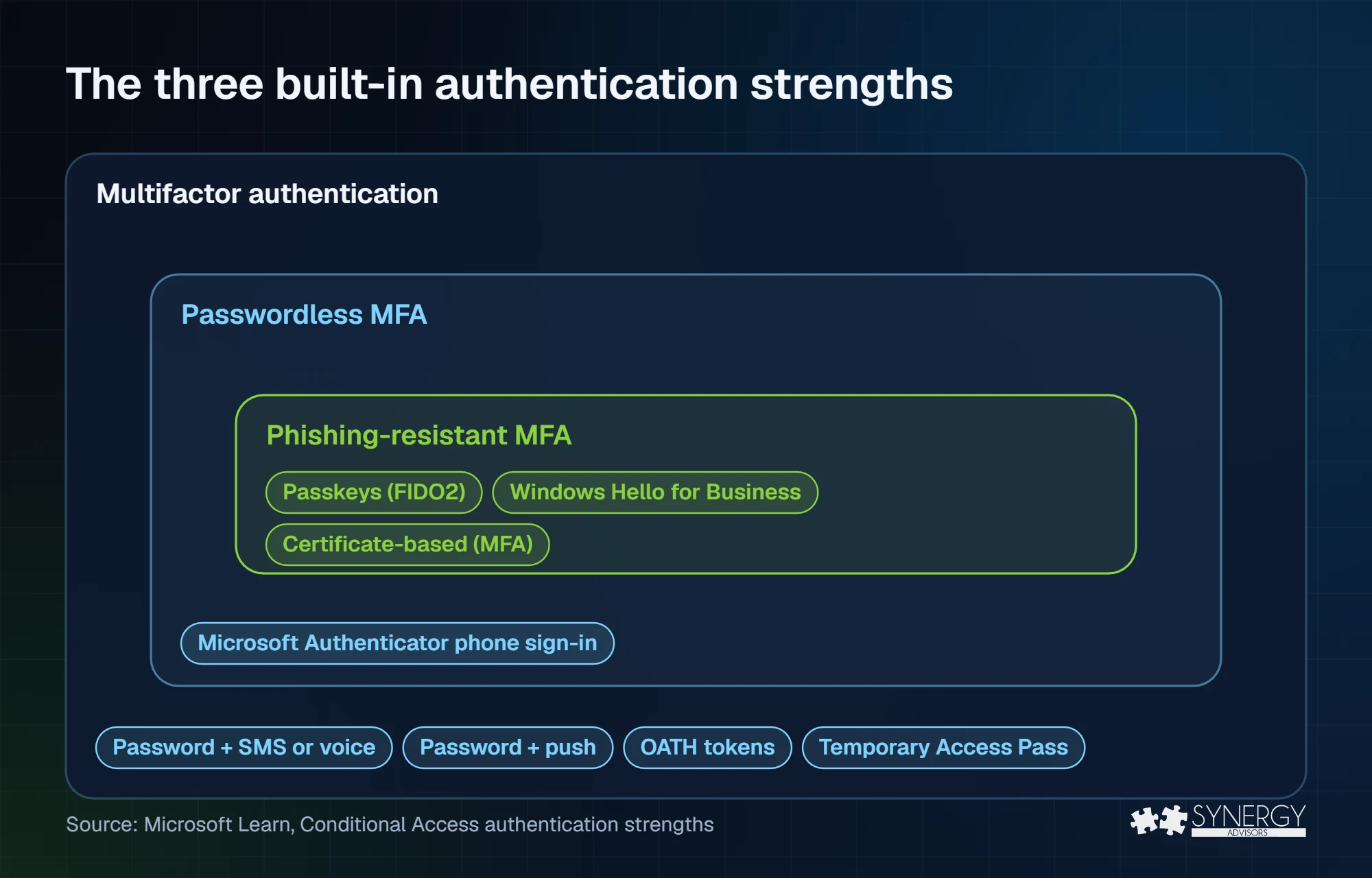
| Method | Multifactor authentication | Passwordless MFA | Phishing-resistant MFA |
|---|---|---|---|
| Passkey (FIDO2), including passkeys in Microsoft Authenticator | Yes | Yes | Yes |
| Windows Hello for Business or platform credential | Yes | Yes | Yes |
| Certificate-based authentication (multifactor) | Yes | Yes | Yes |
| Microsoft Authenticator phone sign-in | Yes | Yes | No |
| Temporary Access Pass | Yes | No | No |
| Password + SMS, voice, push or OATH token | Yes | No | No |
| Federated multifactor | Yes | No | No |
You cannot edit the built-in strengths, but Conditional Access administrators can create custom authentication strengths. Use them when you need more control, for example to accept only specific FIDO2 authenticator models by AAGUID, or only certificates issued by a given authority.
Before you create the policy
- License: Conditional Access authentication strengths require Microsoft Entra ID P1.
- Roles: Conditional Access Administrator for the policy; Authentication Policy Administrator for the methods.
- Registration first: if a user has no method that satisfies the strength, they are sent to register one. Passkeys, Windows Hello for Business and certificates cannot be registered from that interrupt, so users without them are blocked. Run your registration campaign before you enforce.
- Emergency access: keep at least two emergency access accounts, protected with a passkey or certificate, excluded from blocking policies and monitored with an alert on every sign-in.
Create the policy
- Go to Entra ID > Conditional Access > Policies > New policy and name it clearly, for example CA-Require phishing-resistant MFA-Admins.
- Users: include the target group or directory roles; exclude your emergency access group.
- Target resources: All resources, or the apps you are protecting first.
- Grant: select Require authentication strength and choose Phishing-resistant MFA.
- Enable policy: set it to Report-only and save.
When several policies with authentication strengths apply to the same sign-in, the user must satisfy all of them. Keep the design simple: one strength per audience.
Roll it out in waves
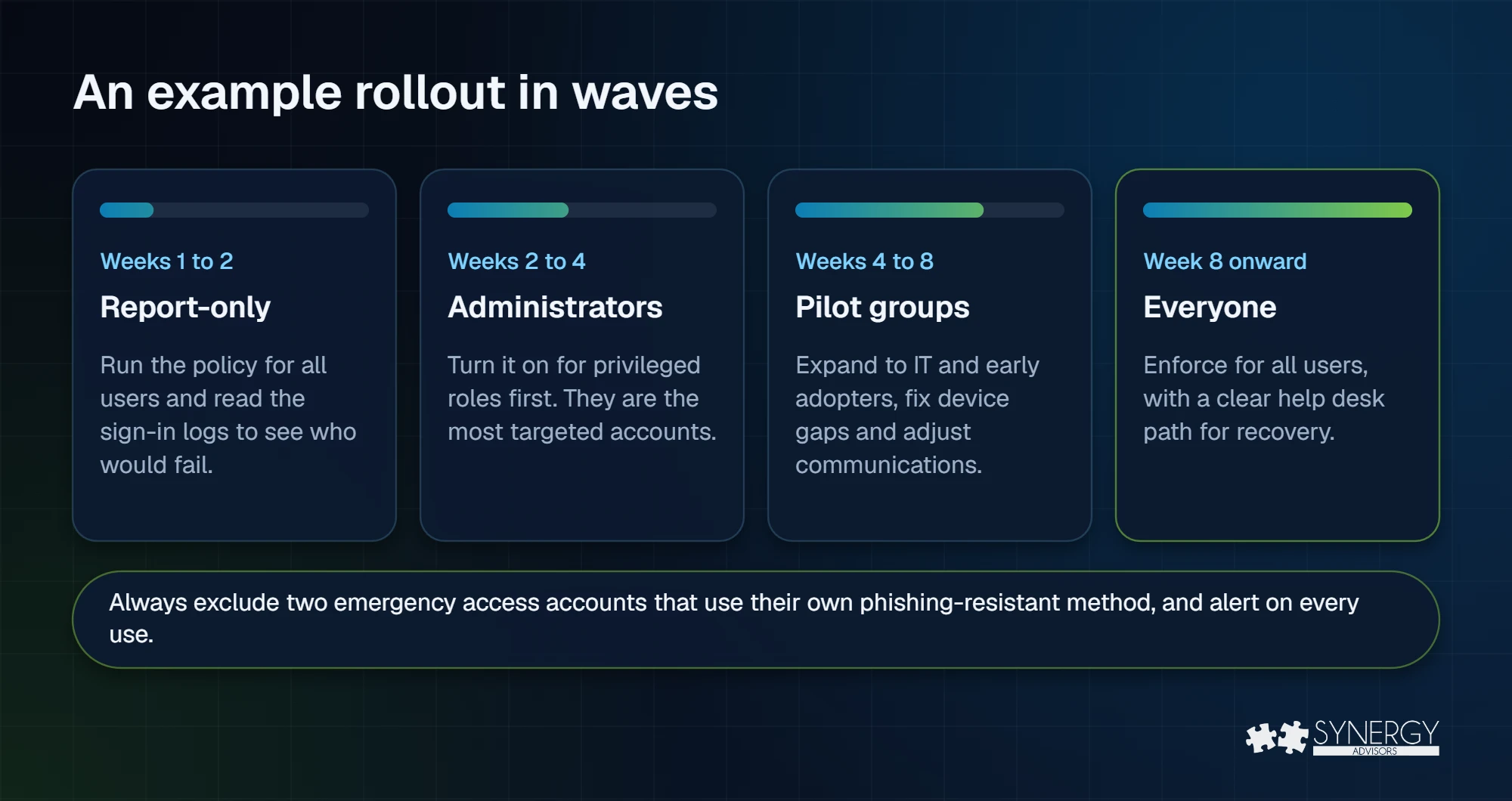
Start with privileged roles: they are the most targeted accounts and usually the smallest group. Then expand to IT and early adopters, fix the device and network gaps they surface, and only then enforce for everyone. Keep the help desk path for recovery with Temporary Access Pass visible in every communication.
Read the results in report-only mode
Open a sign-in in the sign-in logs and review the Report-only tab: it shows whether the policy would have succeeded or failed and which authentication was used. Users who would fail are your registration backlog. If you send sign-in logs to Log Analytics, the Conditional Access insights and reporting workbook summarizes the impact across all users.
External users and guests
Phishing-resistant methods for B2B guests (passkeys, Windows Hello for Business and certificates) can only be performed in the guest’s home tenant. For a guest to satisfy the strength, you must trust MFA from their tenant in cross-tenant access settings. Without that trust, guests can only use methods available in your tenant, which do not satisfy the Phishing-resistant MFA strength. Plan a separate policy or exclusion for guests until partners confirm their own posture. External users follow the July 1, 2027 SMS and voice retirement date.
Common mistakes
- Turning the policy on before users have a passkey.
- Forgetting to exclude, and monitor, emergency access accounts.
- Applying phishing-resistant MFA to guests without inbound MFA trust.
- Stacking several strengths on the same users and creating impossible combinations.
- Skipping report-only and learning about gaps from the help desk.
How Synergy Advisors helps
Our security experts design and roll out Conditional Access with authentication strengths, from report-only analysis to full enforcement. See our Secure Access services, the SMS to passkeys migration plan and the readiness checklist.
Sources
- Conditional Access authentication strengths Microsoft Learn
- How Conditional Access authentication strengths work Microsoft Learn
- Authentication strengths for external users Microsoft Learn
- Manage emergency access accounts in Microsoft Entra ID Microsoft Learn
- Enable passkeys (FIDO2) in Microsoft Entra ID Microsoft Learn
- Passkeys by default and retirement of Microsoft-provided SMS and voice authentication Microsoft Learn
Frequently asked questions
Does the Phishing-resistant MFA strength include Microsoft Authenticator?
A passkey stored in Microsoft Authenticator counts as a passkey (FIDO2) and satisfies the strength. Authenticator phone sign-in and push notifications do not.
Can I edit the built-in strengths?
No. You can create custom authentication strengths with the exact methods you need, including restrictions by FIDO2 authenticator model.
Should emergency access accounts be excluded?
Yes. Exclude at least two emergency access accounts from blocking policies, protect them with a passkey or certificate and alert on every use.
What license is required?
Conditional Access authentication strengths require Microsoft Entra ID P1.