

Guide every employee to passwordless sign-in
The Secure Access User Agent runs your passkey campaign inside Microsoft Teams. It reaches the people who still need to act, explains the change in plain language and takes them straight to registration, so your team no longer chases people one by one.
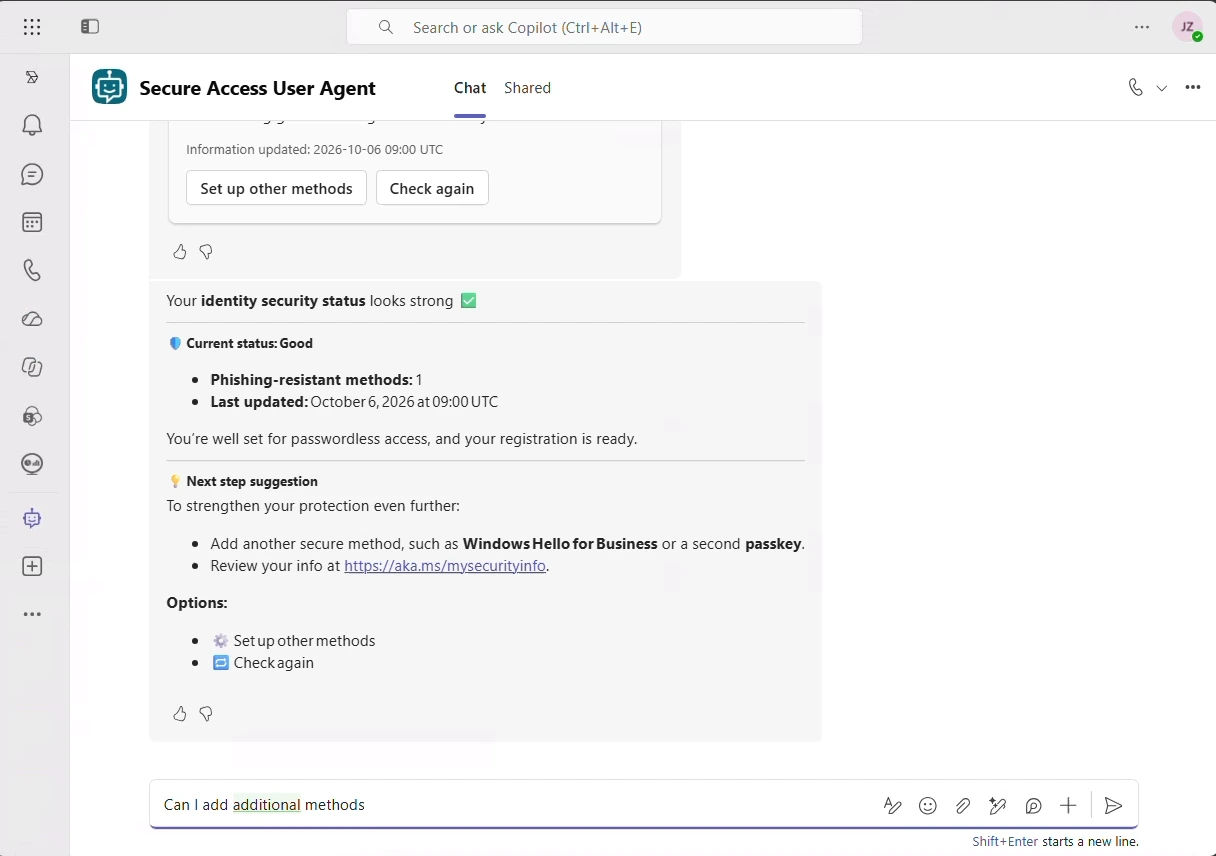
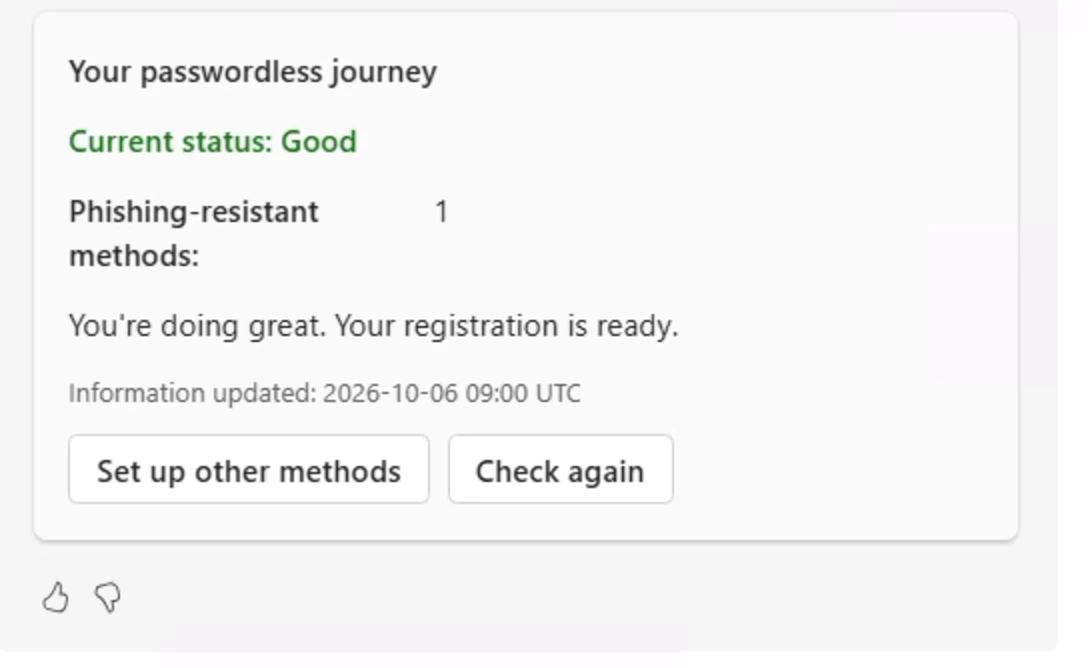
The hard part of passwordless is people, not policy
Turning on passkeys takes an afternoon. Getting thousands of employees to register one before February 1, 2027 is a campaign.
Emails get ignored
Campaign emails are skipped or, worse, look like phishing to the people you are trying to protect.
Help desks fill up
The same questions arrive again and again: what is a passkey, why now, how do I set it up.
IT chases the same names
Weeks go into following up, one by one, with the people who have not registered yet.
Teams is where people work
The agent reaches each person in Microsoft Teams, the app they already use every day.
What every employee sees in Teams
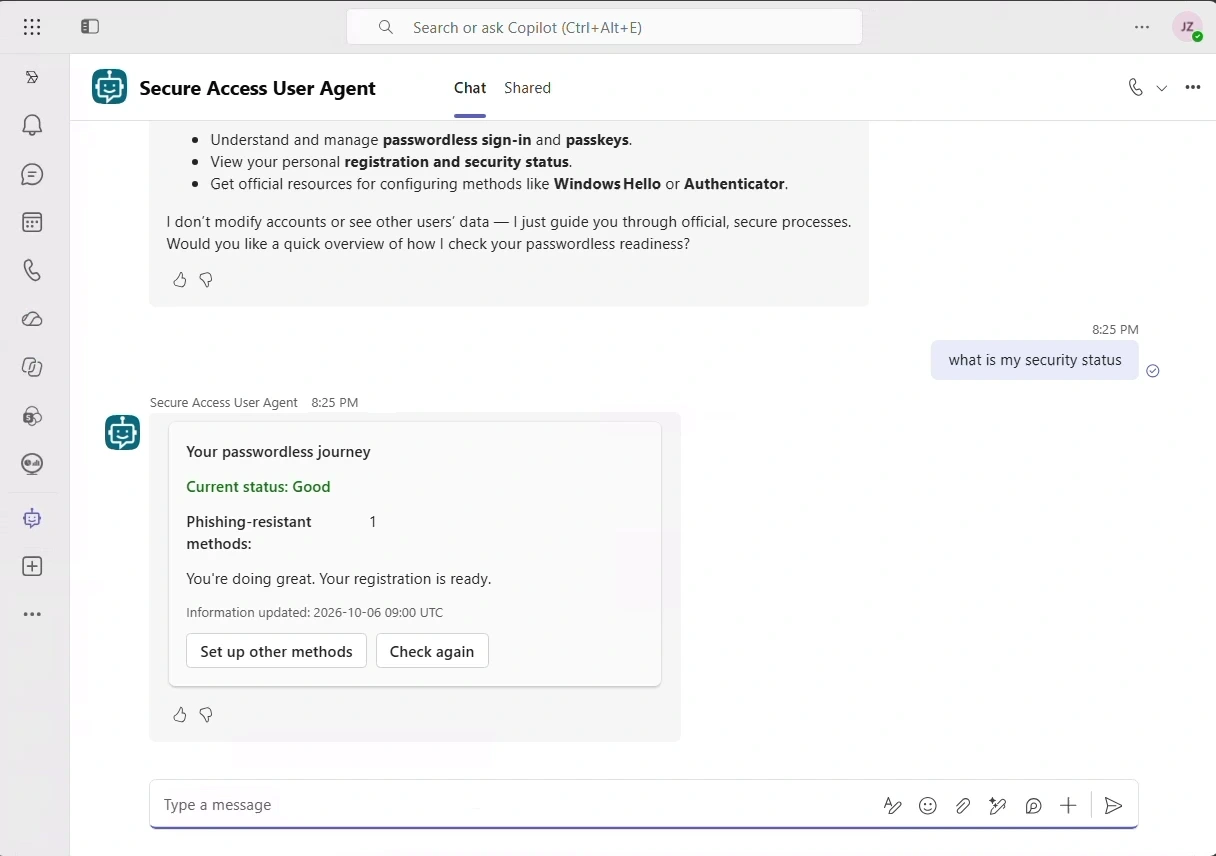
Real answers from the agent in Microsoft Teams: clear explanations, a personal status and a guided path to registration.
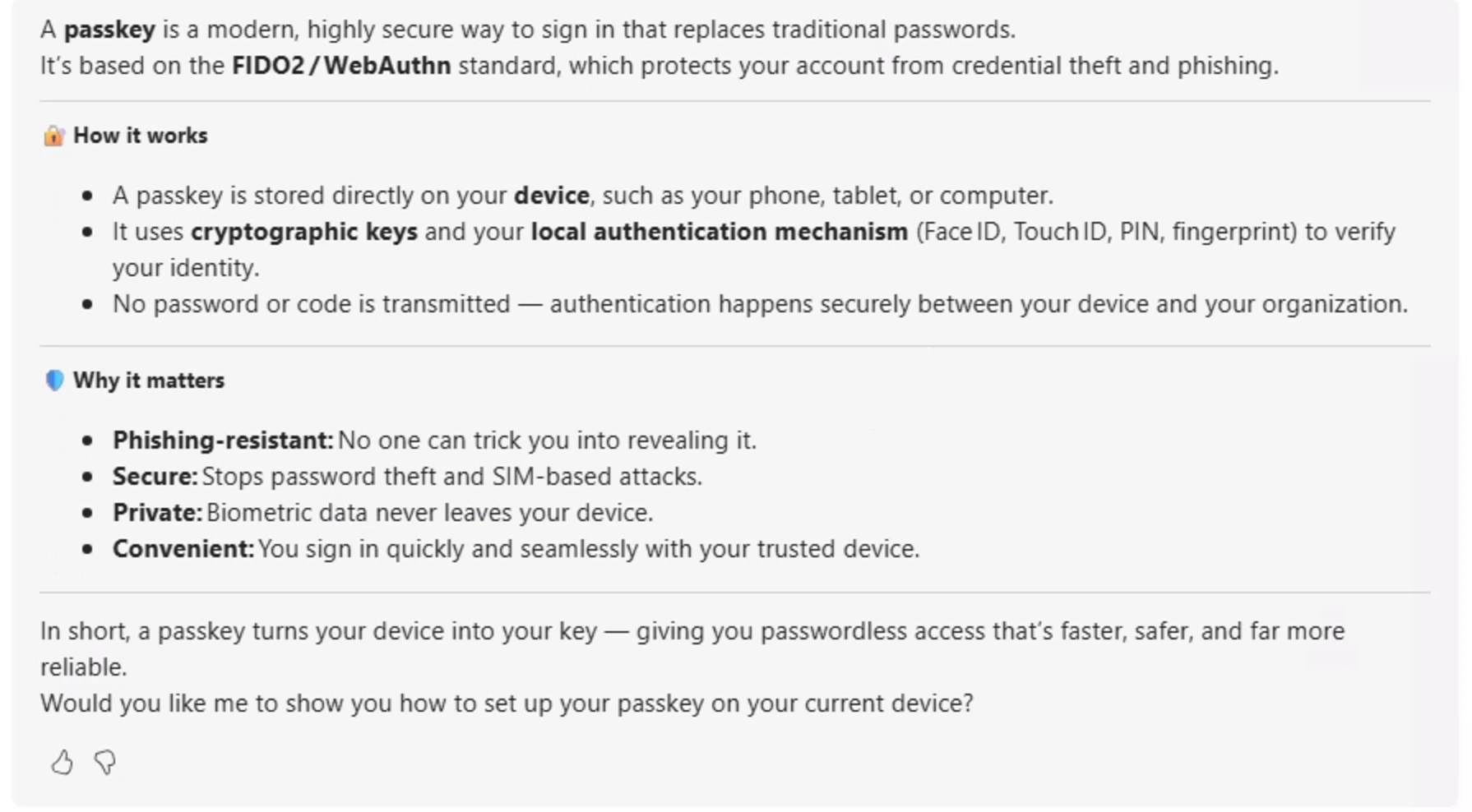
Clear answers, not jargon
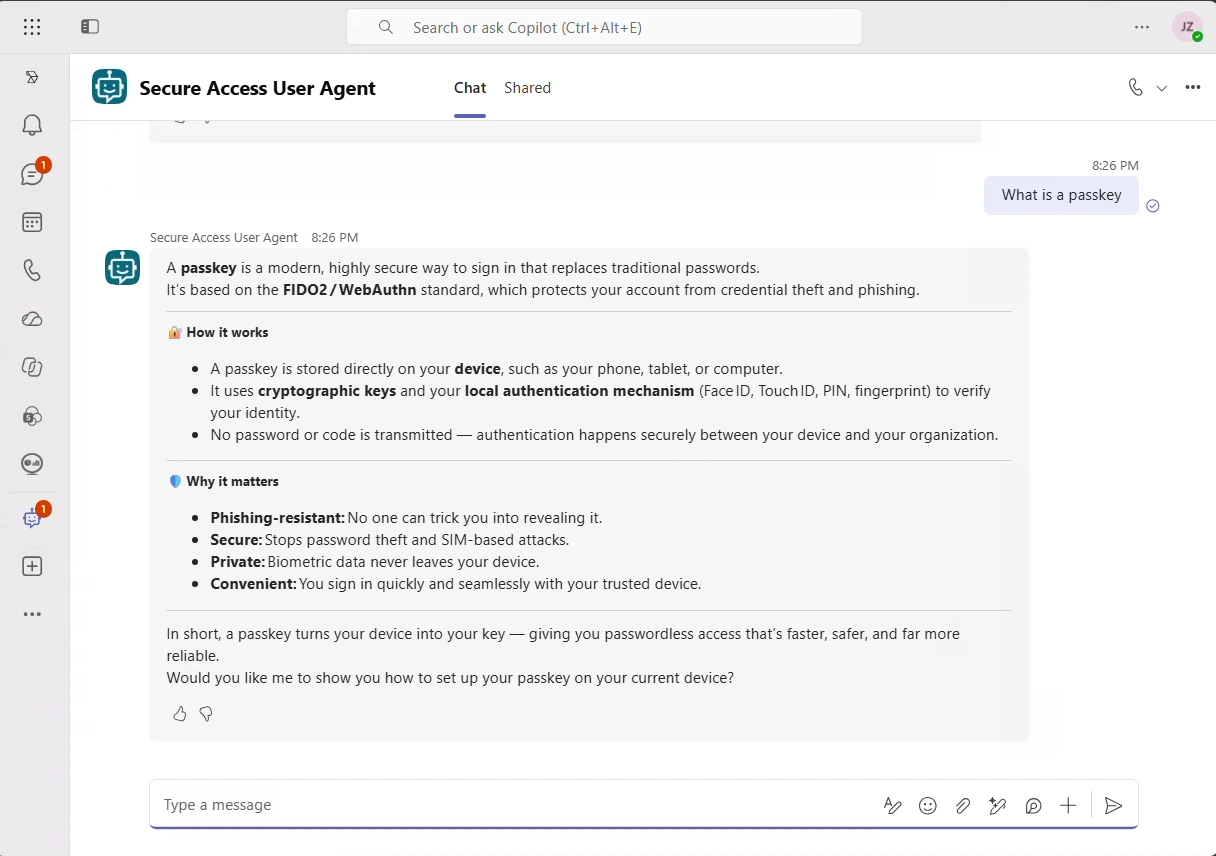
What is a passkey? Why does it matter? The agent answers in plain language, with short, structured explanations that anyone in the company can follow.
- How passkeys work, in plain words
- Why they resist phishing
- An offer to set one up on the spot
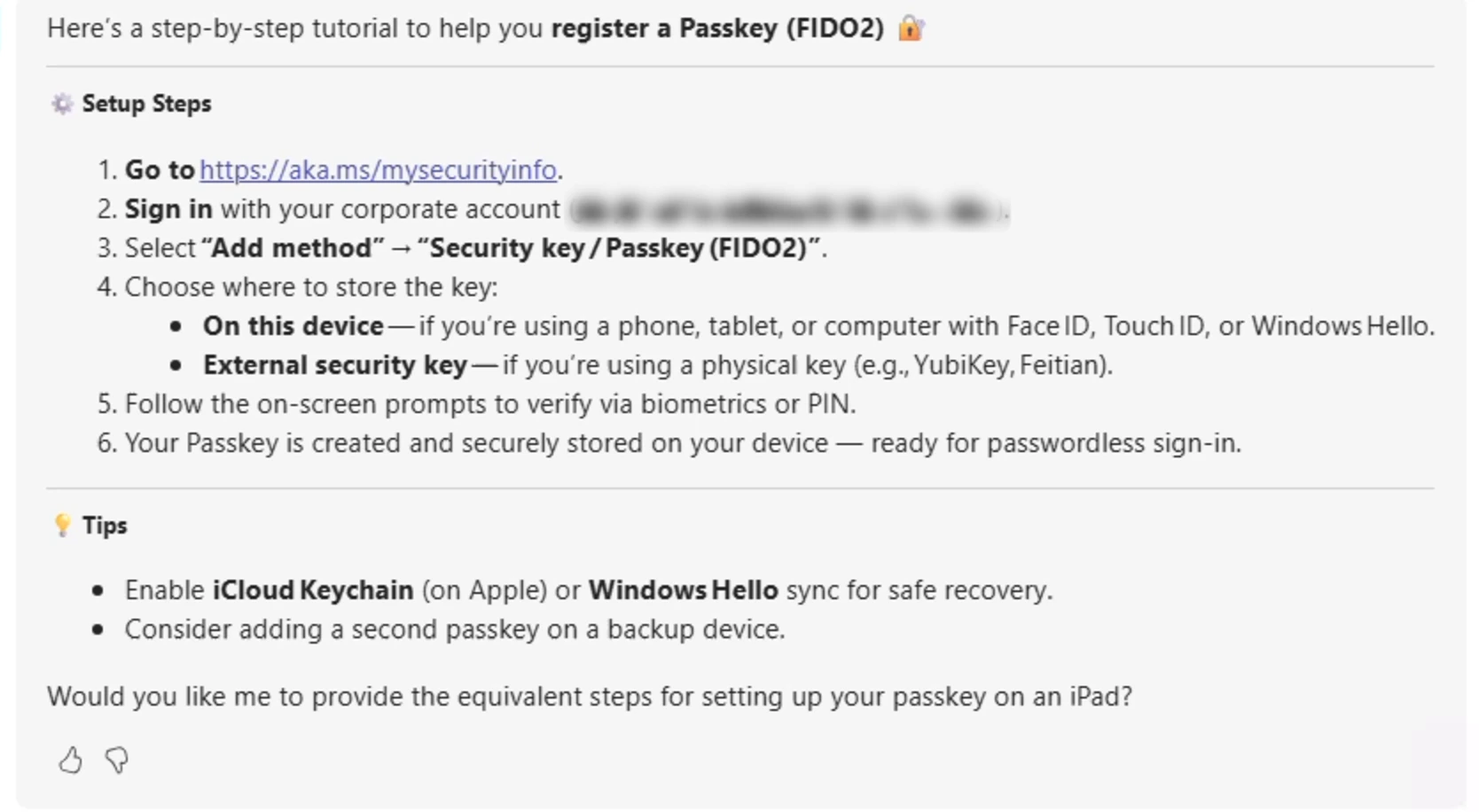
Guided all the way to a passkey
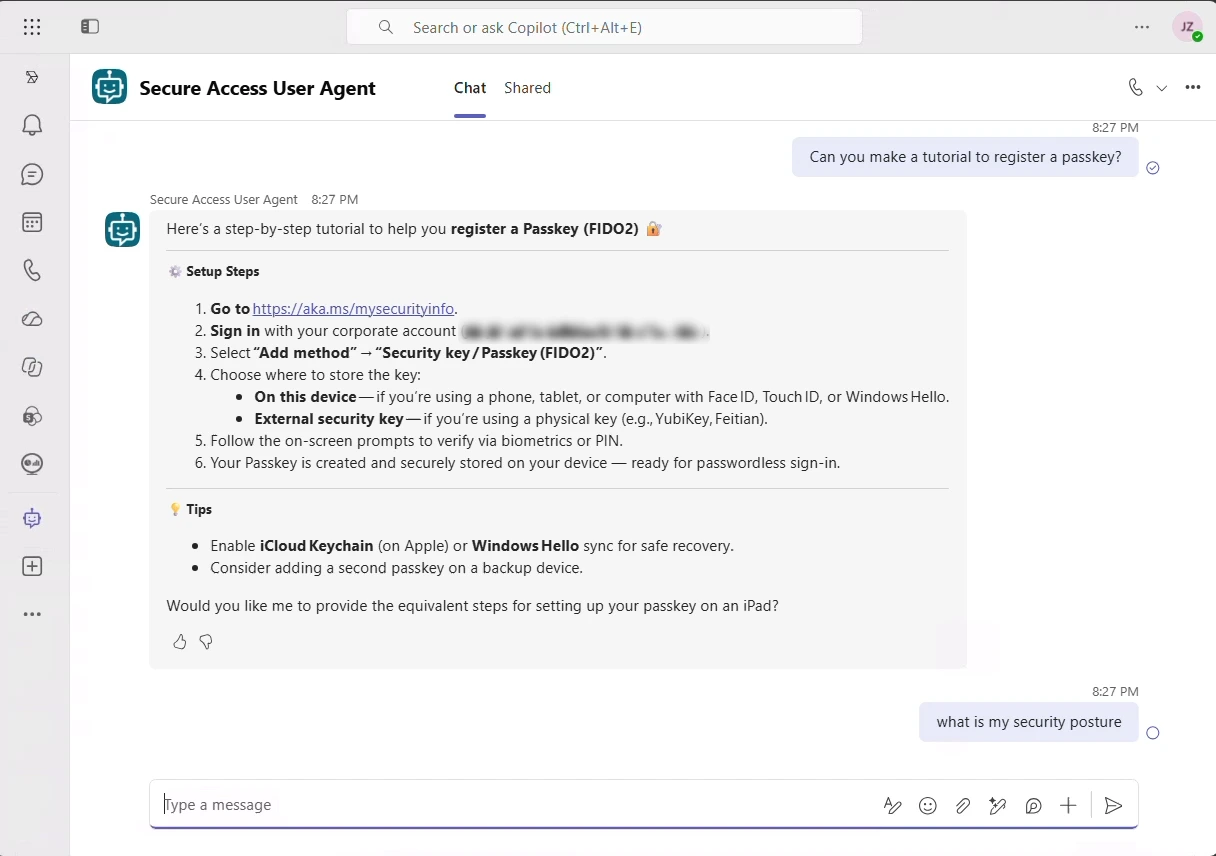
The agent walks each person through registration and links straight to the official Microsoft security info page, where the passkey is created on their own device.
- Every click explained, at aka.ms/mysecurityinfo
- On this device or with a security key
- Tips to keep a backup passkey
Answers people act on
The agent explains the change and the options without jargon, so employees act instead of opening tickets.
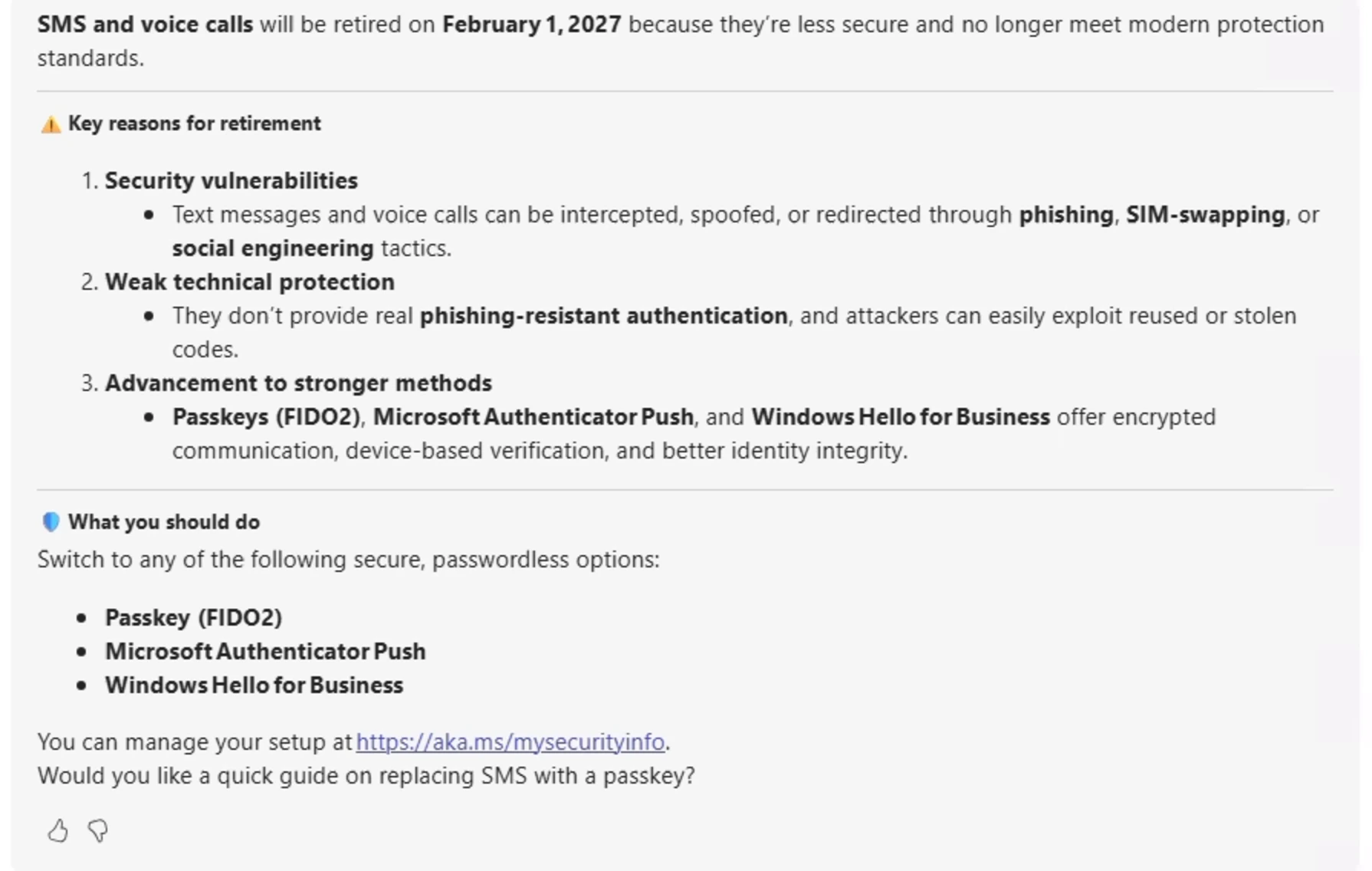
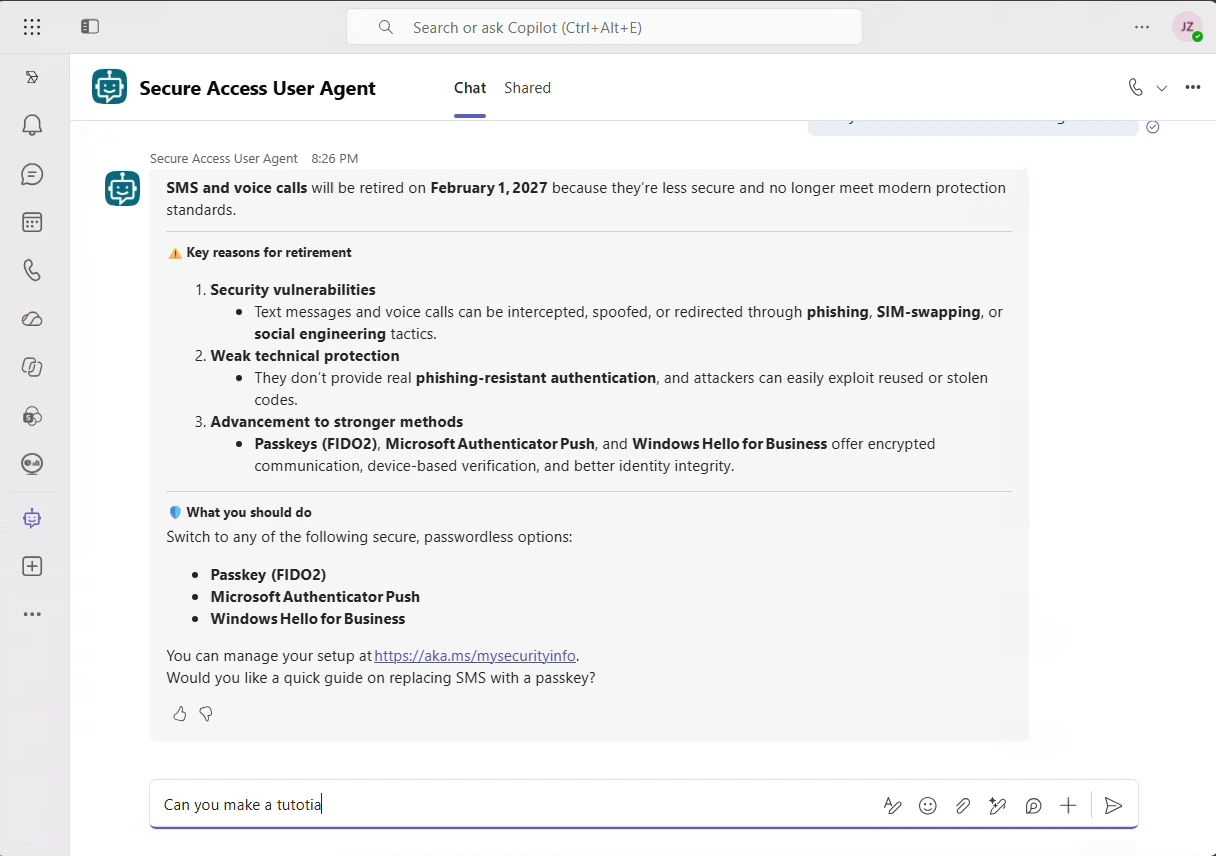
Why SMS and voice are retiring
The reasons behind February 1, 2027, explained in the words people use, with the options to switch to.
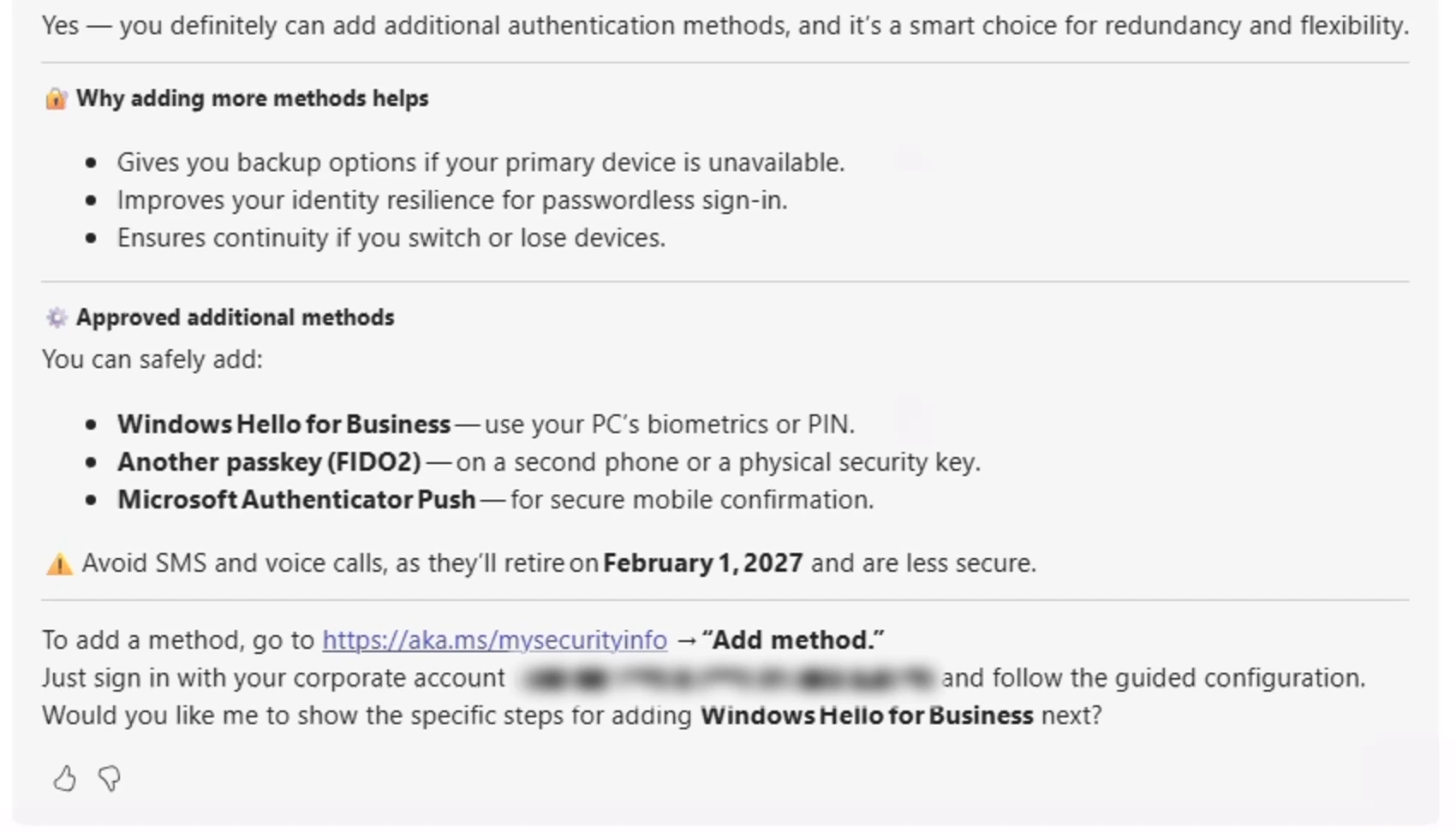
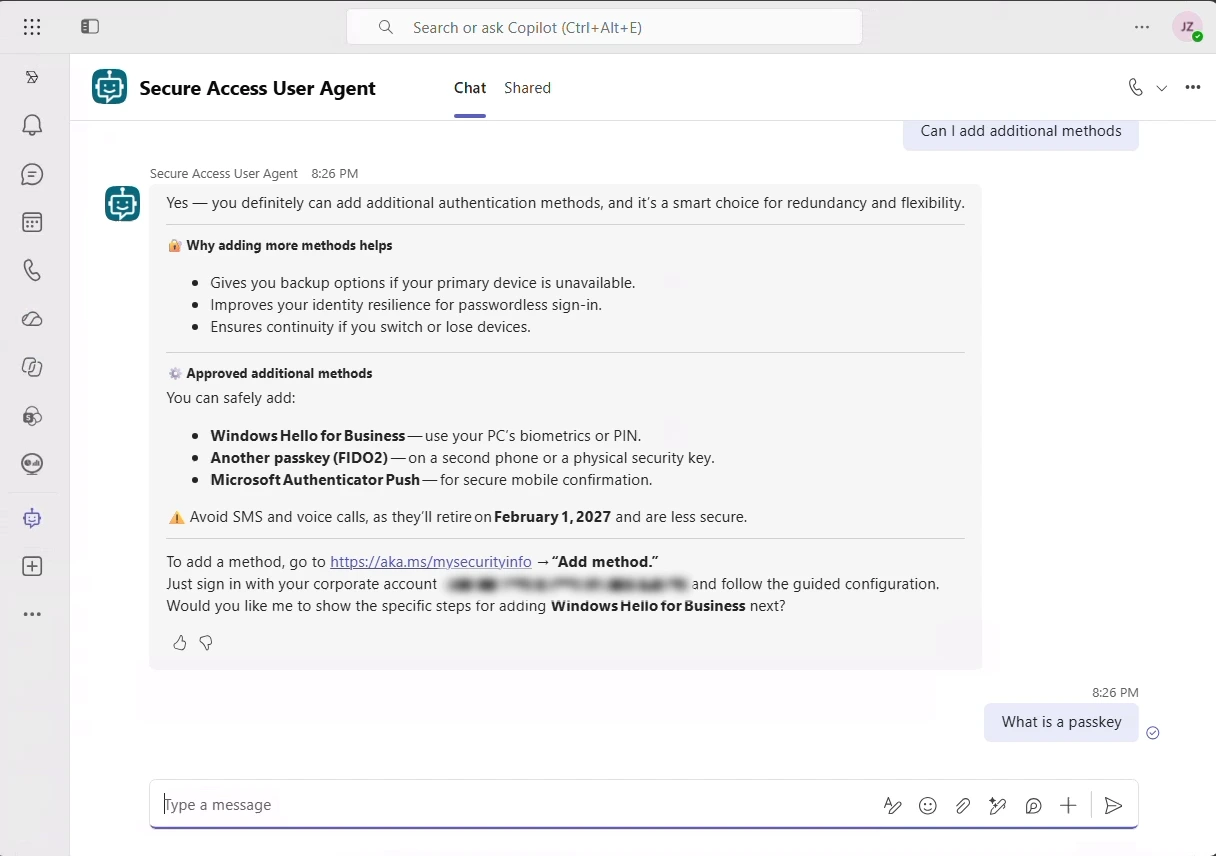
One lost device is not a lockout
The agent explains why a second method matters, which ones to add and where to add them, so a passkey never becomes a single point of failure.
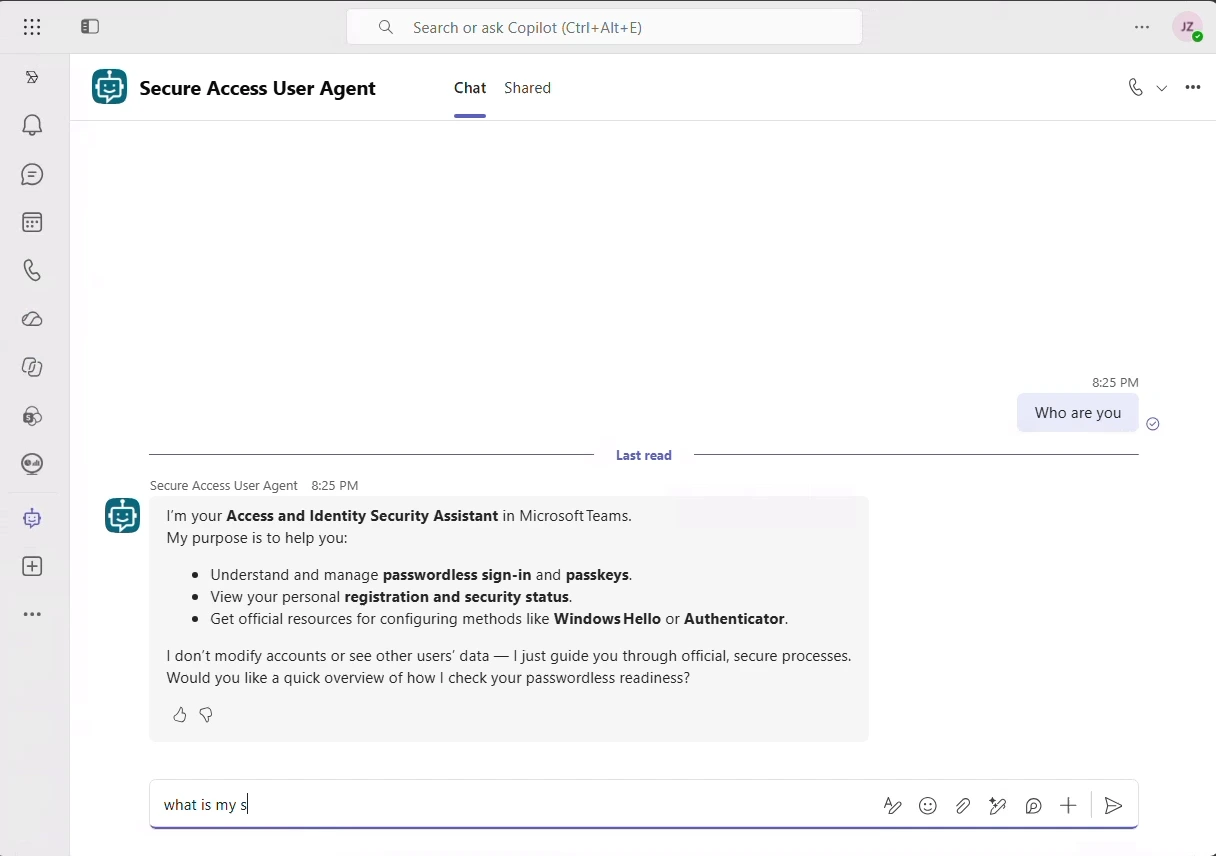
The whole conversation, in Teams
Explore real answers from the Secure Access User Agent, from the first message to a registered passkey.
Your campaign, your rules
Your words
The welcome message lives in the campaign configuration, not in the agent’s code, so your communications team writes it.
Your links
Point employees to your own enrollment and training pages.
Controlled sending
Messages go out in batches of the size you set, and one switch stops the whole campaign at once.
Read-only in Entra ID
The agent uses read-only permissions. It never adds, changes or removes anyone’s methods.
Runs in your tenant
Delivered through Microsoft Teams with Copilot Studio; the campaign data stays in your own Dataverse environment.
Clear failures
If something goes wrong, it says so. It never makes up an answer.
See the agent in one minute
Guide every employee to passwordless sign-in
A one-minute walkthrough of the agent in Microsoft Teams, from the first message to a registered passkey.
One strategy, connected solutions
E-ntelligence measures where you stand. Micro-Visor Passwordless acts on it, user by user. Our Secure Access agents guide administrators and every employee along the way.
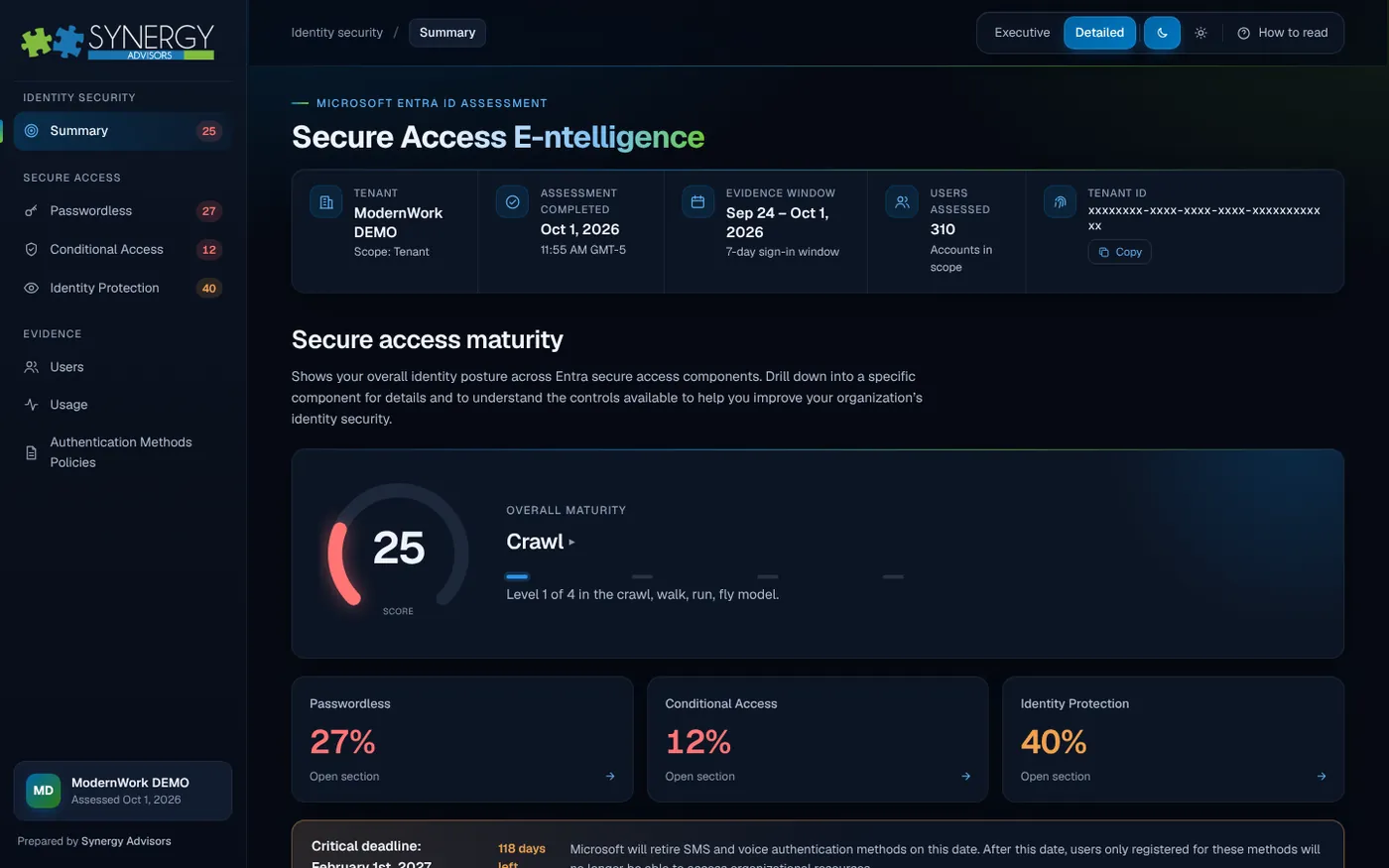
Assessment report
Secure Access E-ntelligence
Measures your Entra ID secure access maturity and ranks what to fix first.
Explore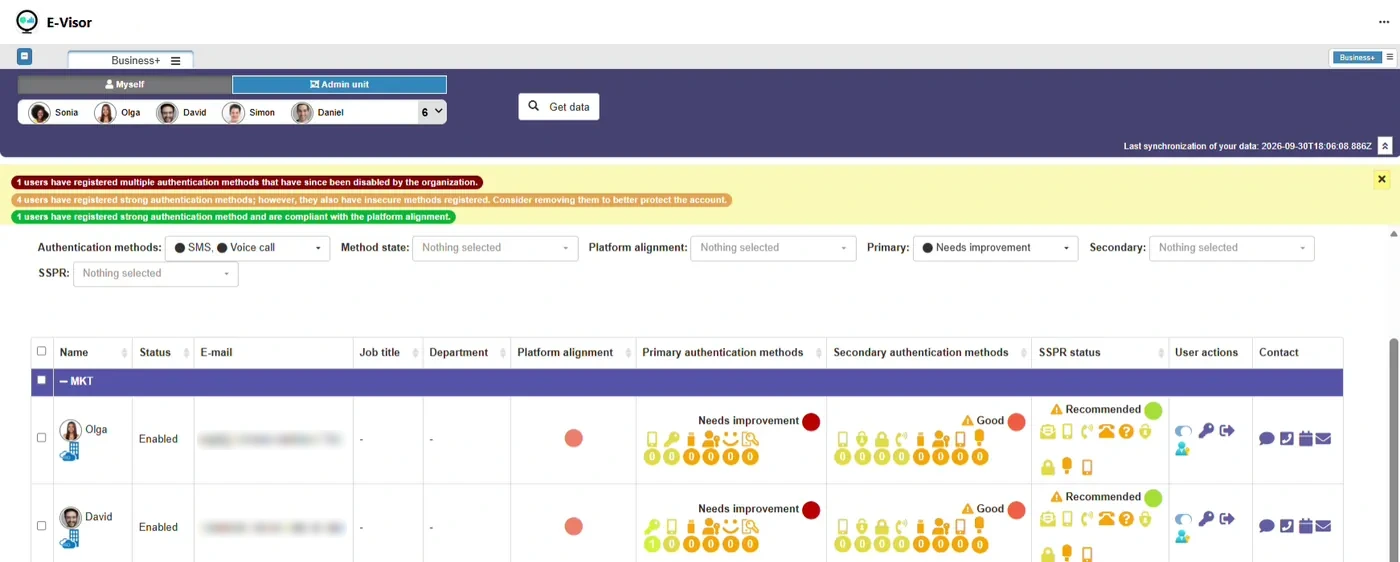
Adoption in Microsoft Teams
Micro-Visor Passwordless
Finds users still on SMS and voice and moves them to passwordless.
ExploreEnd-user agent
Secure Access User Agent
Guides each employee to passwordless sign-in, inside Microsoft Teams.
You are here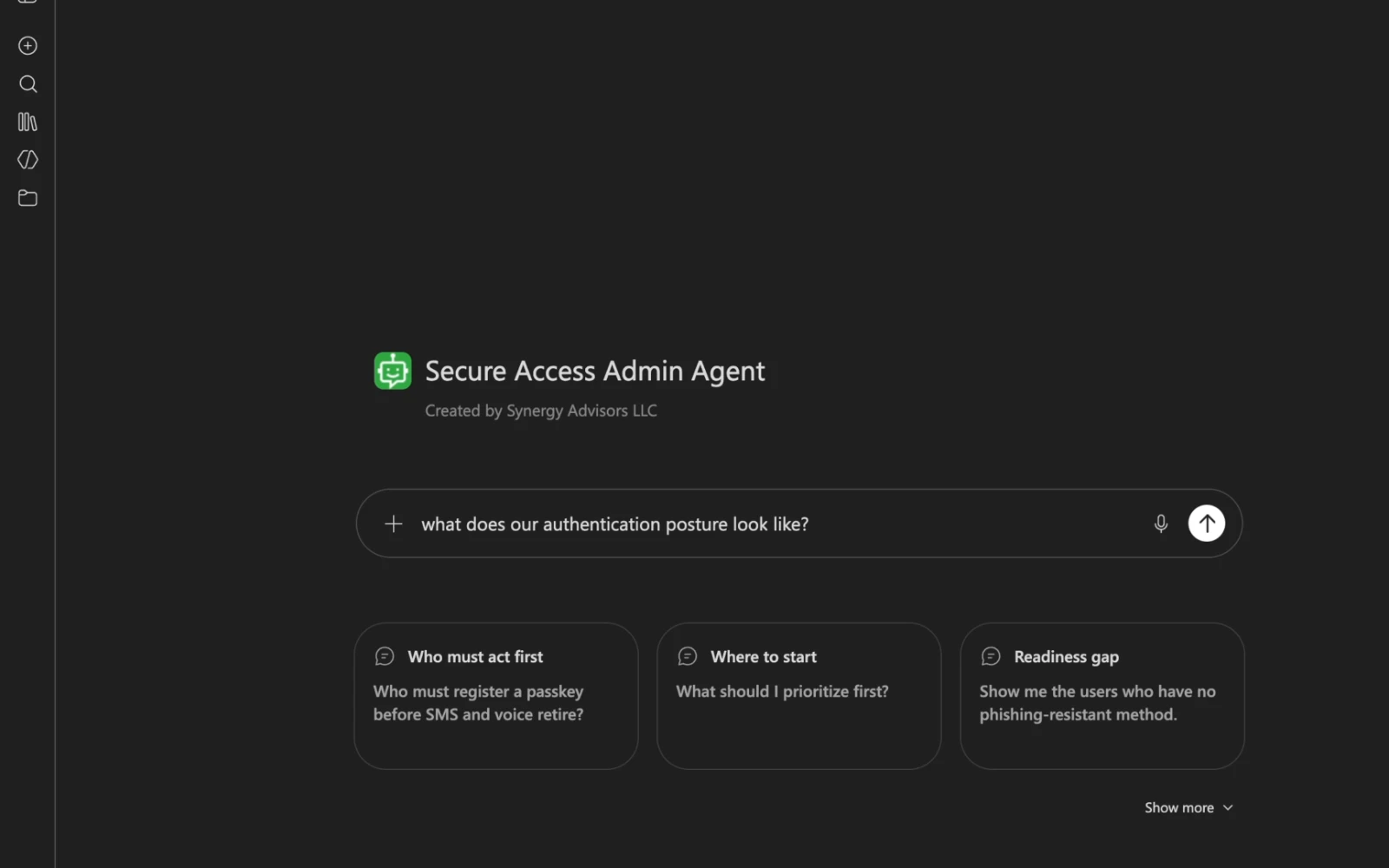
Admin agent
Secure Access Admin Agent
Answers who is at risk and where to start, from your own tenant.
ExploreWhat you need
- Microsoft 365 E3 or E5For employees, including Microsoft Teams
- Microsoft Copilot StudioLicensing to publish the agent
- Power Platform with Dataverse1 GB of database capacity, not included in E5
- Microsoft Authenticator or FIDO2 keySo employees can register a passkey
Frequently asked questions
Does the agent register passkeys for users?
No. Registration needs a gesture on the user’s own device. The agent explains, guides and links straight to the registration page.
Why Teams and not email?
Employees often ignore campaign emails or read them as phishing. A card in Teams, from your organization’s own agent, is easier to trust and to act on.
Can we write our own message?
Yes. The welcome text and the links come from your campaign configuration, not from the agent’s code.
Can it change anything in Microsoft Entra ID?
No. It only reads. Your administrators keep full control of methods and policies.
Can we pause the campaign?
Yes. One switch stops all sending immediately.
Get every employee passwordless before Feb 1, 2027
Our identity experts will show you the Secure Access User Agent in Microsoft Teams and help you plan your campaign.
Share your contextNumber of employees, licensing and your timeline to February 1, 2027.
See the agent in TeamsA live walkthrough with a Synergy Advisors identity expert.
Plan your campaignIn English or Spanish, remote or in person.