

Secure Access E-ntelligence: your identity security, measured on evidence.
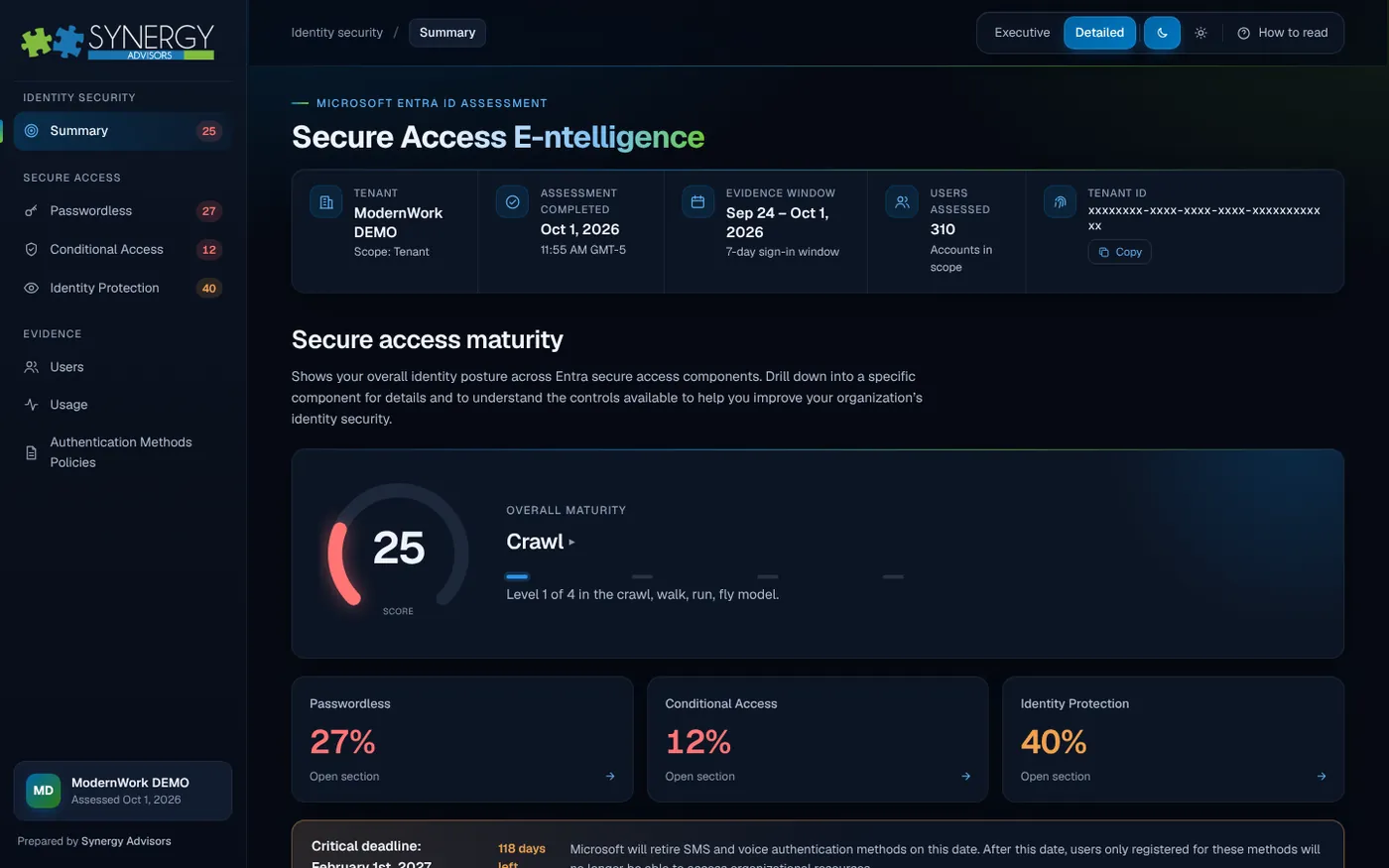
An assessment of your Microsoft Entra ID tenant built from your own sign-in activity, registrations and policies. It shows how mature your secure access really is, who is not ready for passwordless, where Conditional Access leaves gaps and which actions raise your score the most.
Decisions grounded in your own tenant
Most identity roadmaps start from assumptions. E-ntelligence starts from what your users actually register, use and are protected by, so leadership and IT work from the same picture.
One maturity score
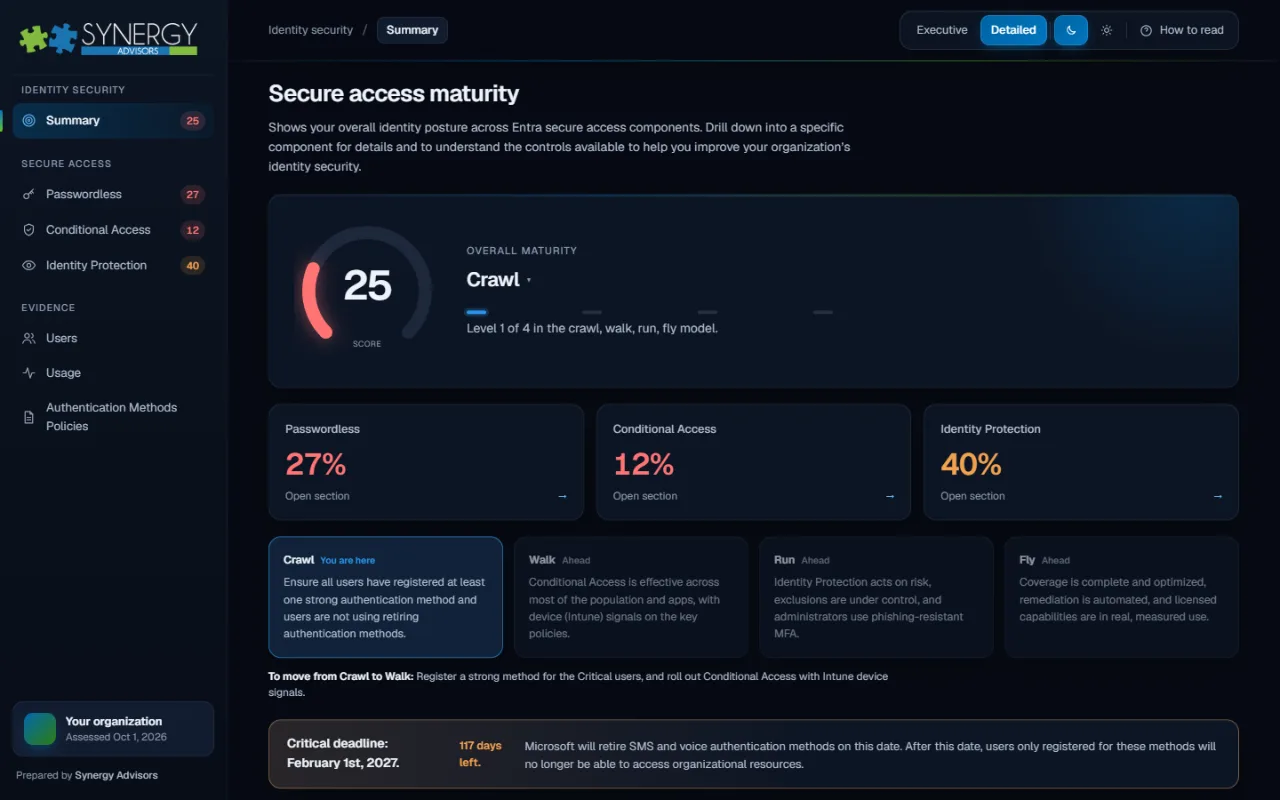
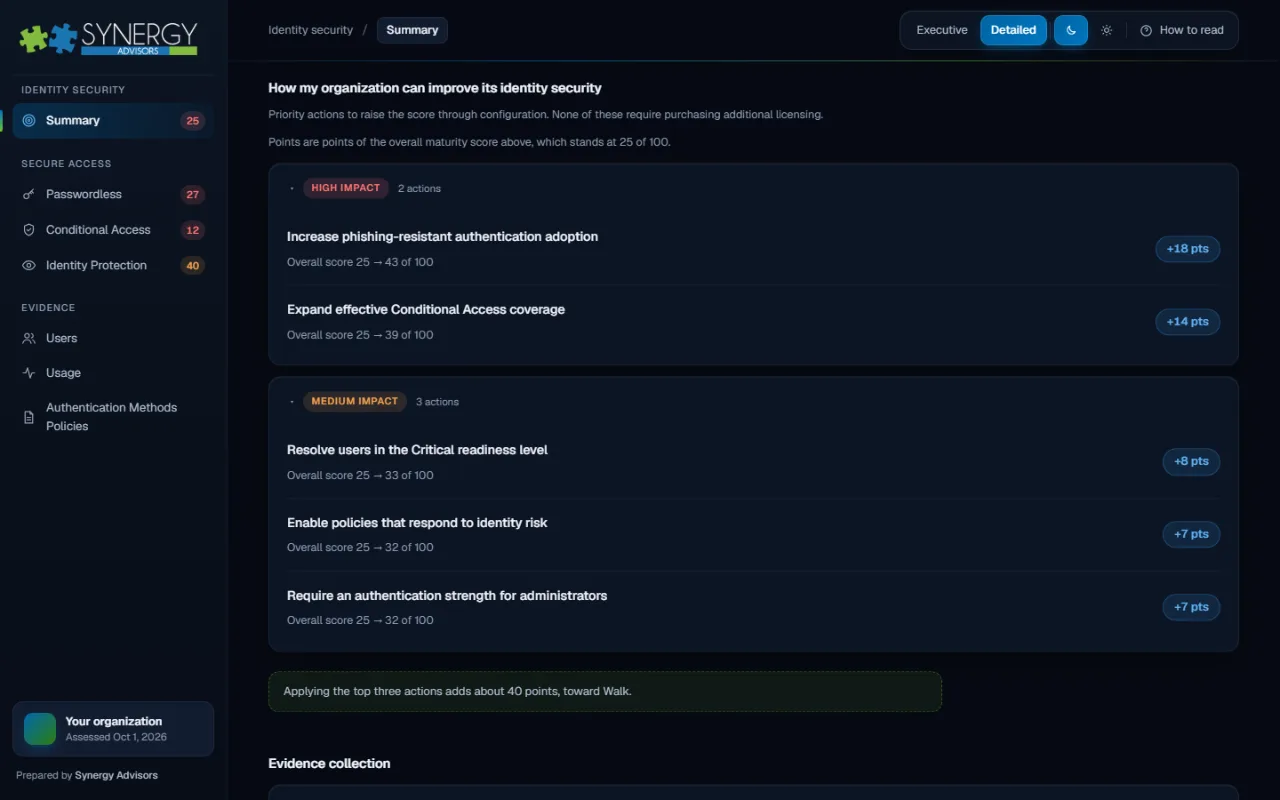
Crawl, walk, run or fly: one score across passwordless, Conditional Access and Identity Protection that leadership can follow over time.
People, not percentages
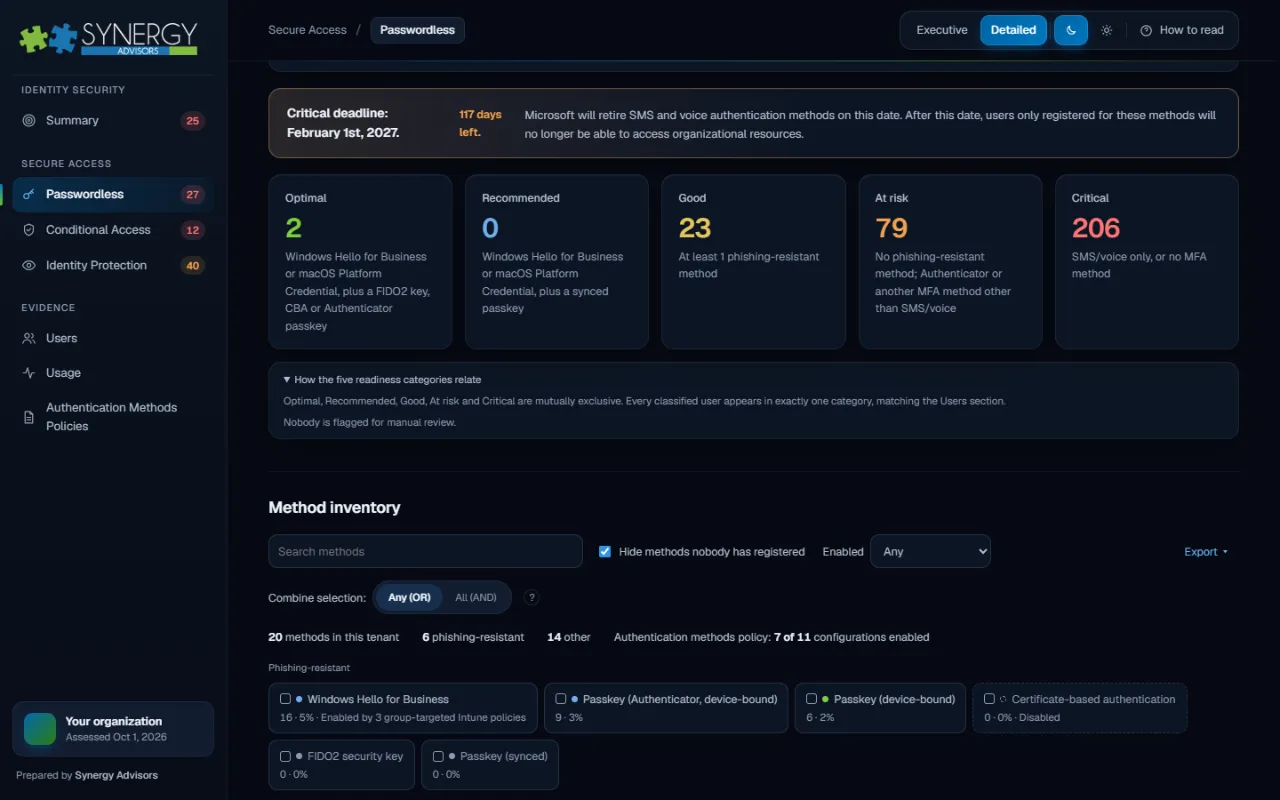
Every user is placed by their strongest method, so you know exactly who would lose access when SMS and voice retire.
Gaps that matter
Coverage by persona, application and signal shows where guests, users and administrators are still exposed.
A ranked roadmap
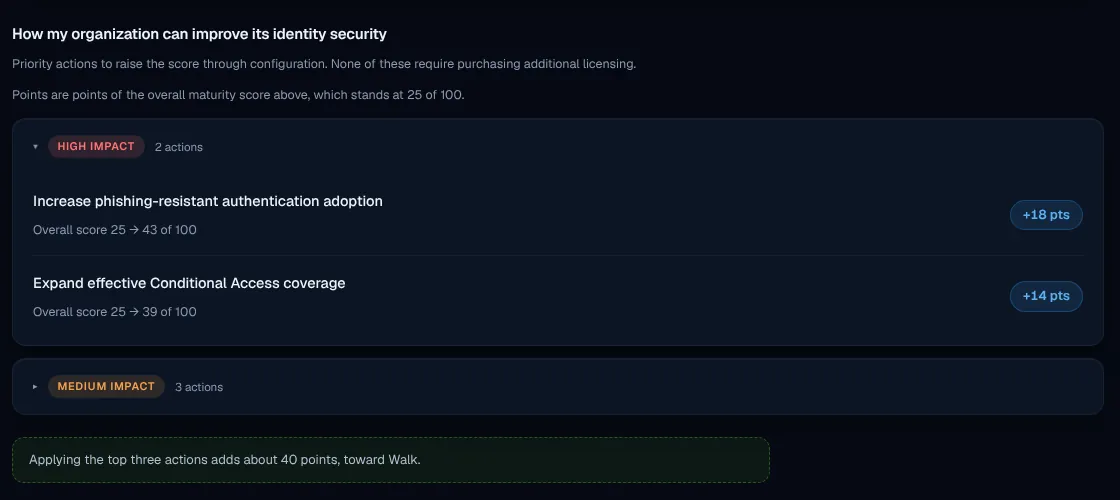
Priority actions come with the points they add to your score, so effort goes where it moves the needle.
What E-ntelligence shows you
Every view is built from your own tenant data, ready for leadership and for the teams that act on it.
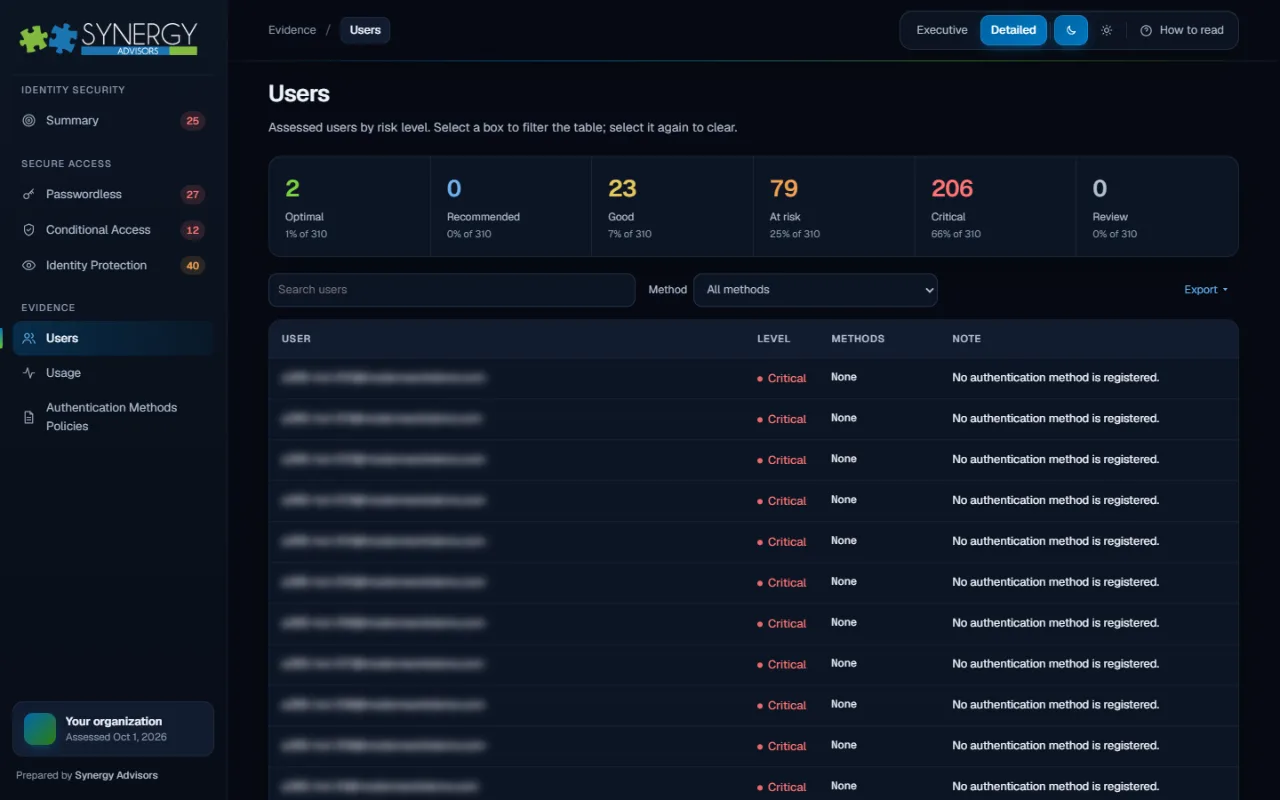
Who is ready for February 1, 2027, and who is not
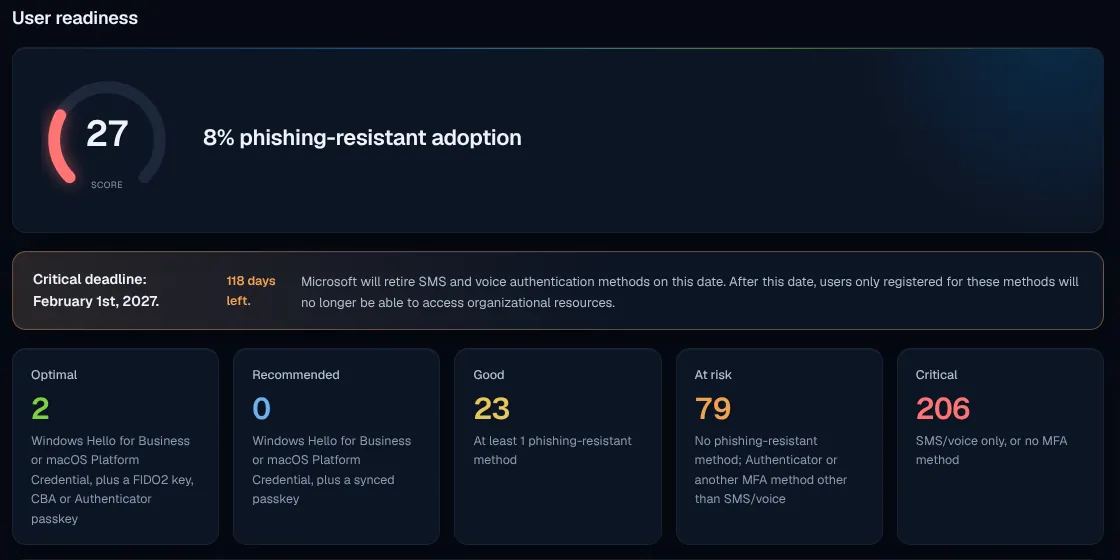
Users are grouped from Optimal to Critical by their strongest registered method, next to the time left before SMS and voice stop working for MFA.
- Critical users who rely only on SMS, voice or no MFA
- Phishing-resistant adoption as one trackable figure
- A migration plan built around people, not percentages
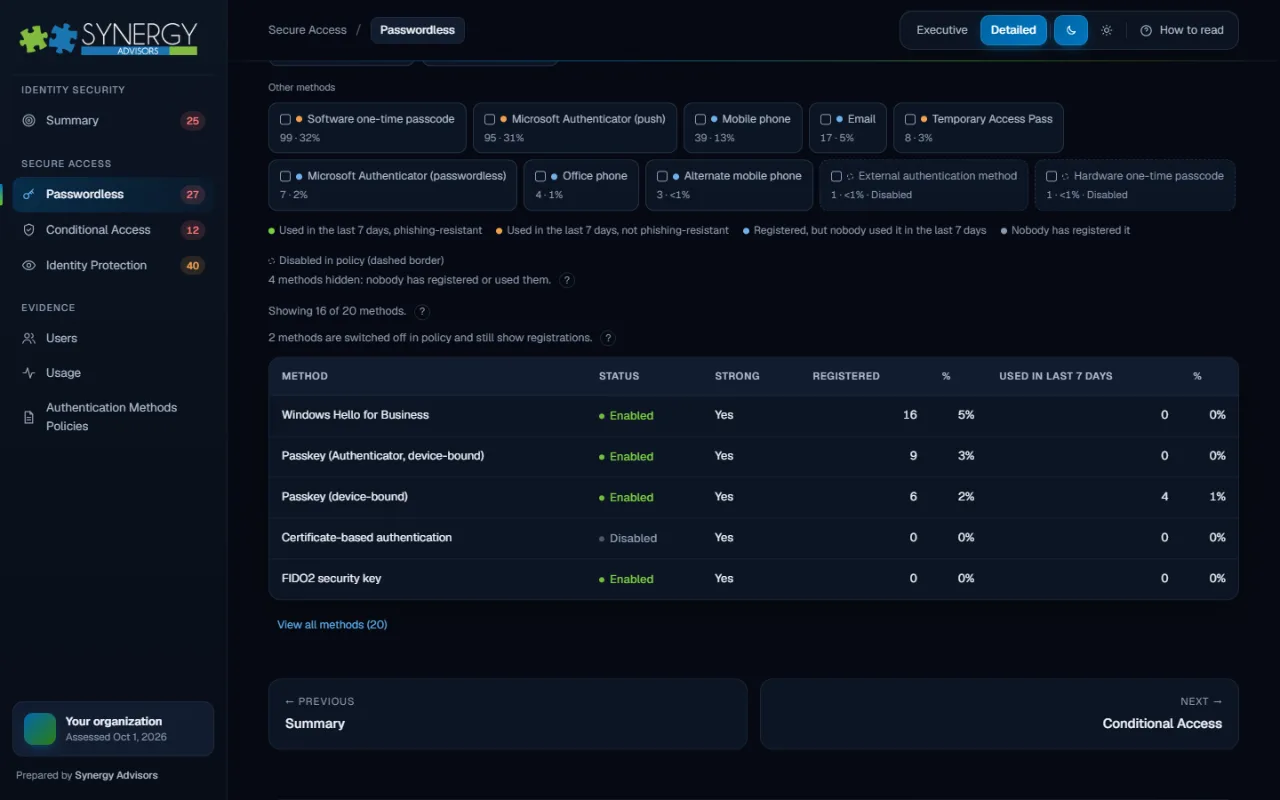
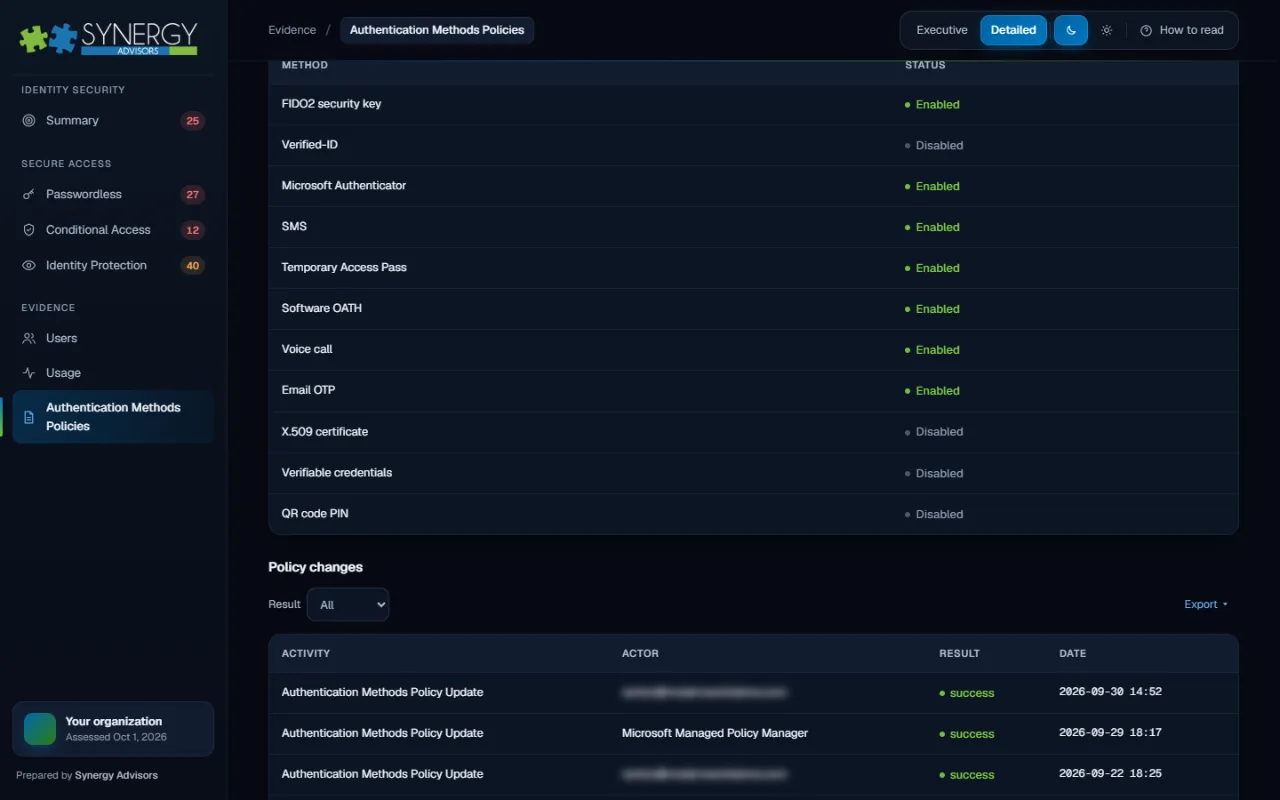
Every method, registered and actually used
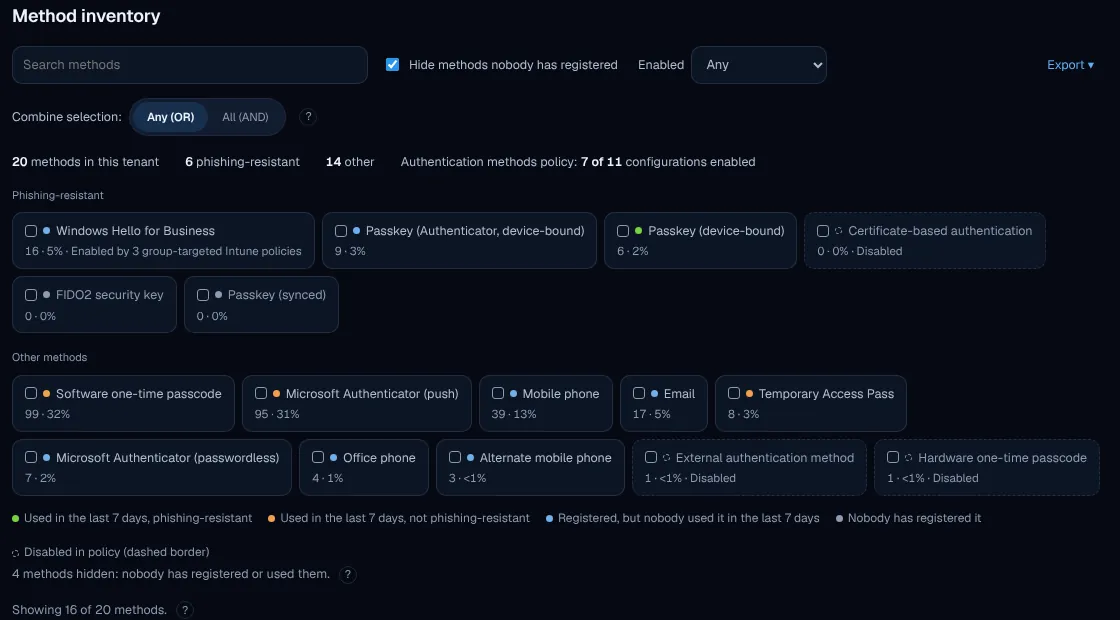
Each authentication method in the tenant appears with its registrations, recent use and policy state, split between phishing-resistant methods and everything else.
- Spot methods that are enabled but nobody uses
- See which phishing-resistant options are already in play
- Retire legacy methods knowing the impact
Exposure where it matters most
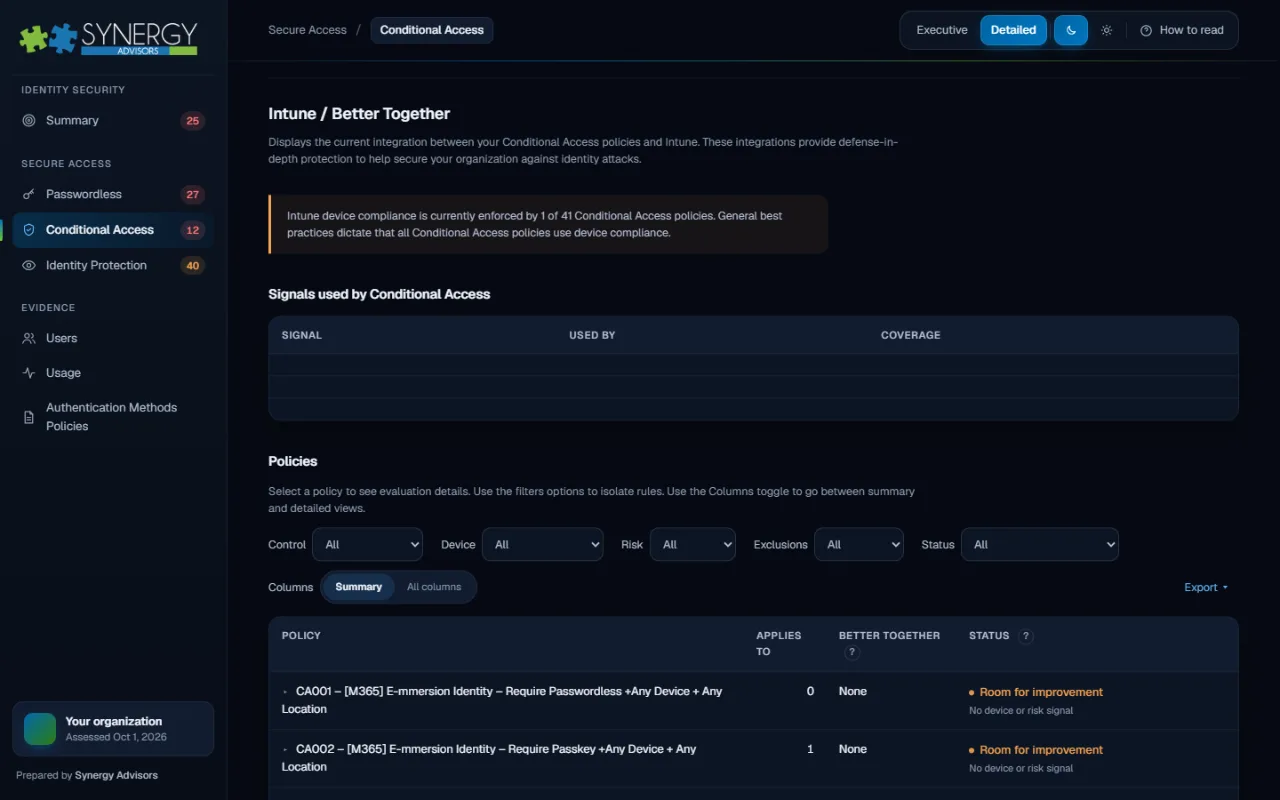
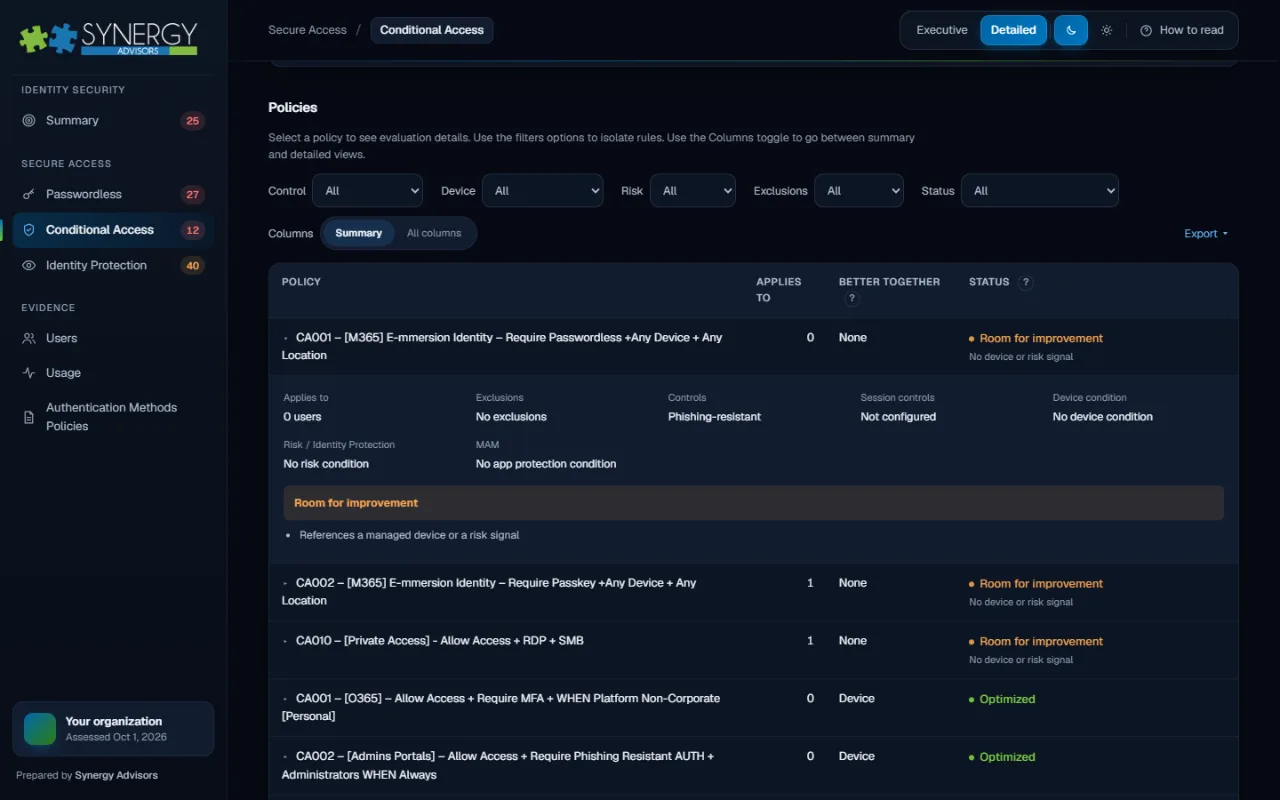
Policies can look complete on paper. E-ntelligence shows who they actually cover and where risk is showing up.
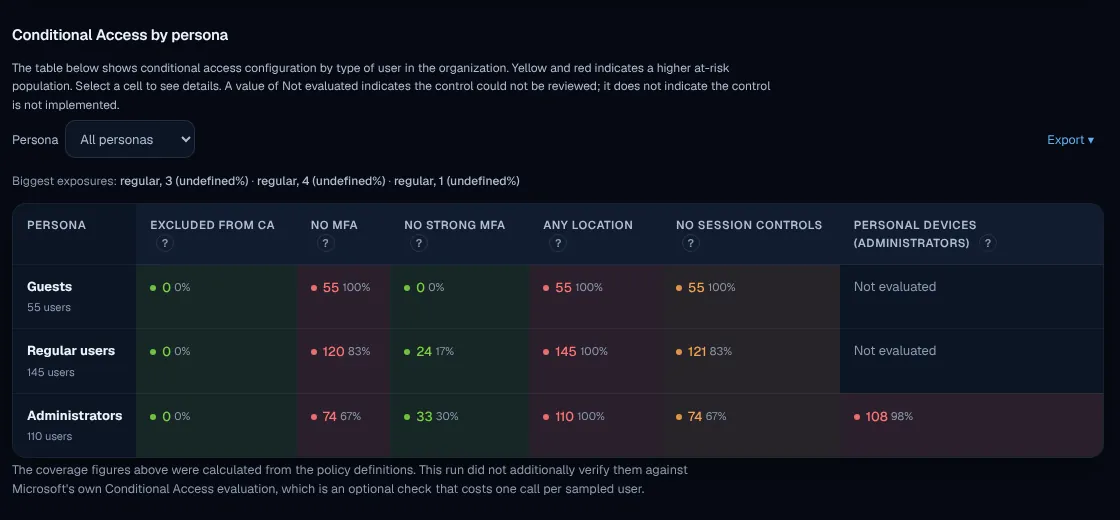
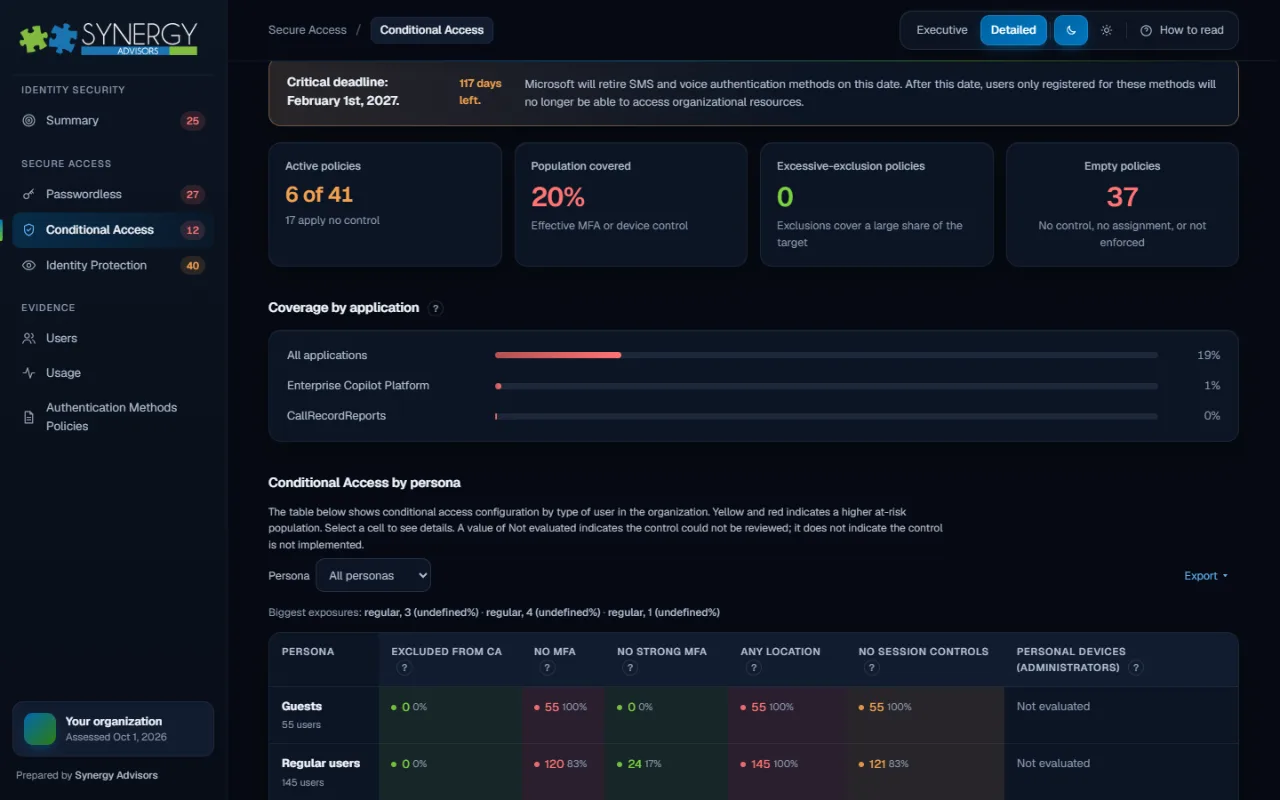
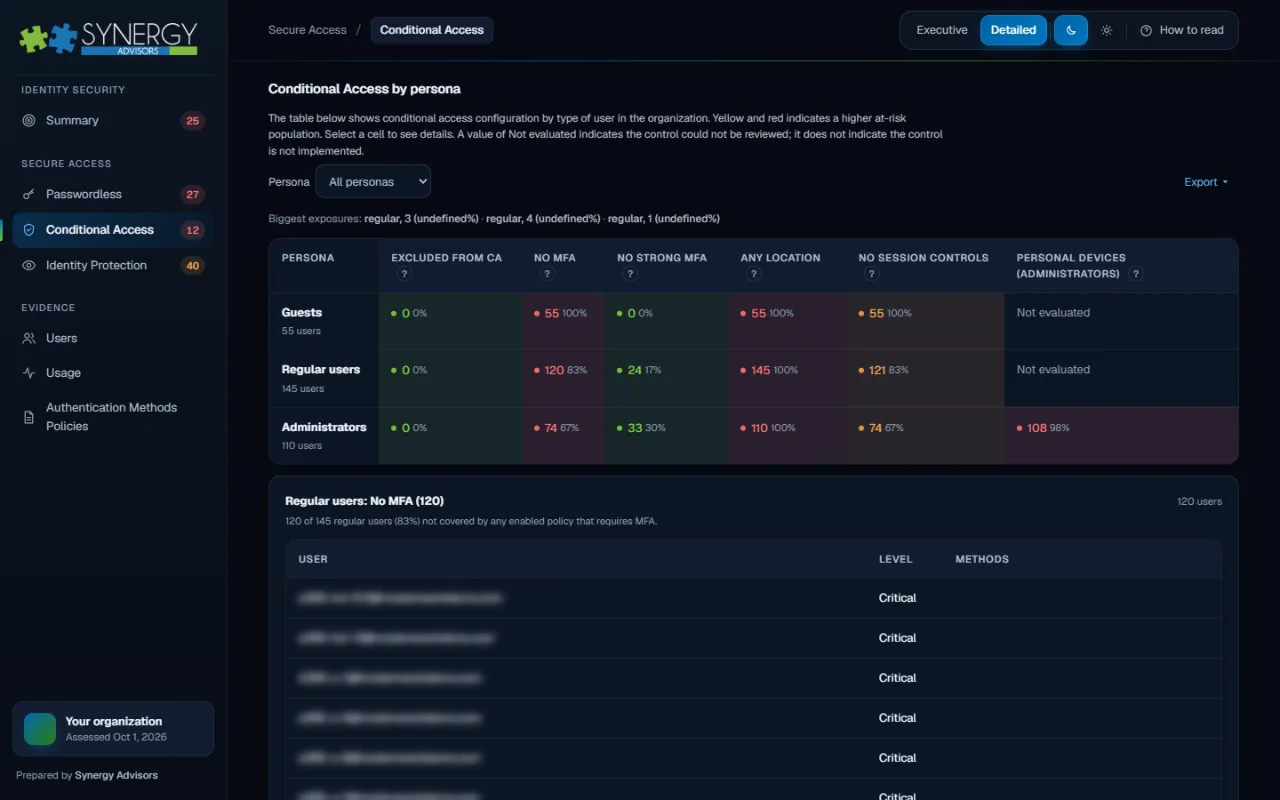
Conditional Access by persona
Guests, regular users and administrators side by side: excluded from policy, without MFA, without strong MFA, from any location or without session controls.
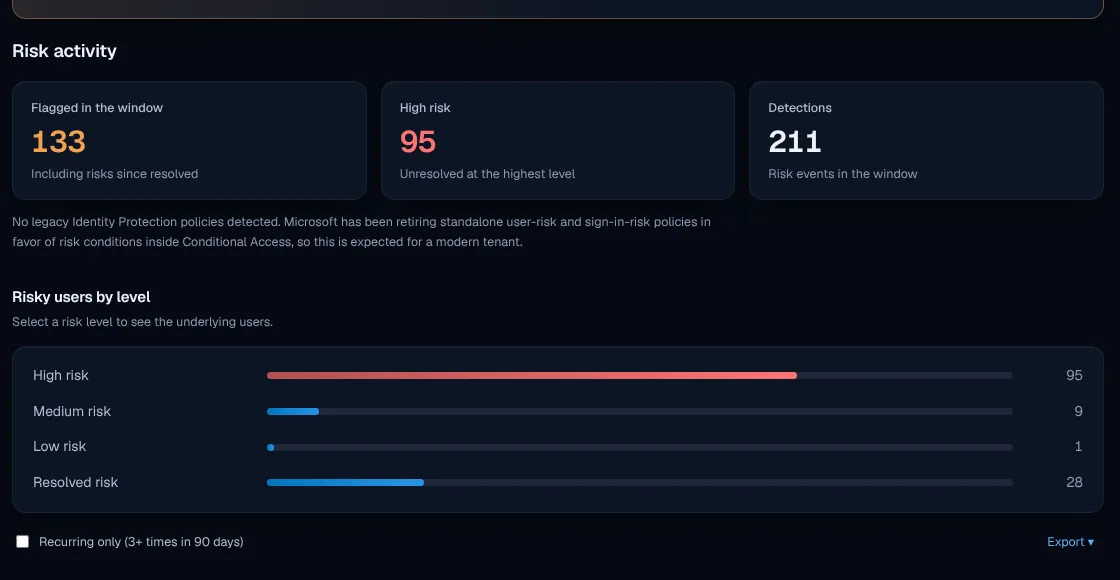
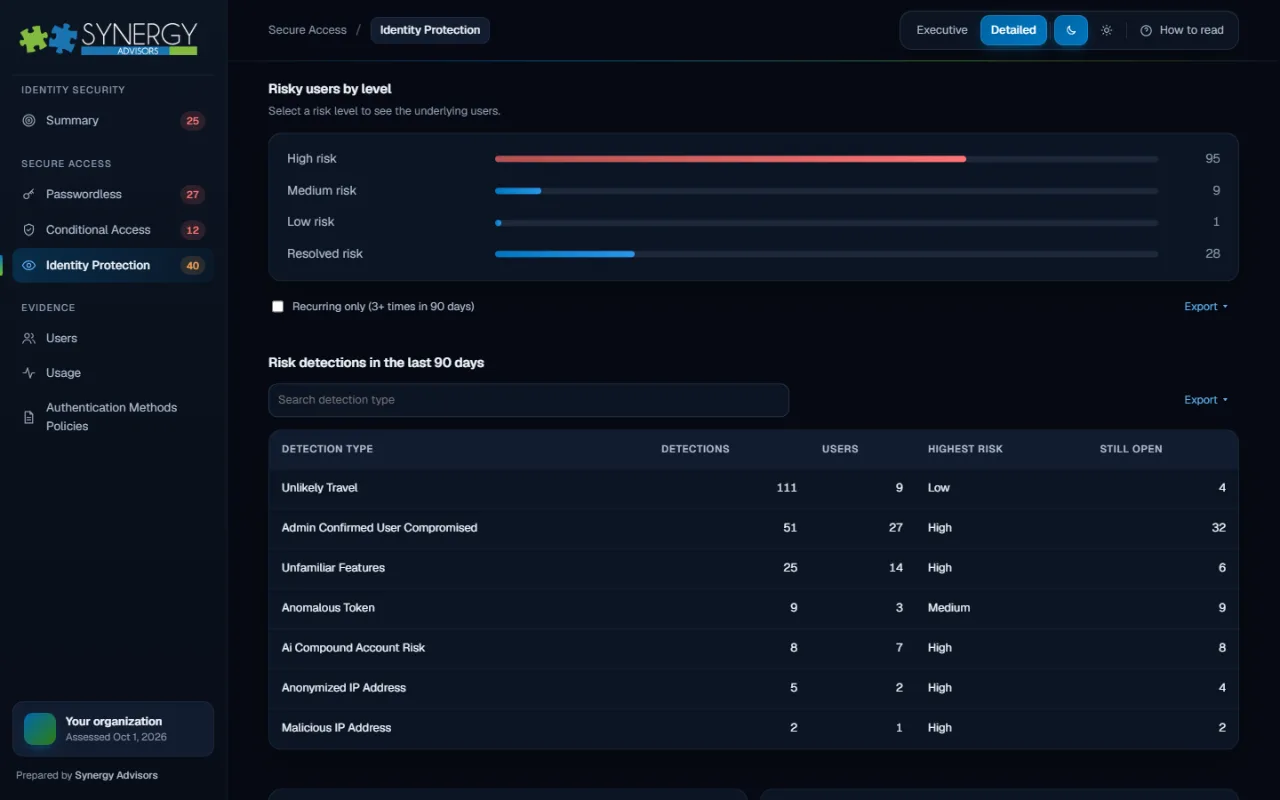
Identity Protection activity
Risky users and detections in the evidence window, by risk level, so remediation goes first to the accounts that need it.
The complete picture, in one report
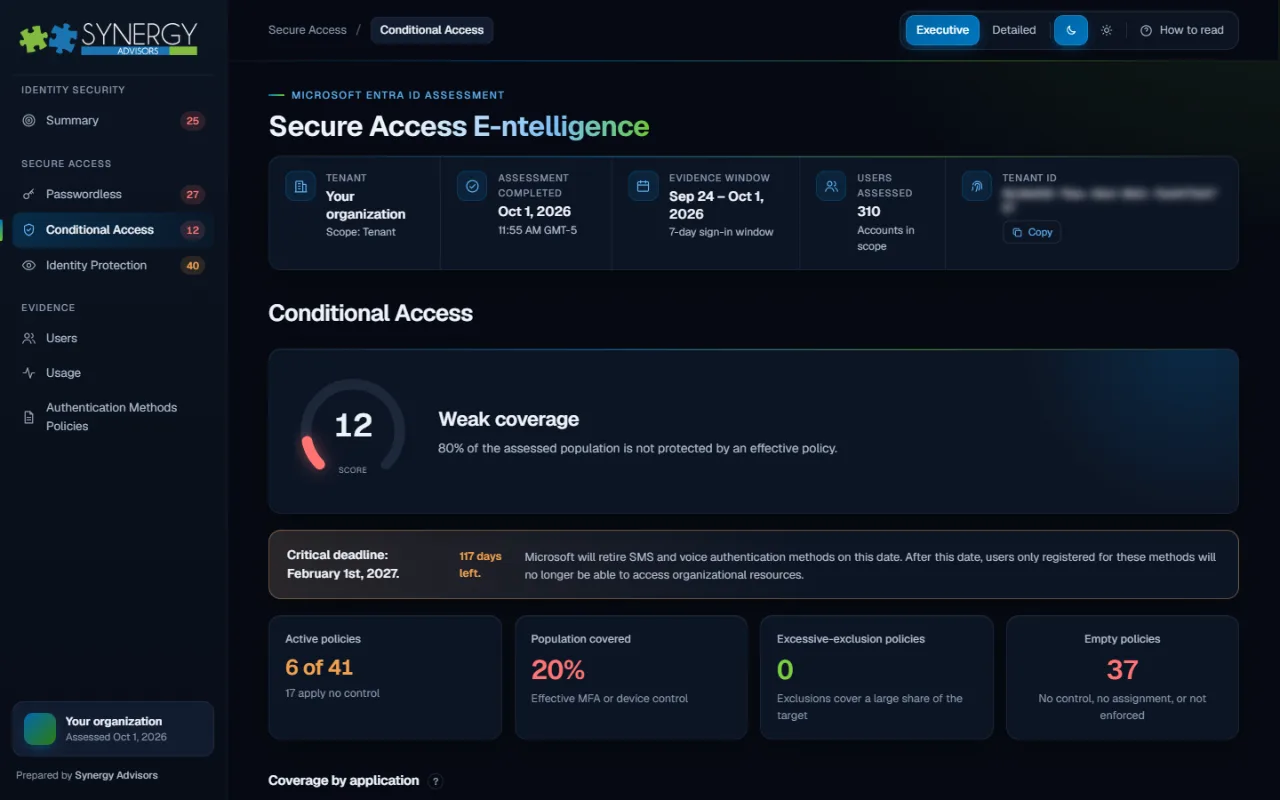
Twelve views that connect authentication, Conditional Access, risk and governance, each one filterable and ready to export.
Built for security and speed
Runs in your environment
The assessment runs in your tenant with read-only access. Nothing is changed, and your data stays under your control.
Evidence, not interviews
Sign-in activity, registrations and policy definitions from a recent seven-day window, collected in a single pass.
Reviewed with our experts
We walk your team through the executive and detailed views and agree on the first actions to take.
See E-ntelligence in four minutes
Passwordless by February 1, 2027: are your Entra ID users ready?
A structured assessment of your Microsoft Entra ID authentication posture, built on evidence from your own tenant.
One strategy, connected solutions
E-ntelligence measures where you stand. Micro-Visor Passwordless acts on it, user by user. Our Secure Access agents guide administrators and every employee along the way.
Assessment report
Secure Access E-ntelligence
Measures your Entra ID secure access maturity and ranks what to fix first.
You are here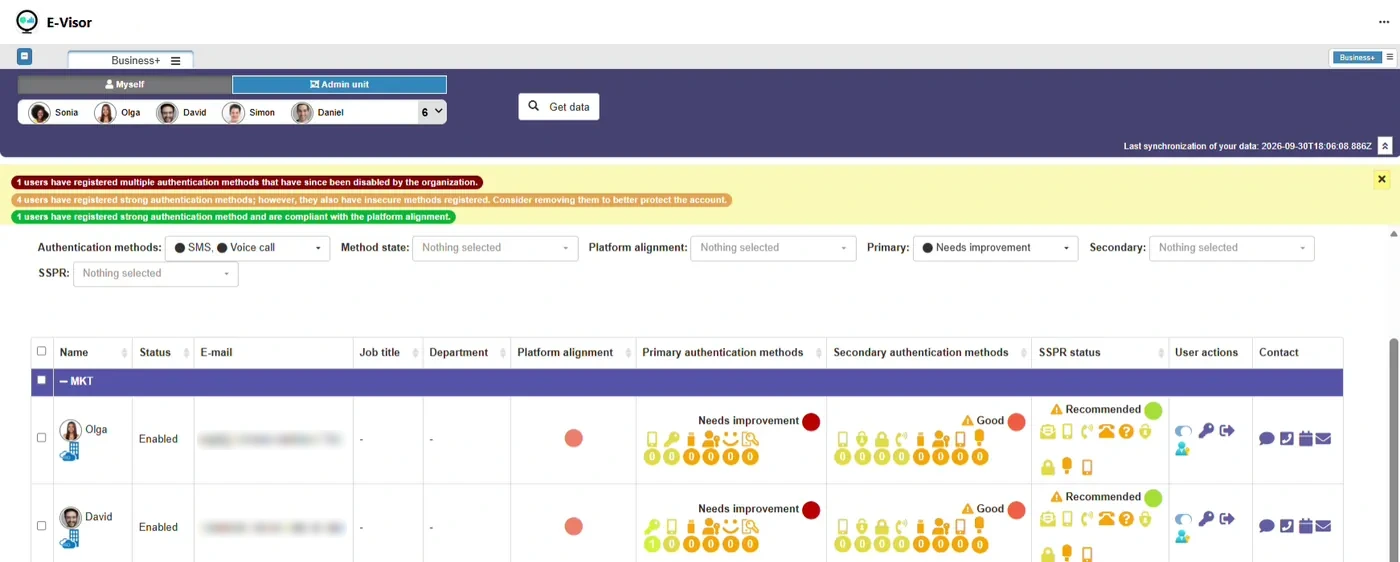
Adoption in Microsoft Teams
Micro-Visor Passwordless
Finds users still on SMS and voice and moves them to passwordless.
Explore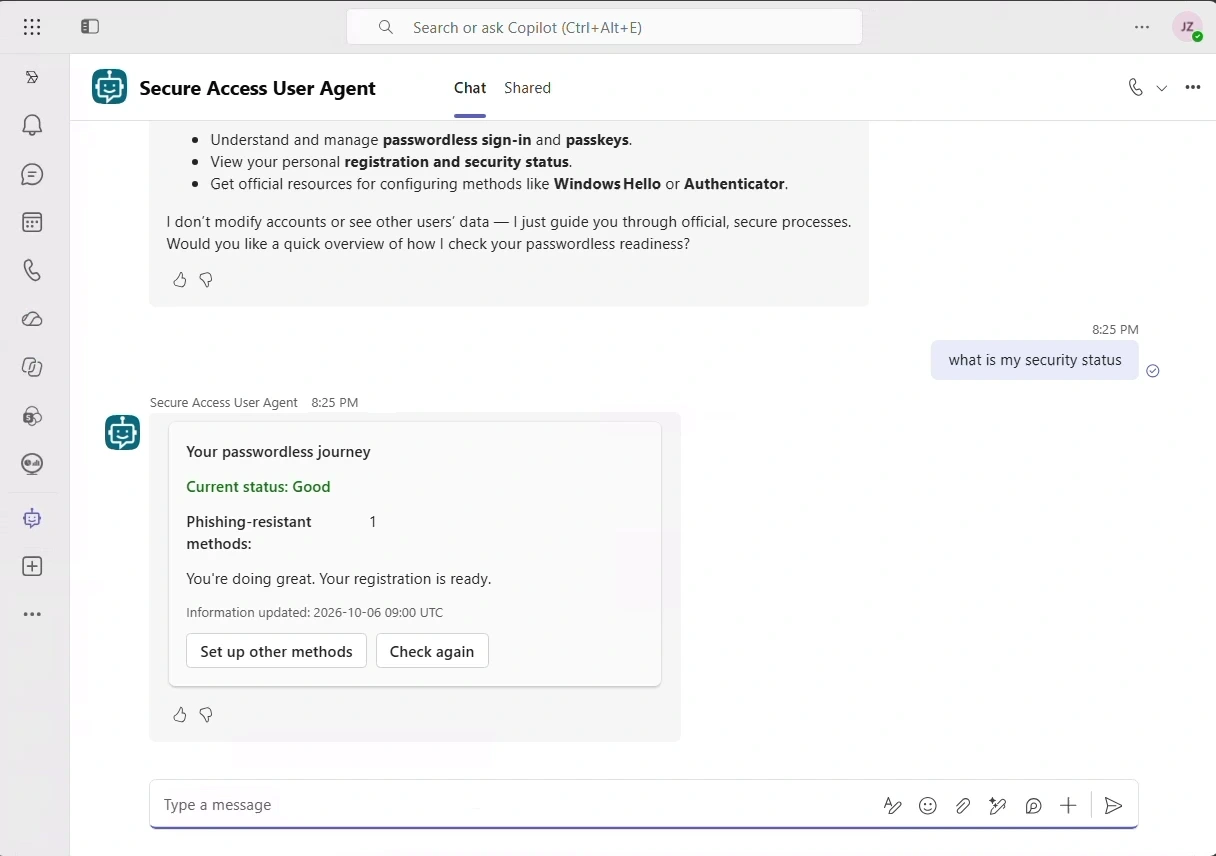
End-user agent
Secure Access User Agent
Guides each employee to passwordless sign-in, inside Microsoft Teams.
Explore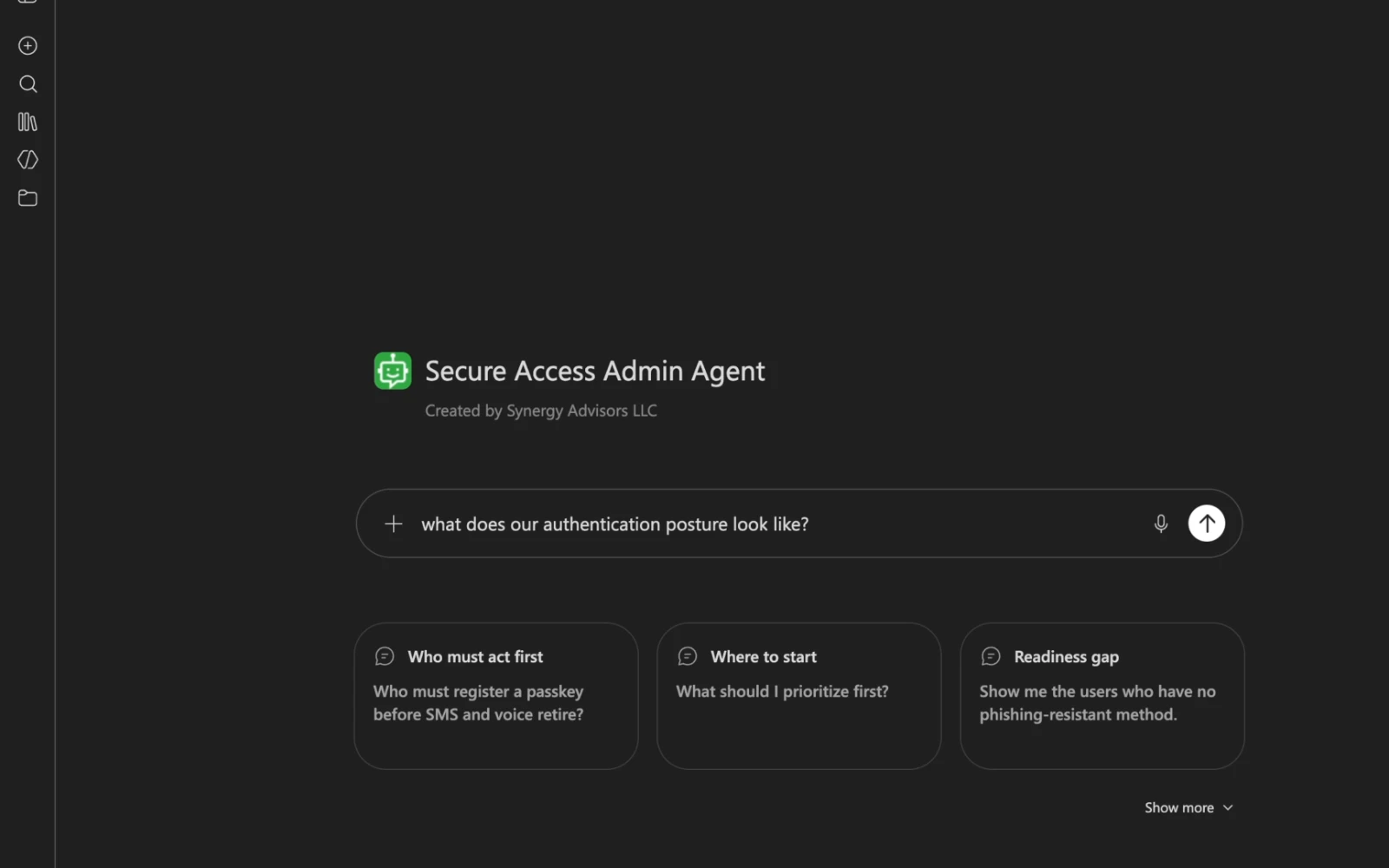
Admin agent
Secure Access Admin Agent
Answers who is at risk and where to start, from your own tenant.
ExploreFrequently asked questions
What does Secure Access E-ntelligence assess?
Your Microsoft Entra ID secure access posture: authentication methods and passwordless readiness, Conditional Access coverage by persona, application and signal, Intune device signals, Identity Protection activity, sign-in usage and authentication methods policies. Everything is summarized in one maturity score, from crawl to fly, with separate scores for passwordless, Conditional Access and Identity Protection.
Does it change anything in my tenant?
No. The assessment runs in your tenant with read-only access. It reads configuration and sign-in evidence and does not modify policies, users or authentication methods. Your data stays under your control.
What evidence is it based on?
Sign-in activity, method registrations and policy definitions from a recent seven-day window, collected in a single pass. Because it starts from what your users actually register, use and are protected by, the findings reflect your real tenant rather than interviews or assumptions.
What do we receive?
A report with twelve views, each filterable and ready to export, in an executive and a detailed version. Our experts then walk your team through the results and agree with you on the first actions to take.
Who is the report for?
Leadership gets an executive view with the score, the deadline and the priorities. Identity and security teams get the detailed view, down to personas, applications, methods and individual policies, with guidance on how to read every section.
How does it help with the February 1, 2027 deadline?
Every user is placed in one of five categories, from Optimal to Critical, by their strongest registered method, next to the time left before SMS and voice stop working for MFA. You see exactly who would lose access and which actions close that gap fastest.
How are priority actions ranked?
Actions are grouped by impact and show the points each one adds to your maturity score, and whether configuration alone is enough or users also need to act. Effort goes first where it moves the needle most.
What happens after the assessment?
You can act on the findings with your own team or with ours. Micro-Visor Passwordless moves the users the report flags, one by one, inside Microsoft Teams, and running E-ntelligence again lets leadership follow the score over time.
Get your E-ntelligence assessment
Tell us about your tenant. A Synergy Advisors expert will scope the assessment and walk you through what it will reveal.
Share your contextUsers, licensing, authentication methods and timeline.
Scope the assessmentAccess, evidence window and the views your team needs.
Review the findingsWith our experts, in English or Spanish.