

Micro-Visor Passwordless: adoption that happens inside Microsoft Teams.
Configuring passkeys is the easy part; getting every user to adopt them is not. Micro-Visor Passwordless finds who still depends on SMS and voice, reminds them where they already work, lets administrators fix methods in bulk and keeps every change visible to the user.
Adoption needs both sides
Passwordless stalls when administrators cannot see who is behind and users do not know what to do. Micro-Visor Passwordless serves both, in the same app.
For administrators
Visibility and control over every user’s methods, without leaving Teams.
- Filter users by method, primary method status and platform alignment
- Add or remove methods for many users at once
- Notify managers, users and administrators automatically
For end users
Clear guidance and self-service in the app they already use every day.
- See their own sign-in methods and how secure they are
- Receive friendly reminders in Teams chat
- Confirm or question every change made to their account
From finding to fixing, in one place
Every step happens in the same Microsoft Teams app, for administrators and for users.
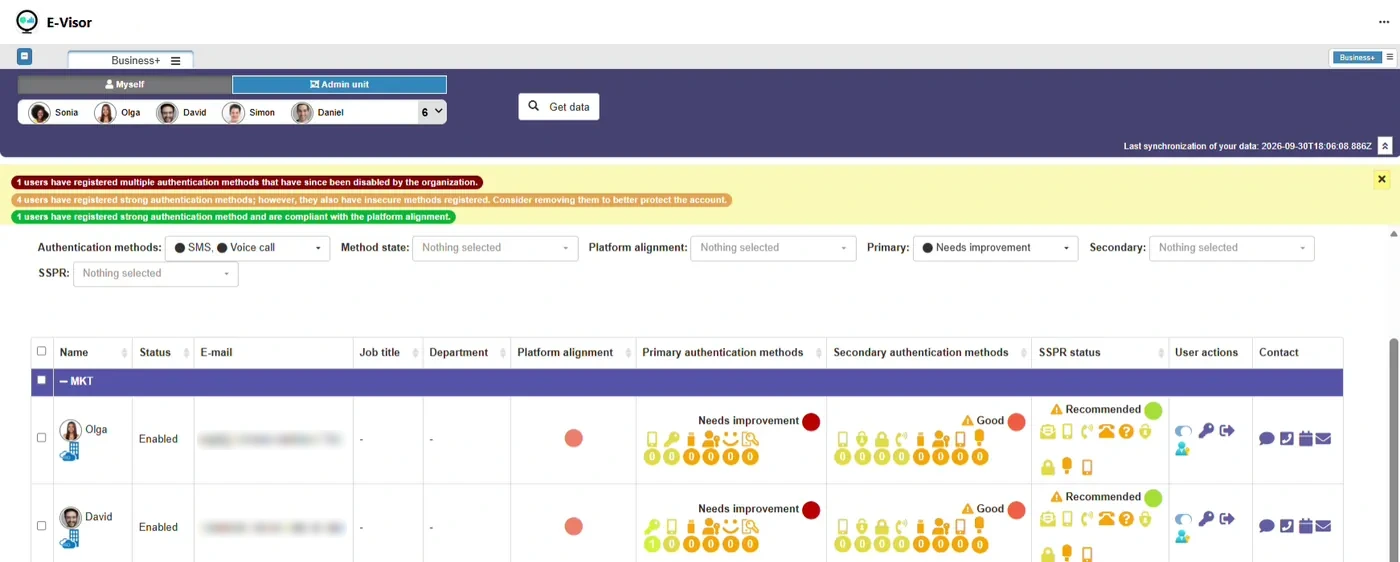
See who still signs in with SMS and voice
Filter the organization by authentication method, primary and secondary method status and platform alignment to get the exact list of users who need attention.
- Users flagged as needing improvement at a glance
- Grouped by department for targeted campaigns
- Data synchronized from Microsoft Entra ID
Fix methods for many users at once
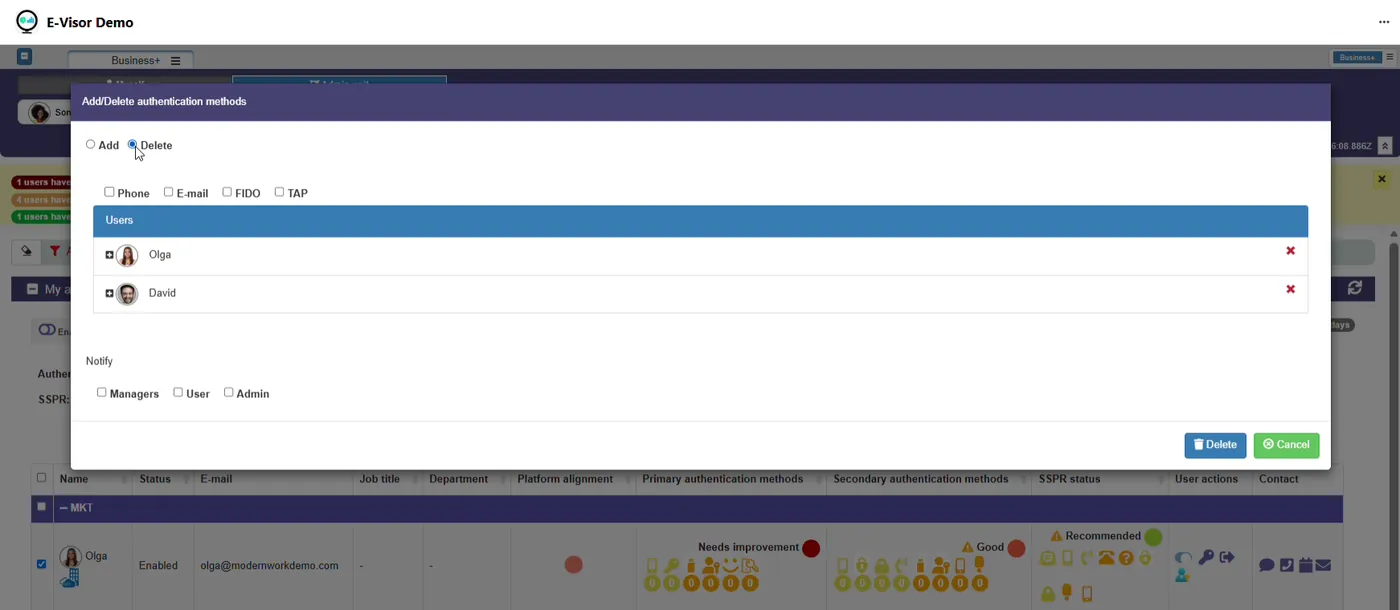
Add or delete phone, email, FIDO and Temporary Access Pass methods across the selected users, and choose who is notified: managers, the user or administrators.
- Retire legacy methods in a single action
- Issue a Temporary Access Pass to bootstrap passkeys
- Every change communicated to the right people
Users stay informed and in control
Adoption is a conversation. Reminders and notifications reach users where they already work.
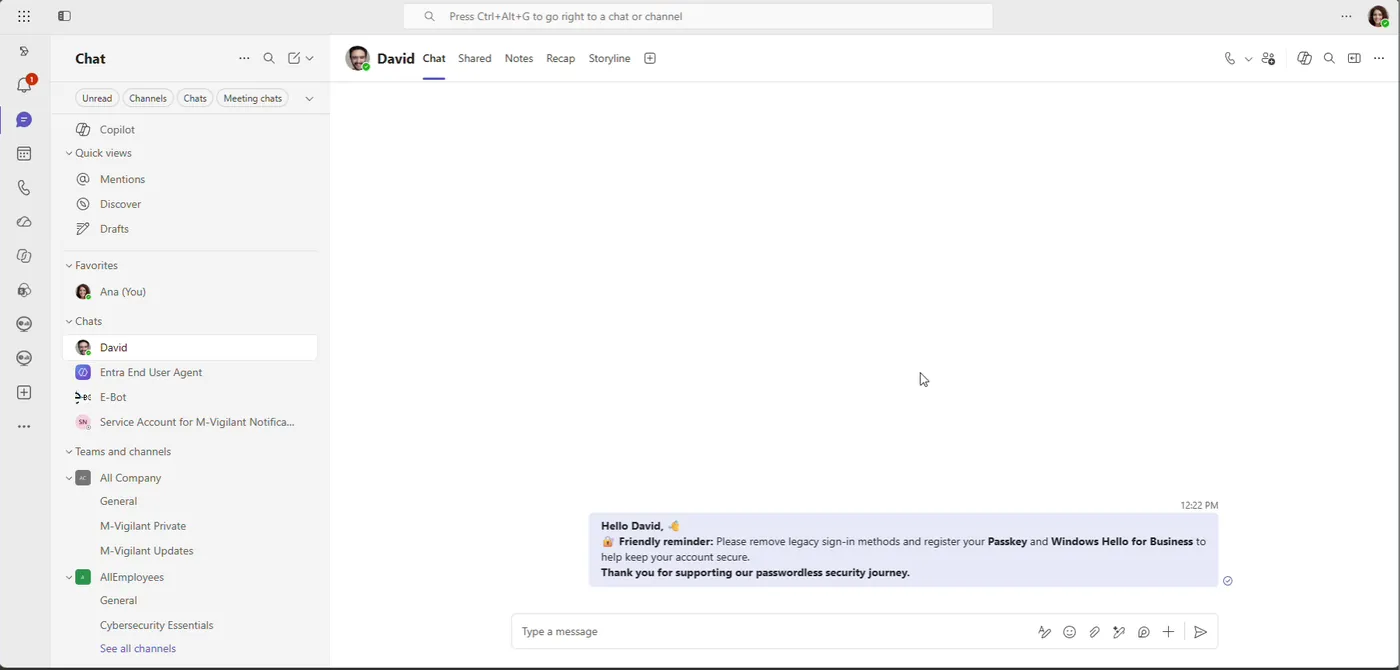
Friendly reminders in Teams
Users receive a direct message asking them to remove legacy methods and register a passkey or Windows Hello for Business, right where they work.
Transparent change notifications
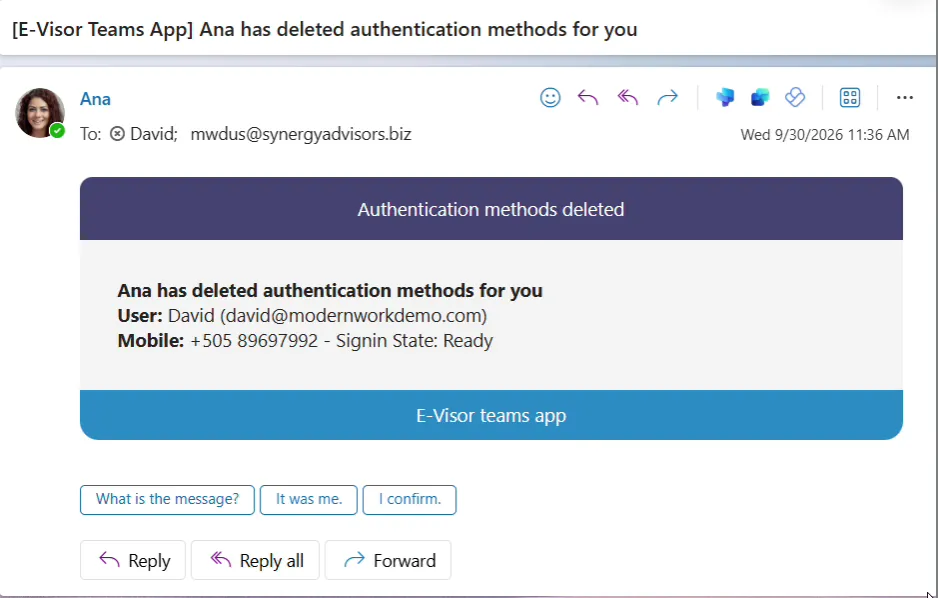
When an administrator changes a user’s methods, the user learns who did it and can reply It was me, I confirm or ask what the message means, which helps flag unexpected changes.
Users manage their own methods
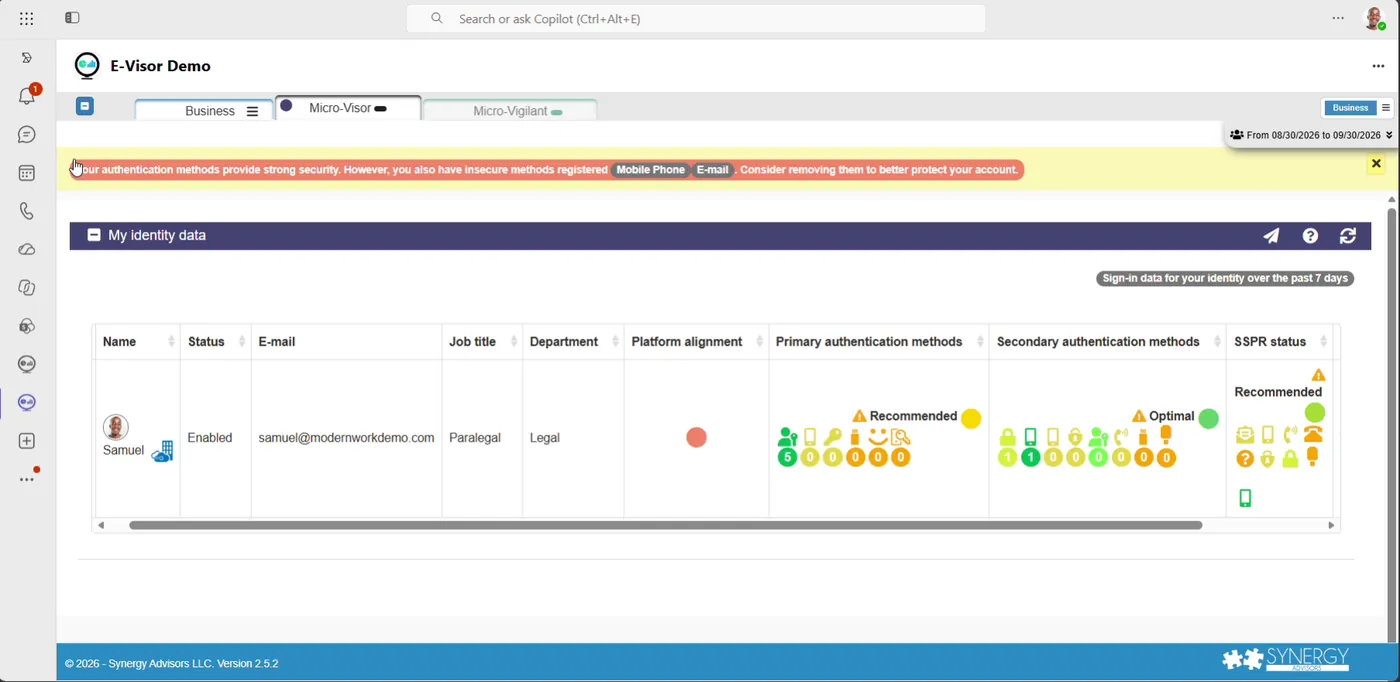
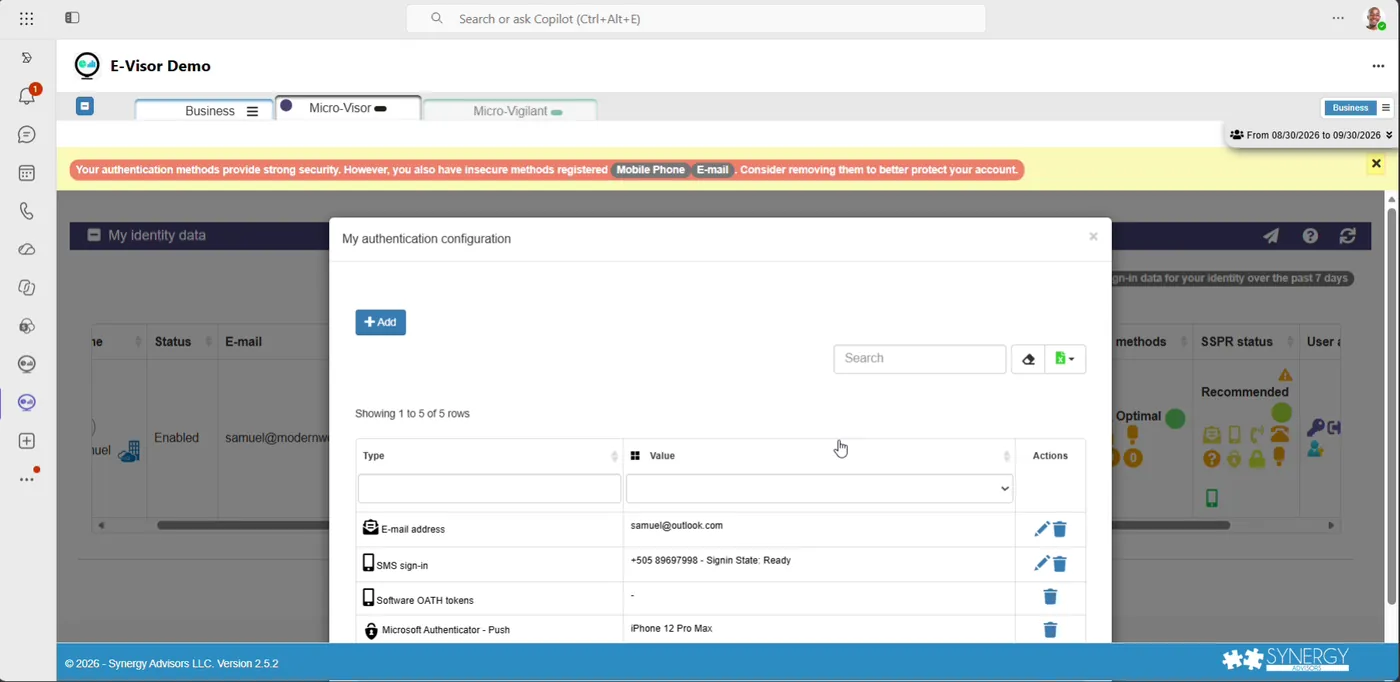
Each user sees their identity data, gets a clear warning when insecure methods are still registered and can add, edit or remove methods from a single dialog.
- Personal banner when SMS or email are still registered
- Sign-in data for the past seven days
- Fewer tickets for the help desk
See Micro-Visor Passwordless in two minutes
Move users from SMS and voice to passwordless, inside Microsoft Teams
Micro-Visor Passwordless is delivered with Micro-Visor Identity, our native Microsoft Teams app for modern authentication.
One strategy, connected solutions
E-ntelligence measures where you stand. Micro-Visor Passwordless acts on it, user by user. Our Secure Access agents guide administrators and every employee along the way.
Assessment report
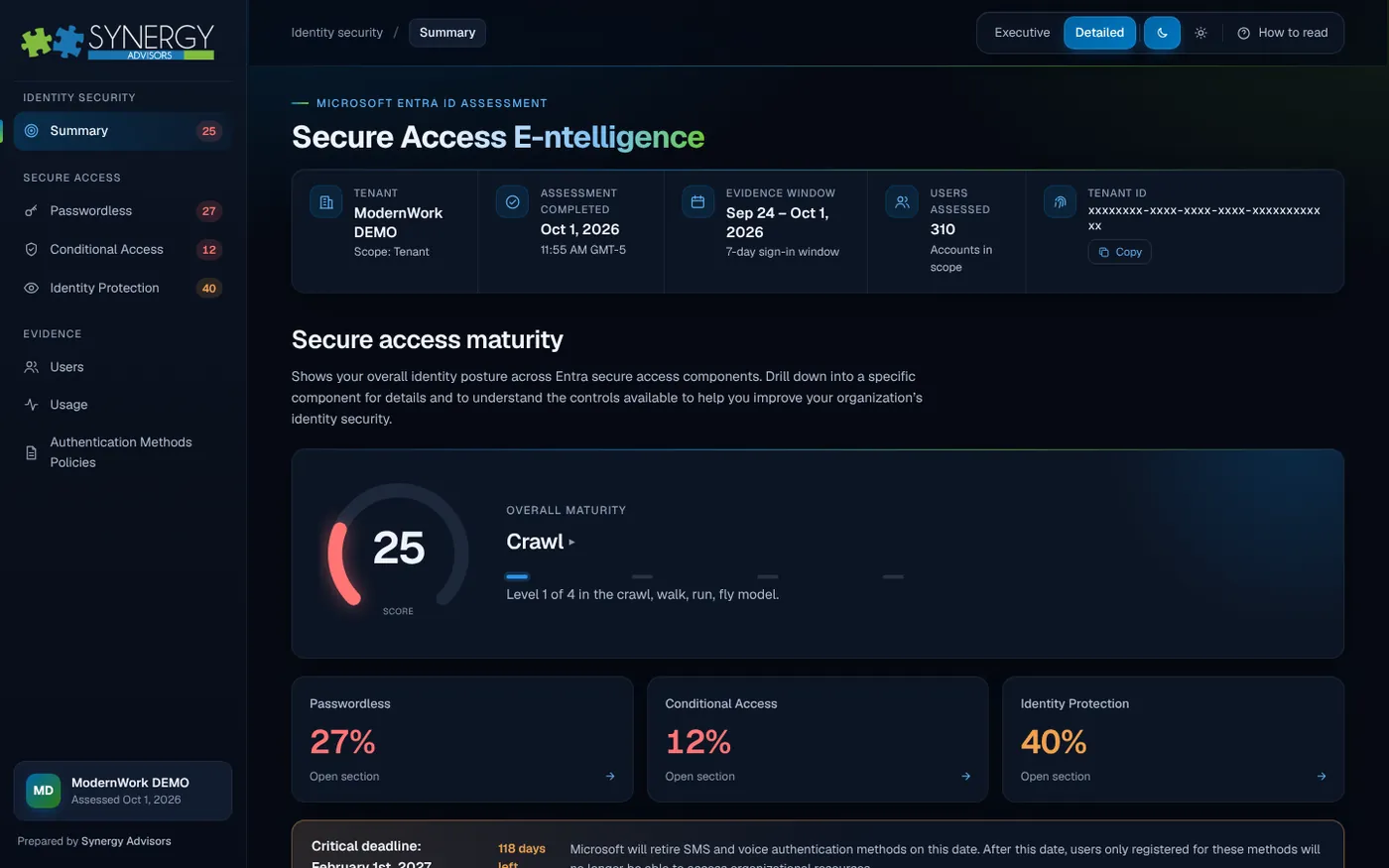
Secure Access E-ntelligence
Measures your Entra ID secure access maturity and ranks what to fix first.
ExploreAdoption in Microsoft Teams
Micro-Visor Passwordless
Finds users still on SMS and voice and moves them to passwordless.
You are here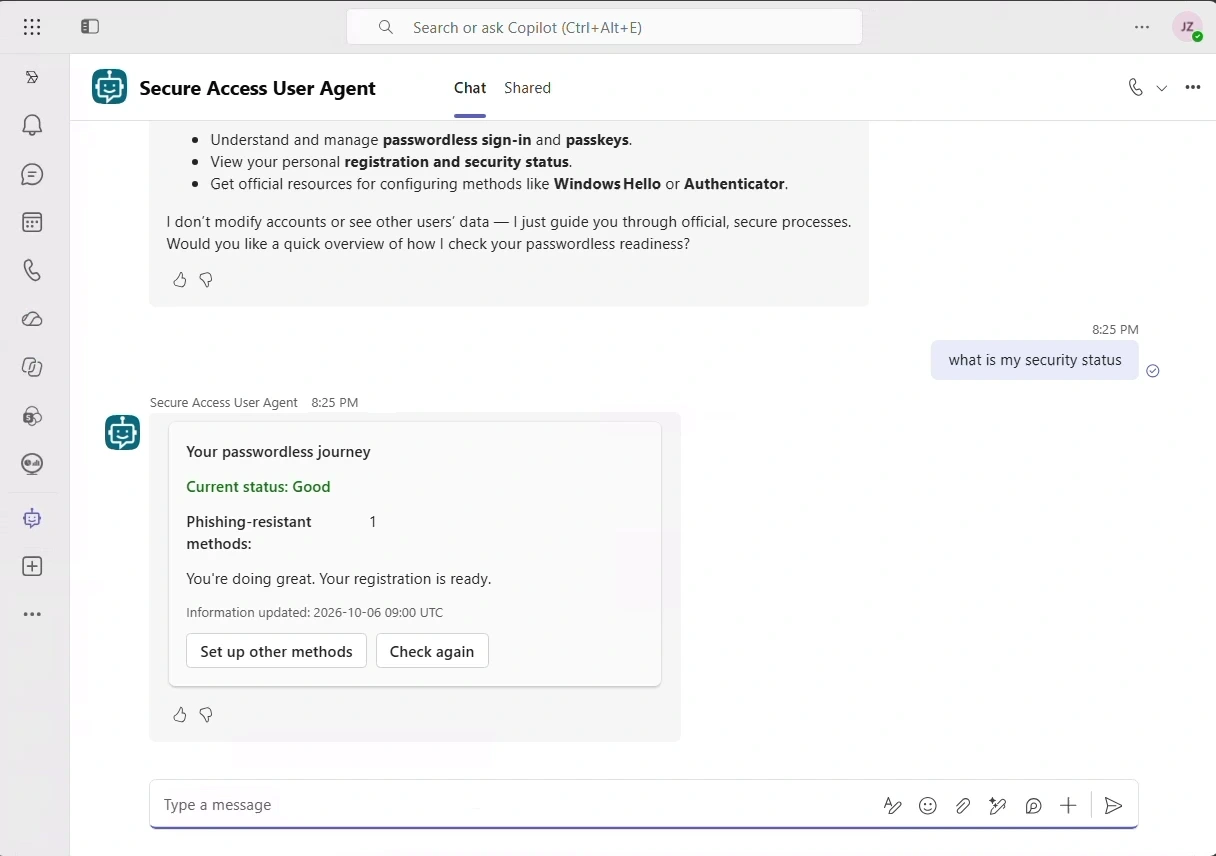
End-user agent
Secure Access User Agent
Guides each employee to passwordless sign-in, inside Microsoft Teams.
Explore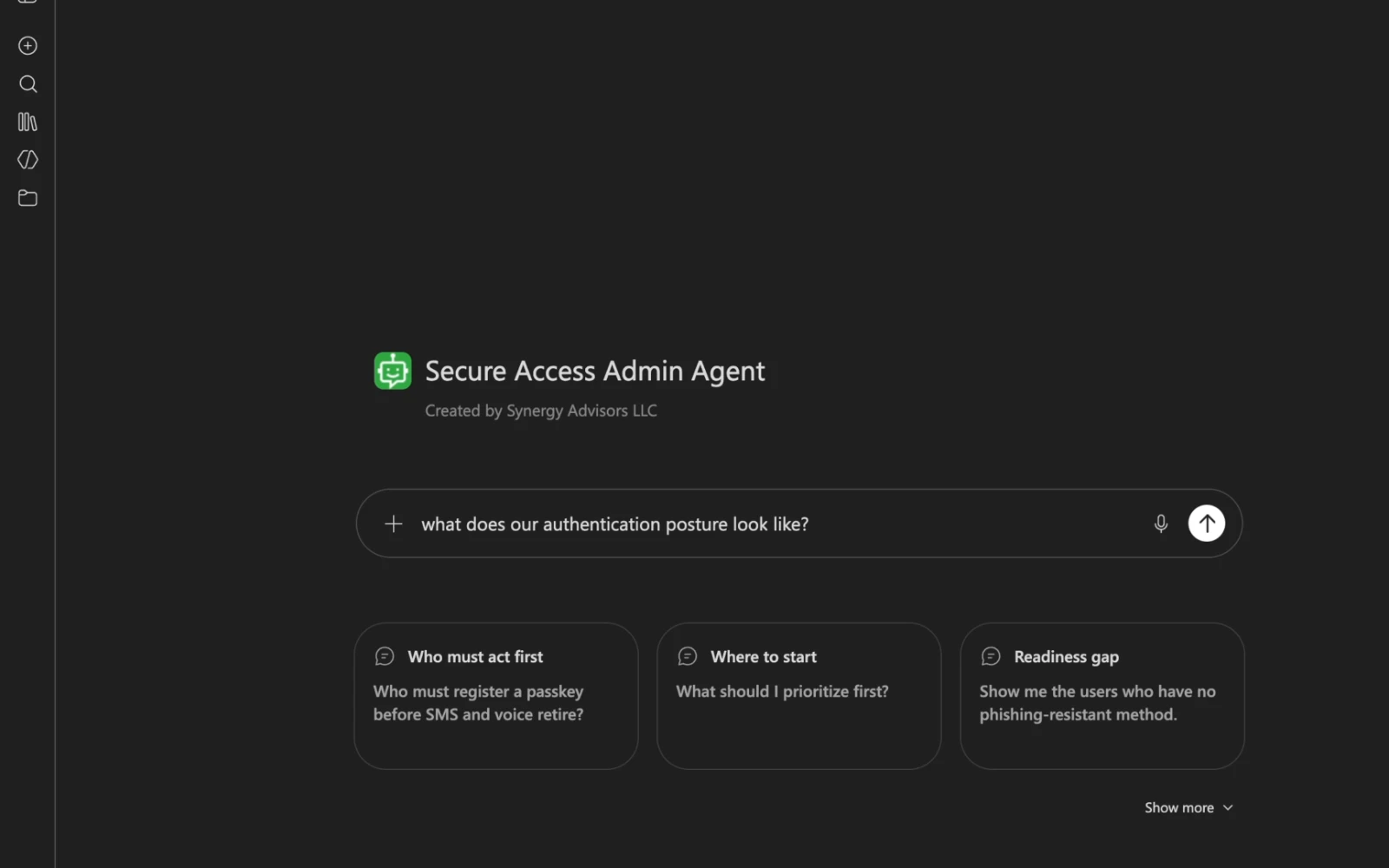
Admin agent
Secure Access Admin Agent
Answers who is at risk and where to start, from your own tenant.
ExploreFrequently asked questions
What is Micro-Visor Passwordless?
A capability of Micro-Visor Identity, our native Microsoft Teams app for modern authentication. It drives the adoption of phishing-resistant methods such as passkeys and Windows Hello for Business, for administrators and end users in the same app.
Who uses it, and for what?
Identity administrators use it to find users who still depend on SMS or voice and to fix their methods in bulk. End users use it to see and manage their own methods, receive reminders in Teams chat and confirm or question every change made to their account.
How does it find the users at risk?
With data synchronized from Microsoft Entra ID, administrators filter the organization by authentication method, primary and secondary method status and platform alignment. Users who need improvement are flagged at a glance and grouped by department for targeted campaigns.
What can administrators change in bulk?
They can add or delete phone, email, FIDO and Temporary Access Pass methods across the selected users in a single action, and choose who is notified: managers, the user or other administrators. Issuing a Temporary Access Pass helps users bootstrap a passkey without a phone.
How are users kept informed?
Users receive friendly reminders as direct messages in Teams asking them to remove legacy methods and register a passkey or Windows Hello for Business. When an administrator changes their methods, they see who did it and can reply that it was them, confirm it or ask what the message means, which helps flag unexpected changes.
What can end users do on their own?
Each user sees their identity data and sign-in data for the past seven days, gets a clear warning when insecure methods such as SMS or email are still registered, and can add, edit or remove methods from a single dialog. That means fewer tickets for the help desk.
How does it help with the February 1, 2027 deadline?
It identifies the users who still depend on SMS or voice, moves them to stronger methods where they already work and keeps progress visible until no one is left behind when Microsoft-provided SMS and voice stop working for MFA.
How does it work with Secure Access E-ntelligence?
E-ntelligence measures readiness across the whole tenant and ranks what to fix first. Micro-Visor Passwordless acts on those findings, user by user, inside Microsoft Teams. Together they take you from the diagnosis to the change.
See Micro-Visor Passwordless on your scenarios
Tell us about your users and methods today. A Synergy Advisors specialist will show you how to move them to passwordless before the deadline.
Share your contextUsers, authentication methods, licensing and timeline.
See it workingA demo in Microsoft Teams on the scenarios that matter to you.
Move before the deadlineIn English or Spanish, with our experts alongside you.