

See how your SOC really performs, and what to fix first
The Micro-Vigilant SecOps Agent turns Microsoft Defender XDR and Micro-Vigilant data into plain-language answers about incident health, analyst workload and detection quality, with recommendations your SOC managers can act on.
Alert dashboards do not show how your SOC is doing
Microsoft Defender XDR shows what is happening. It is harder to see how well your team keeps up: which incidents are aging, who is overloaded and which detections only add noise.
Queues keep growing
Alert and incident volumes rise faster than teams can review them.
Old incidents go quiet
Unresolved, aging and stale cases drop out of sight, often because nobody owns them.
Workload is uneven
A few analysts carry most of the queue while response times stretch for everyone.
Noise wears teams down
Recurring false positives and noisy detections add to analyst fatigue.
Ask a question, get an answer you can act on
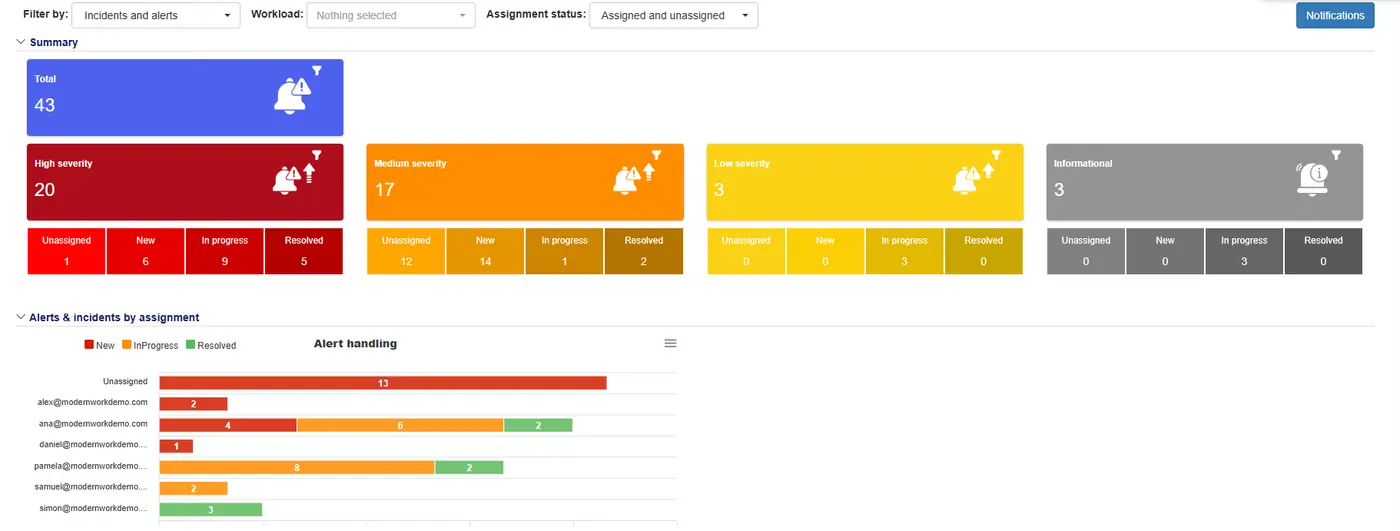
Real answers from the agent to questions SOC managers ask every week. Names and emails are hidden.
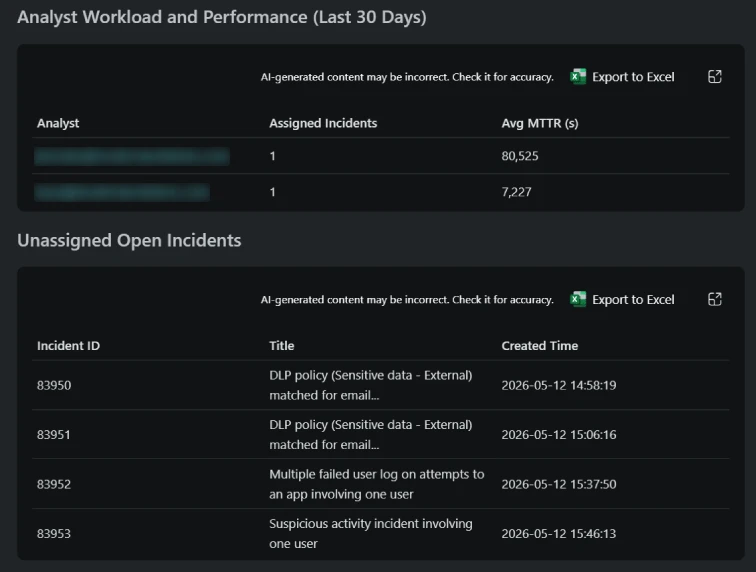
Who carries the load, and how fast it closes
The agent breaks down incident ownership by analyst with mean time to resolution (MTTR), and lists the open incidents nobody has picked up yet.
- Assigned incidents and average MTTR per analyst
- Unassigned open incidents, with title and creation time
- Any table exported to Excel in one click
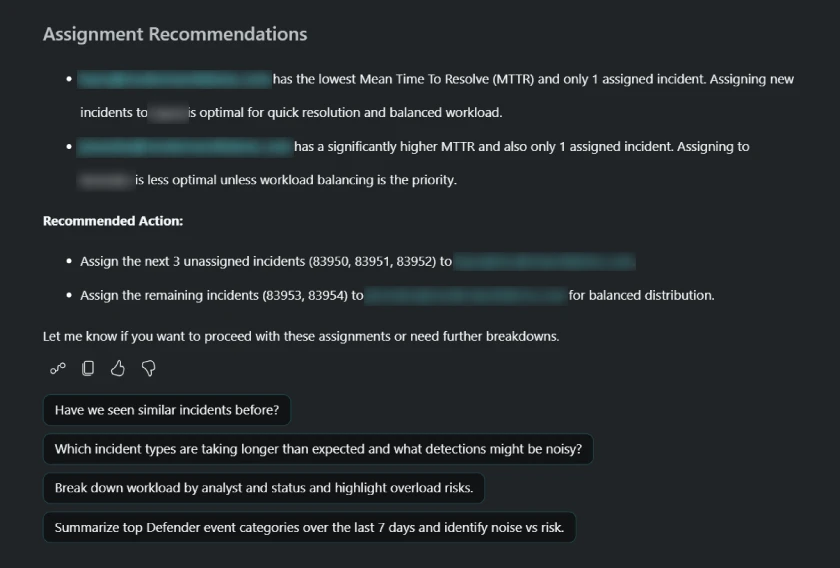
Who should take the next incident
Ask for assignment recommendations and the agent weighs current workload against recent performance, explains its reasoning and proposes how to distribute the queue.
- Recommendations backed by MTTR and workload
- A suggested owner for every unassigned incident
- Follow-up questions to dig deeper
From Defender XDR signals to operational intelligence
The agent reads Micro-Vigilant incident information, actions and notification policies, together with Microsoft Defender incident reports. It answers in the chat with insights, recommendations and reports.
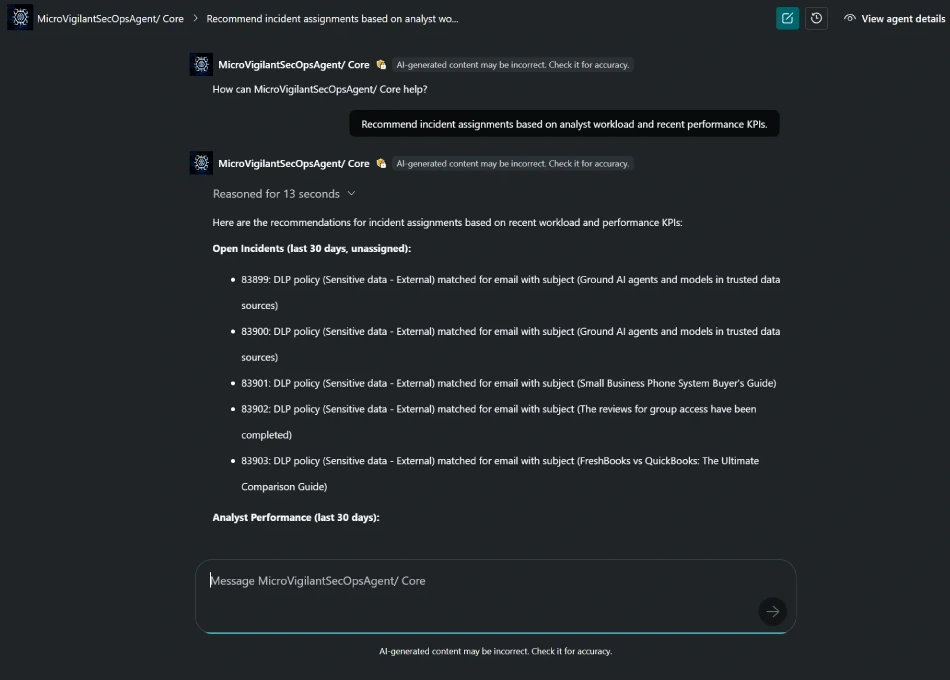
Plain-language questions, reasoned answers
Pick a suggested prompt or write your own. The agent shows how it reasoned and works from your own SOC data, not generic advice.
Built on Micro-Vigilant
Micro-Vigilant optimizes Microsoft Defender XDR signals and gives SOC managers and analysts visibility into day-to-day operations. The agent adds a conversational layer on top of that data.
Questions your SOC can ask today
Suggested prompts from the agent itself. Use them as they are or ask in your own words.
SOC health
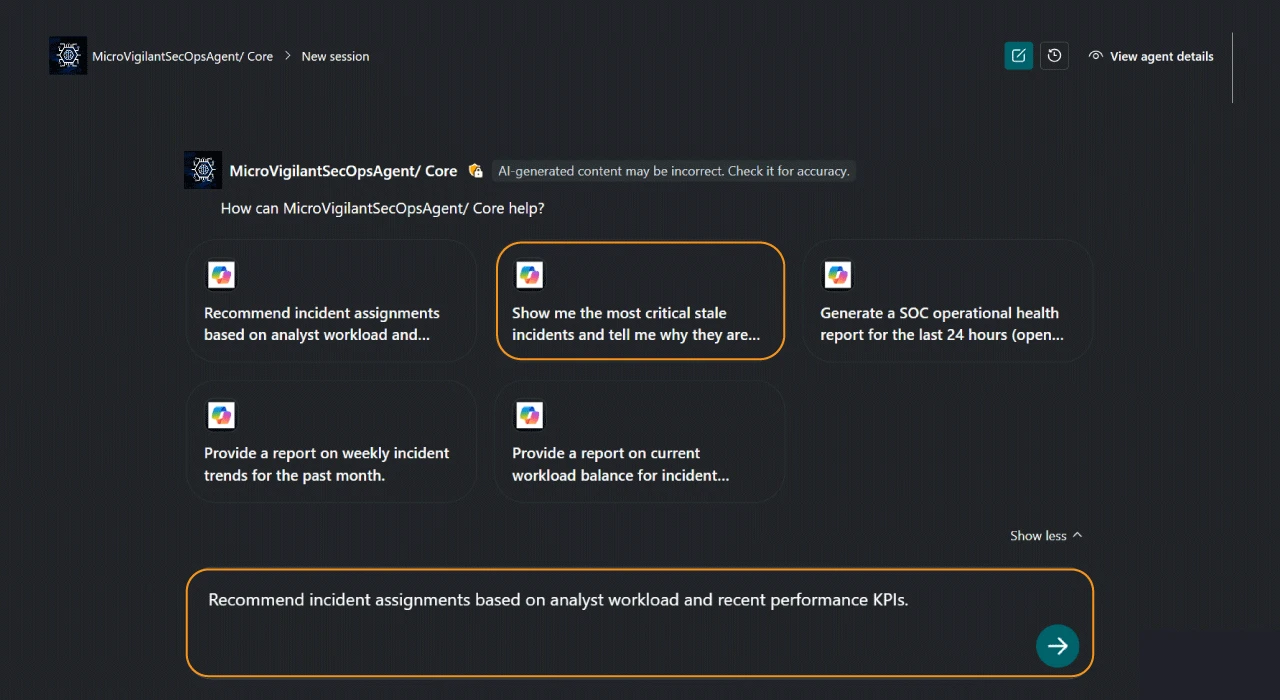
- Generate a SOC operational health report for the last 24 hours
- Show me the most critical stale incidents
- Have we seen similar incidents before?
Workload and assignments
- Recommend incident assignments based on analyst workload and recent performance KPIs
- Provide a report on current workload balance for incidents
- Break down workload by analyst and status and highlight overload risks
Trends and detections
- Provide a report on weekly incident trends for the past month
- Which incident types are taking longer than expected and what detections might be noisy?
- Summarize top Defender event categories over the last 7 days and identify noise vs risk
Six areas of operational intelligence
SOC operational health
Open, unresolved, aging and stale incidents, assignment gaps and the workflow bottlenecks that slow resolution.
Analyst workload and performance
Incident ownership by analyst, team comparisons, MTTR, response indicators and capacity imbalances.
Critical and stale incidents
The oldest and most critical open cases, with likely blockers: missing owners, delayed response or incomplete investigation.
Detection quality
Recurring false positives, noisy detections and inefficient alert patterns, with tuning opportunities that reduce fatigue.
Actionable recommendations
Reassignment opportunities, workload balancing, prioritization and process improvements based on performance trends.
Signals and trends
Recurring alert categories, event patterns and Defender XDR trends that affect operational performance and risk.
Up and running from the Microsoft Security Store
The agent is available in the Microsoft Security Store. Setup takes four steps.
1. Find the agent
Go to the Microsoft Security Store and search for Micro-Vigilant SecOps Agent.
2. Set it up
Select Set up, grant the required permissions and sign in with an authorized user.
3. Complete configuration
Follow the guided prompts to finish the setup.
4. Chat with the agent
Open the agent, select Chat with agent and send your own prompt or a suggested one.
Works with the rest of E-Suite
The SecOps Agent runs on Micro-Vigilant. Pair it with our other agents and security operations products.
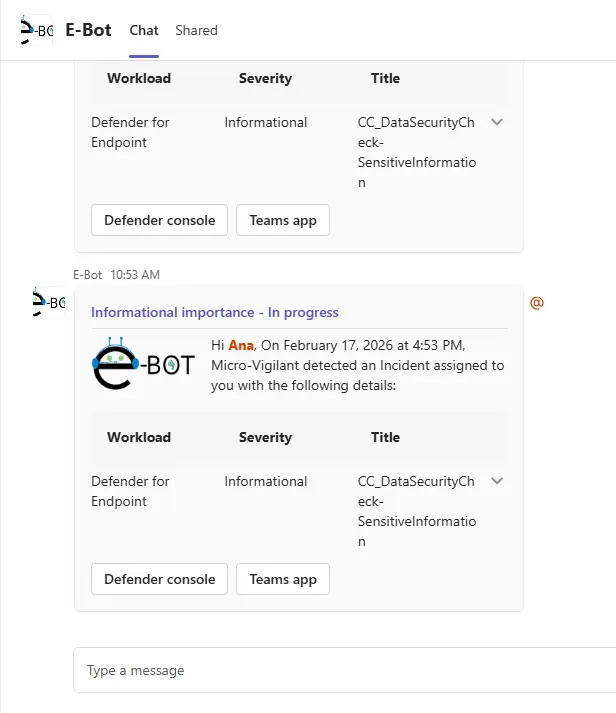
Security operations in Teams
Micro-Vigilant
Role-based Microsoft Defender alert and incident operations, automation and AI assist in Microsoft Teams.
Explore
Alerts and workflows
E-Vigilant
Business-driven alerts, notifications and workflows for security, compliance and productivity events.
Explore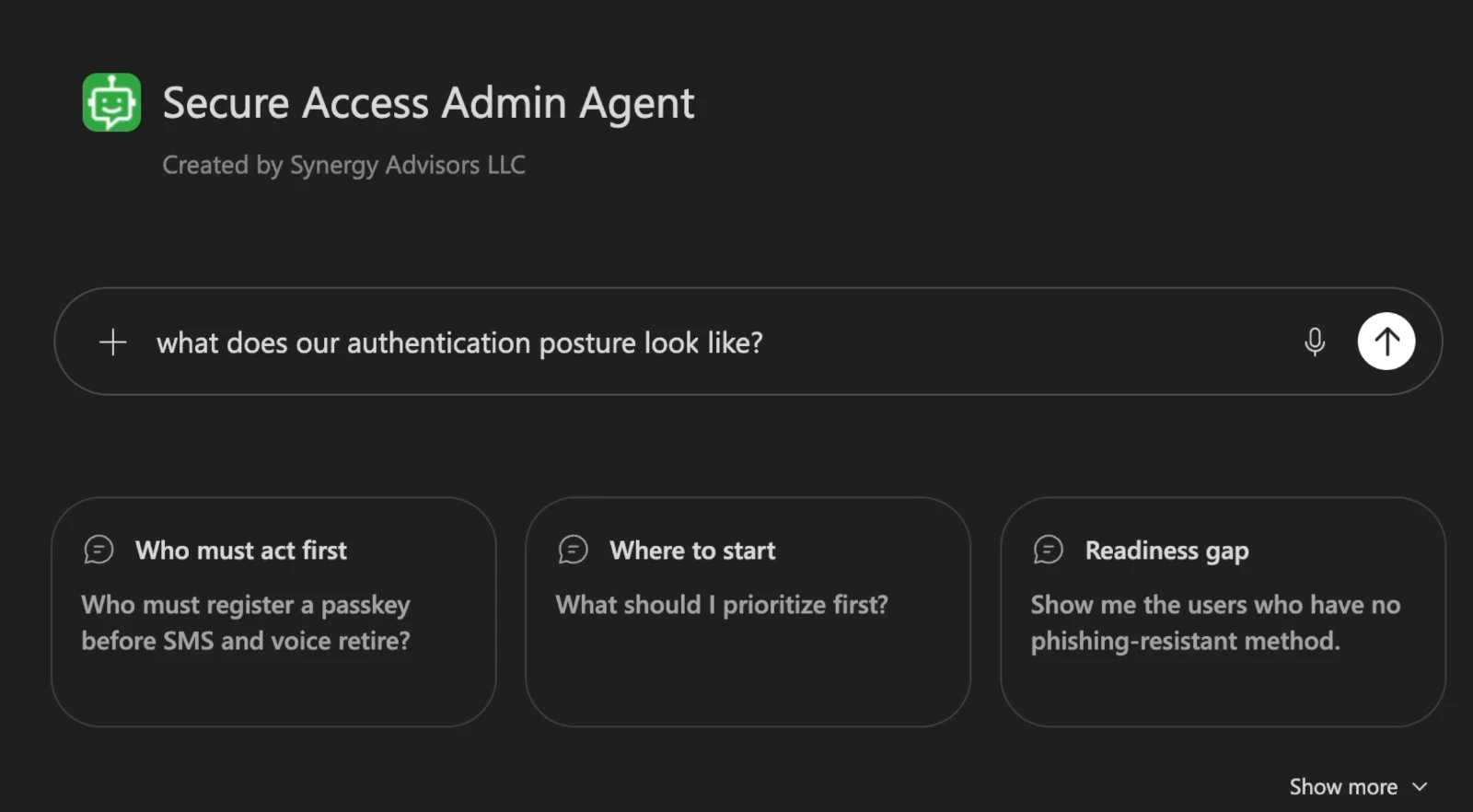
Admin agent
Secure Access Admin Agent
Answers who is at risk and where to start with identity security, from your own tenant.
Explore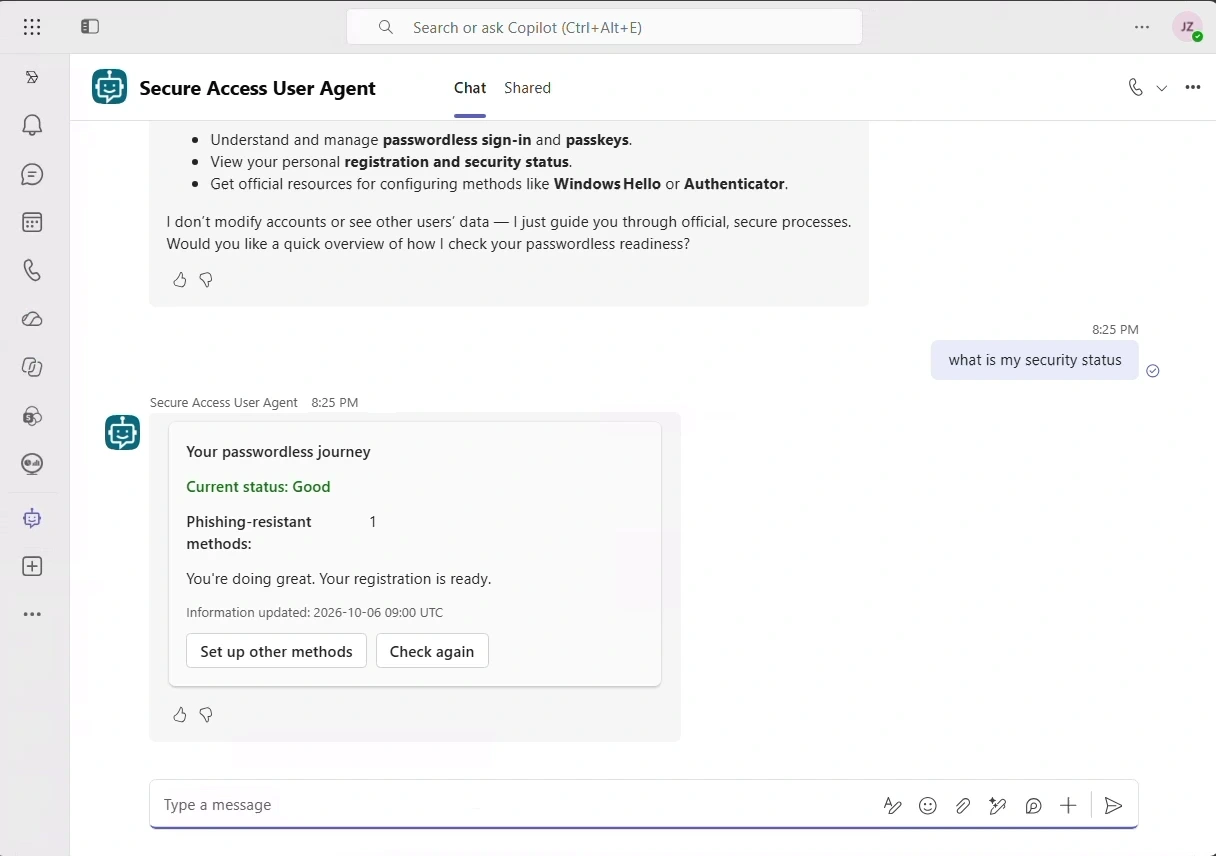
End-user agent
Secure Access User Agent
Guides each employee to stronger sign-in methods, inside Microsoft Teams.
ExploreWhat you need
- Microsoft Defender XDRThe source of your incidents and alerts
- Micro-VigilantConnected to Microsoft Defender XDR
- Microsoft Security CopilotAn estimated 0.2 to 0.8 SCUs per prompting session
- Microsoft Security Store accessTo find, set up and configure the agent
Datasheet: download the PDF.
Frequently asked questions
What data does the agent use?
Micro-Vigilant incident information, actions and notification policies, together with Microsoft Defender XDR incident reports.
Where do we use it?
It is an interactive agent with a chat experience. You set it up from the Microsoft Security Store and chat with it in Microsoft Security Copilot.
How much capacity does it consume?
It depends on the number of prompts. We estimate 0.2 to 0.8 Security Compute Units (SCUs) per prompting session.
Do we need Micro-Vigilant?
Yes. The agent works with Micro-Vigilant, which optimizes Microsoft Defender XDR signals and gives SOC teams visibility into daily operations.
Who is it for?
SOC managers and analysts who need to see how operations perform over time: workload, response times, stale cases and detection quality.
See your SOC through the agent
Our security operations experts will show you the Micro-Vigilant SecOps Agent on the questions that matter to your team.
Share your contextYour Defender XDR setup, team size and priorities.
See it workingA demo on the questions your SOC managers ask.
Get startedIn English or Spanish, with our experts alongside you.