
Between July 14 and September 22, 2026, attackers signed in to Microsoft 365 accounts at 79 organizations without ever needing a password, according to Huntress research reported by Help Net Security. They replayed stolen session tokens, registered their own devices, replaced MFA methods, and hid their tracks with inbox rules. When that happens, resetting the user’s password does not end the attack: the attacker’s session, device, and authenticator can all still remain.
This article explains how the campaign worked, why a password reset is not an eviction, and the seven-step checklist our experts use to remove an attacker for good and keep them out.
What Huntress found
The attackers did not guess passwords. They used adversary-in-the-middle relays, device code phishing, and social engineering to capture session tokens, the proof that a user has already signed in and passed MFA. Then they replayed those tokens in bulk. As Help Net Security summarizes: “The Microsoft accounts were compromised without the attacker ever needing a password.”
| Date | What happened |
|---|---|
| July 14, 2026 | First activity of the campaign |
| July 21 | A stolen session appears 12 minutes after the victim reached the MFA prompt; an authenticator labeled “iPhone 13” is activated less than an hour later |
| September 11 | The attacker moves to a new address and automates token reuse: hundreds of successful sign-ins at nearly 30 organizations in four days |
| September 22 | Last activity observed; the gap between the MFA prompt and the hijacked session is down to four minutes |
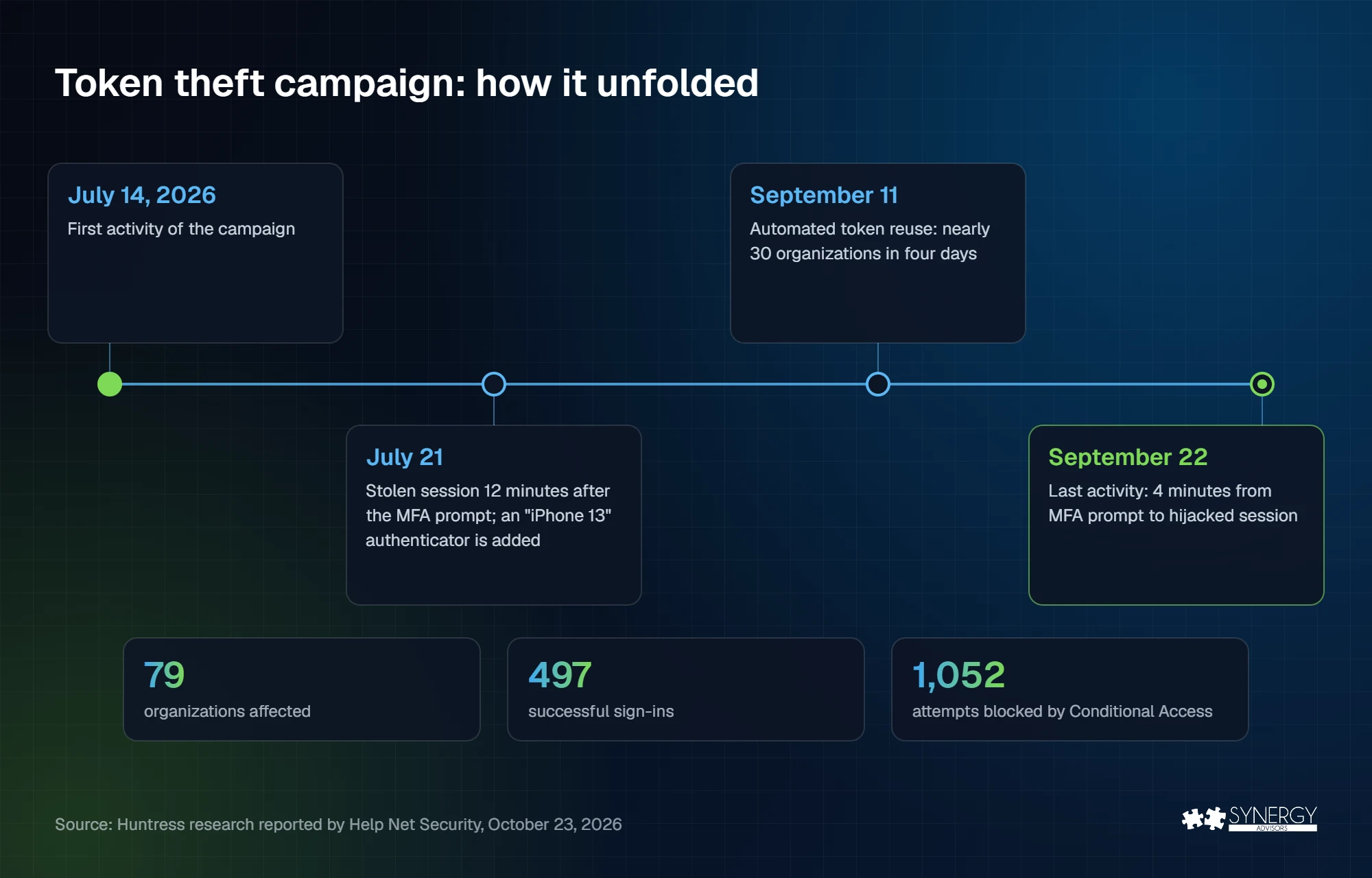
Across the campaign, Huntress counted 497 successful sign-ins and more than 200,000 failed attempts. Once inside, the attacker made sure a password change would not lock them out:
- Rogue devices. At least 48 computers were registered in victims’ Entra directories, named “DESKTOP-” followed by eight hexadecimal characters.
- New MFA methods. In 19 organizations, the existing MFA methods were wiped and a new one registered within three hours of the first sign-in.
- Inbox rules. Rules named “.”, “sss”, and “iT” deleted incoming mail or marked it as read and moved it to folders like RSS Feeds.
- Payroll fraud. From one compromised mailbox, the attacker emailed an external accountant about payroll, then created rules to hide any reply about payroll, direct deposit, bank, or bonus.
One detail matters more than the rest: the same attacker address was blocked 1,052 times, all by four organizations whose Conditional Access policies refused the sign-ins. The controls worked where they were in place.
Why a password reset is not an eviction
A stolen token skips both the password and MFA, because it appears to prove that both already happened. And everything the attacker added after signing in has nothing to do with the password. Microsoft’s token theft playbook treats “revoke current tokens”, “reset passwords”, and “disable added credentials and/or devices” as separate steps for exactly that reason.
| What the attacker leaves behind | Why a password reset misses it | What removes it |
|---|---|---|
| Active sessions and tokens | Tokens issued before the reset can keep working until they are revoked or expire | Revoke the user’s sessions and mark the account as compromised |
| A device registered in Entra ID | The device is its own object in your directory and can get its own tokens | Delete every device the account registered that you do not recognize |
| A new MFA method | The attacker’s authenticator stays registered to the account | Delete unknown methods before you re-enable the user |
| Inbox rules and forwarding | Rules keep running in the mailbox | Delete added or changed rules and check sent items |
| App consents | An OAuth grant is not tied to the password | Review and revoke consents the user did not intend |
In our experience, the device and the authenticator are the two things most often missed and they are exactly what allows an attacker to come back the next day.
The 7-step eviction checklist
Run these steps, in order, for every affected account. Steps 1 to 6 remove the attacker; step 7 keeps them out.
| Step | What to do | Done when |
|---|---|---|
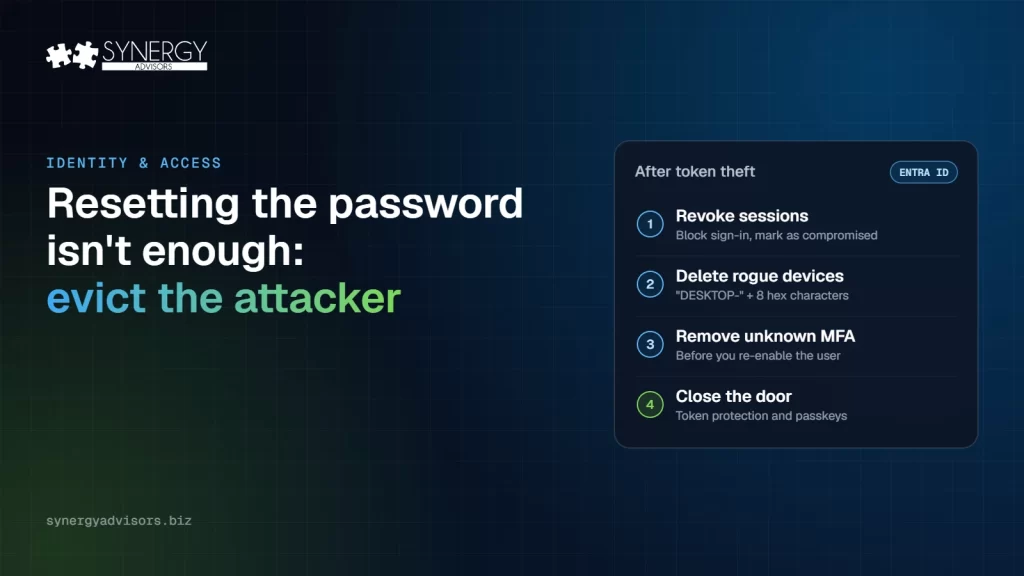
| 1. Contain | Block sign-in for the account, revoke its sessions, and mark it as compromised in Microsoft Entra ID Protection | No new sign-ins succeed for the account |
| 2. Reset | Reset the password (for hybrid accounts, Microsoft recommends resetting it twice) | The old password and tokens no longer work |
| 3. Devices | Delete devices the account registered that you do not recognize. In this campaign, admins looked for “DESKTOP-” plus eight hexadecimal characters | Only known devices remain |
| 4. Methods | Delete unknown MFA methods before re-enabling the account, then re-register the user with a Temporary Access Pass and a passkey | Every method on the account belongs to the user |
| 5. Mailbox | Delete added or changed inbox rules and forwarding, and check sent items for fraud, such as payroll or bank-change emails | No hidden rules; affected contacts warned |
| 6. Apps | Review the user’s app consents and any app credentials added during the incident | No unexpected consents or credentials |
| 7. Close the door | Apply the controls in the next section and keep sign-in and audit logs for at least 90 days | A replayed token from another device fails |
Log retention is not a detail. In Cisco Talos’s third-quarter incident response findings, insufficient logging was the top weakness, present in over 40% of engagements. Without logs, you cannot tell which accounts to evict.
Close the door: the controls that stop token replay
- Conditional Access with a compliant or known device. The four organizations that blocked 1,052 attempts show the effect. A token replayed from an attacker’s machine fails the device check.
- Token protection. This Conditional Access control makes Entra ID accept only tokens bound to the device they were issued to. According to Microsoft Learn, it is generally available for native apps on Windows, macOS, and iOS/iPadOS, covering Exchange Online, SharePoint Online, and Microsoft Teams. Browser support is still in preview and limited. Microsoft recommends starting in report-only mode with a pilot group.
- Phishing-resistant MFA. Passkeys are bound to the real sign-in page, so an adversary-in-the-middle relay cannot complete them. Our 90-day passkey rollout plan shows how to get there.
- Block flows you do not use. If your users never sign in with device codes, block the device code flow with a Conditional Access authentication flows policy.
- Control device registration. Require MFA to register or join devices and alert on new registrations for privileged and high-value accounts.
The same weak spots appeared in the Storm-0940 campaign: attackers now move at machine speed, and the minutes between a stolen session and a new authenticator are the window you have to prevent an attack.
How our experts help
- Secure Access E-ntelligence shows, with evidence from your tenant, which users still rely on methods that can be relayed or phished, so you know where token theft is most likely.
- E-Visor brings identity, device, application, and cloud signals into one dashboard, with risk signals such as a sign-in from a new country and long-term log storage for investigations.
- E-Visor Teams App shows each employee their own identity, devices, and security alerts in Microsoft Teams, so a user can spot an “iPhone 13” they never added.
- The Micro-Vigilant SecOps Agent shows SOC managers which Microsoft Defender XDR incidents are aging and who is overloaded, so an identity incident does not wait in the queue.
Frequently asked questions
Does MFA stop token theft?
Not on its own. In an adversary-in-the-middle attack, the user completes MFA and the attacker steals the session that results. Phishing-resistant methods, such as passkeys, stop the relay, and token protection makes a stolen token useless on another device.
What is token replay?
Reusing a stolen session token to access an account as if you were the user, without the password or MFA. Huntress observed it at scale, with automated tools reusing captured tokens across dozens of organizations.
How do I know if an attacker registered a device?
Review the devices registered by the user in Microsoft Entra ID and the audit log entries for device registration. In this campaign, the devices were named “DESKTOP-” followed by eight hexadecimal characters.
Is resetting the password enough?
No. You also need to revoke sessions, delete unknown devices and MFA methods, remove inbox rules, and review app consents. Otherwise, the attacker can keep or regain access.
Next step
Synergy Advisors identity experts can review your tenant for the gaps this campaign exploited: weak methods, open device registration, and missing token protection. Join the Identity Protection Accelerator webinar on November 19 at 2:00 p.m. ET or talk to our experts.
Sources
- Microsoft 365 accounts compromised with stolen sessions (Oct 23, 2026) Help Net Security, Huntress research
- Token theft playbook Microsoft Learn
- Token protection in Conditional Access Microsoft Learn
- Cisco Talos: IT help desk vishing and Q3 incident response trends (Oct 30, 2026) Help Net Security