
In most organizations, the VPN is the last piece of access that still works the old way: once you are connected, you are “inside,” and the network trusts you. Everything else has moved on. Sign-ins check the user, the device, and the risk every time. On November 2, 2026, Microsoft made the network side easier to modernize: Microsoft Entra Private Access and Microsoft Entra Internet Access can now be bought together as one offering, Microsoft Entra Global Secure Access.
This is not a new product; rather it is a simpler way to buy both. It matters for two reasons: it brings identity-based network access within reach of more organizations, and it applies the same controls to the traffic of AI agents. This article explains what Global Secure Access does, what is ready today, and how to decide what to do with your VPN.
What Global Secure Access is
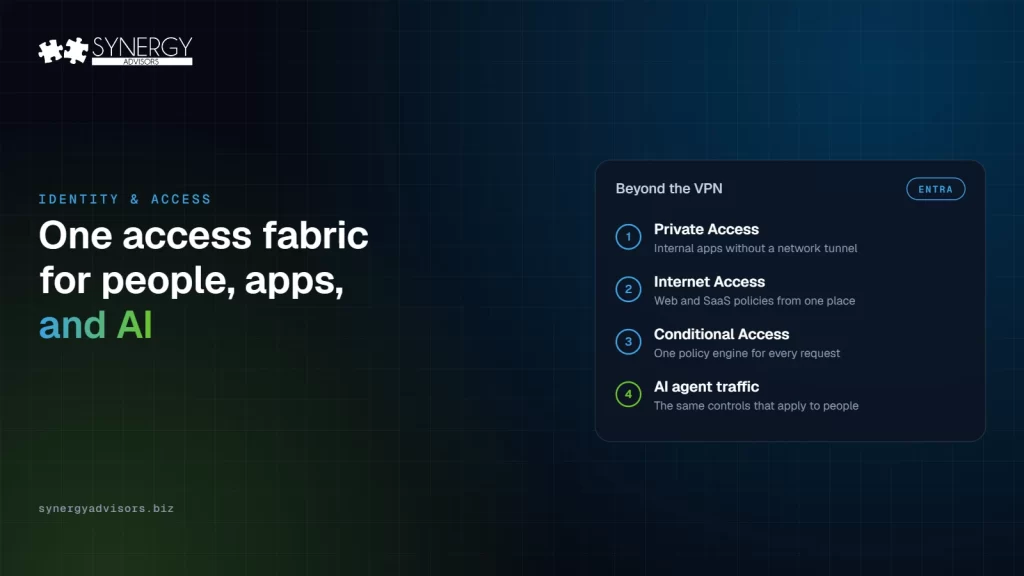
- Private Access connects users to internal applications and resources without a traditional VPN. A client on the device and a private network connector next to the application broker the connection, and Conditional Access decides who can reach each application. Microsoft presents it as “a quick and easy way to replace your VPN.”
- Internet Access applies policies to internet and SaaS traffic, such as web content filtering, from the same place.
- One policy engine. Both use Conditional Access, the same engine that already protects your sign-ins. Universal Continuous Access Evaluation re-evaluates sessions in near real time when risk changes, and the same controls extend to AI agent traffic.
What is ready today
| Status | Capability |
|---|---|
| Generally available | Microsoft Entra and Microsoft Purview data security at the network layer, including blocking sensitive data sent to risky destinations |
| Generally available | New device and risk signals for Universal Continuous Access Evaluation |
| Generally available | Smart load balancing with session affinity for the private network connector |
| Generally available | Custom headers in Internet Access |
| Public preview | Cloud Firewall for clients, with TCP and UDP rules assigned through Conditional Access |
| Public preview | TLS inspection with Microsoft-managed certificates |
| Public preview | Home network support for Private Access, multiple traffic forwarding profiles, health and alerts, and a “Continue” default action for web content filtering |
The VPN question: replace, reduce or keep?
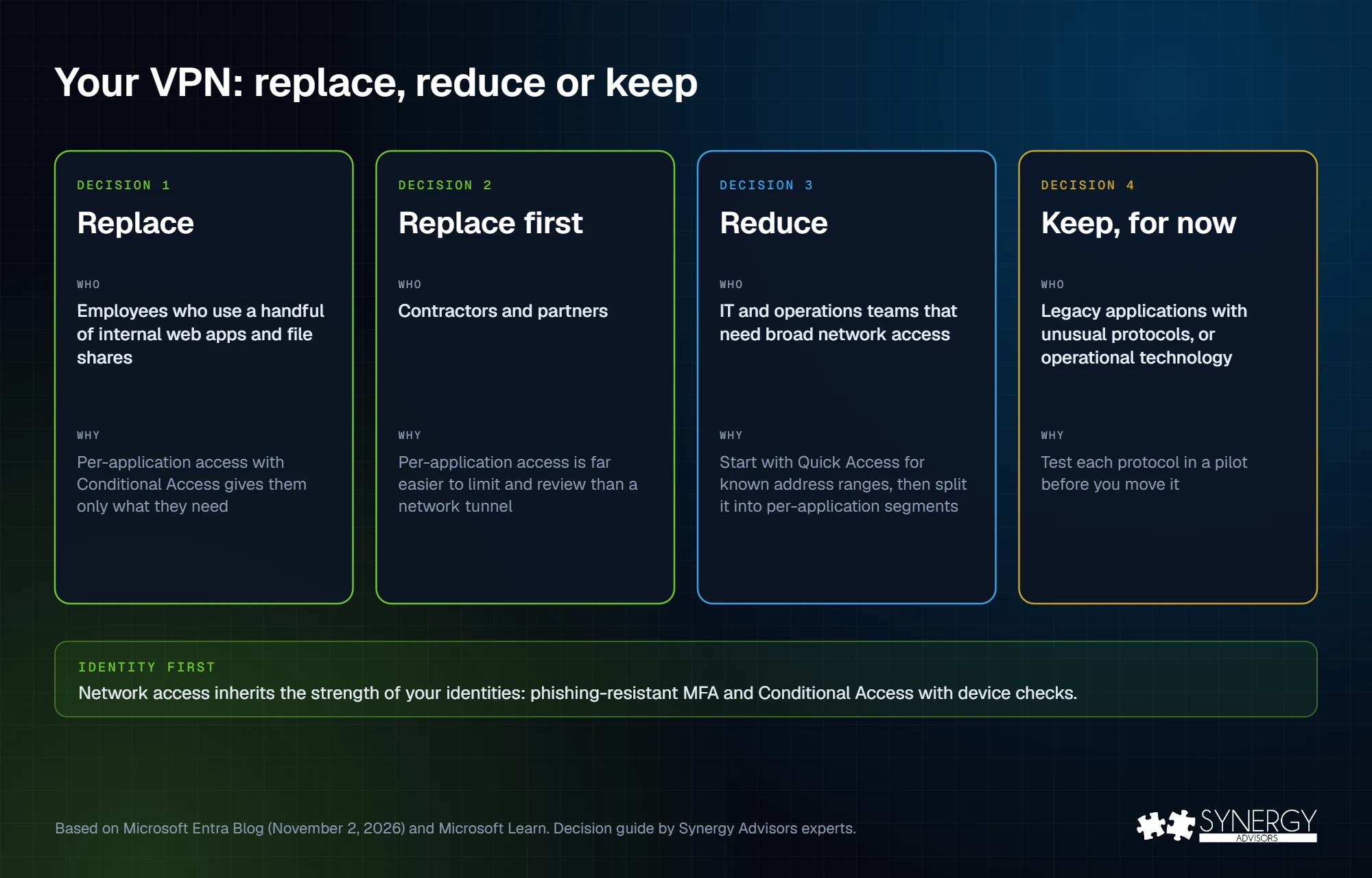
The real goal is not to switch off the VPN on a fixed date. It is to move network access decisions into the same identity policy that already checks the user, the device, and the risk. Seen that way, you can group your users based on their situation:
| Situation | Decision | Why |
|---|---|---|
| Employees who use a handful of internal web apps and file shares | Replace | Per-application access with Conditional Access gives them only what they need |
| Contractors and partners | Replace first | Per-application access is far easier to limit and review than a network tunnel |
| IT and operations teams that need broad network access | Reduce | Start with Quick Access for known address ranges, then split it into per-application segments |
| Legacy applications with unusual protocols, or operational technology | Keep, for now | Test each protocol in a pilot before you move it |
In most environments we assess, a small number of legacy applications keep the VPN alive for everyone. Moving the rest of the users off it already removes most of the risk.
Why AI agents make this more urgent
Agents and AI apps generate network traffic that a VPN was never designed to judge. With Global Secure Access, the same controls that apply to people extend to AI agent traffic, and Microsoft Purview can block sensitive data sent to risky destinations at the network layer. Shadow AI discovery in Global Secure Access also shows traffic to unsanctioned AI apps and model APIs. My colleague covered where else to look in his guide to shadow AI agents.
A four-step path
| Step | What to do |
|---|---|
| 1. Identity first | Phishing-resistant MFA and Conditional Access with device checks must already be in place. Network access inherits their strength. See authentication strengths and our passkey rollout plan. |
| 2. Pilot Private Access | One user group and two or three internal applications, with at least two connectors per application for resilience. |
| 3. Internet Access baseline | Web content filtering and SaaS policies for the pilot group. Keep preview features, such as TLS inspection, in the pilot only. |
| 4. Expand and retire | Move groups one by one, split broad access into per-application segments, review who still uses the VPN, and retire it where nobody needs it. |
In our Secure Access model, this is the “Fly” stage: private and legacy applications through Entra Private Access, policy-based internet access through Entra Internet Access, and governed access for AI agents and workload identities.
A quick note about licensing
Microsoft Entra Private Access and Microsoft Entra Internet Access are still available separately, and since November 2, 2026, together as Global Secure Access. Global Secure Access is also included in Microsoft Entra Suite, with ID Governance, ID Protection, and Verified ID, and Microsoft Entra Suite is part of Microsoft 365 E7. Check your current agreement before you buy anything new: you may already own part of it.
How our experts help
- Secure Access E-ntelligence gives you a readiness score and a roadmap for your identities, so you know which groups can join the Private Access pilot first.
- Our identity experts design and run the pilot, from connectors and per-application segments to the Conditional Access policies, along the Secure Access maturity model.
- Our Managed Services operate Zero Trust access for every identity once it is in production.
Frequently asked questions
What is Microsoft Entra Global Secure Access?
The combined offering of Microsoft Entra Private Access, for internal applications, and Microsoft Entra Internet Access, for internet and SaaS traffic, both controlled by Conditional Access. It has been available as one offering since November 2, 2026.
Does Global Secure Access replace my VPN?
For most users and applications, it can. Microsoft presents Private Access as a way to replace the VPN for internal resources. Legacy applications with unusual protocols should be tested first.
Is it a new product?
No. Microsoft says it is a simpler way to buy Private Access and Internet Access together. Both are still sold separately.
Which licenses include it?
Microsoft Entra Suite and Microsoft 365 E7 include Global Secure Access. Our experts can review what your current licenses already cover.
Next step
Strong network access starts with strong identities. Join the Identity Protection Accelerator webinar on Thursday, November 19, at 2:00 p.m. ET, or talk to our identity experts about a Private Access pilot.
Sources
- Global Secure Access: Private and Internet Access in one offering Microsoft Entra Blog, November 2, 2026 (updated November 3)
- Learn about Microsoft Entra Private Access Microsoft Learn