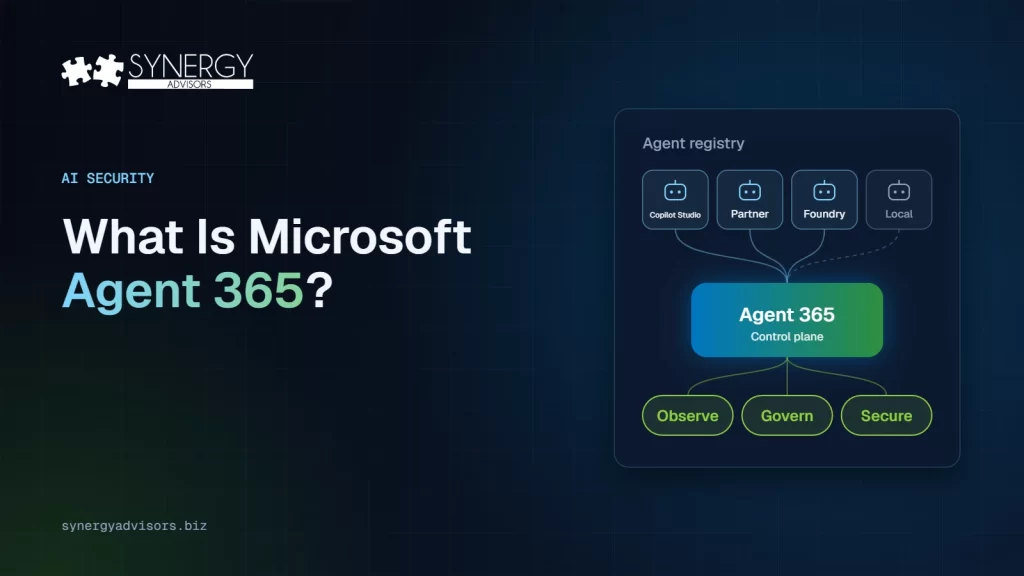

Microsoft Agent 365 is Microsoft’s control plane for AI agents. It gives IT and security teams a single registry of the agents in their organization and extends the tools they already run — the Microsoft 365 admin center, Microsoft Entra, Microsoft Defender and Microsoft Purview — so agents can be observed, governed, and secured the same way users are. It has been generally available since May 1, 2026.
That is the short answer. The rest of this guide covers why it matters now, what each layer actually does, what you get for free versus with a license, and a 30-day plan our experts use to get organizations from “we don’t know how many agents we have” to governed agents.
Why agents need their own governance now
Agents are no longer a pilot in a corner of IT. Microsoft’s 2026 Work Trend Index reports that active agents in Microsoft 365 Copilot and SharePoint grew 15x year over year, and 18x in large enterprises, between March 2025 and March 2026.
The risk is not the number itself. It is that agents act. They read files, call tools, and make changes, sometimes with a user’s delegated access and sometimes with their own. Gartner expects at least 15% of day-to-day work decisions to be made autonomously by agentic AI by 2028, and predicts that over 40% of agentic AI projects will be canceled by the end of 2027 because of escalating costs, unclear business value, or inadequate risk controls.
In practice, most organizations we talk to cannot yet answer three basic questions:
- What agents exist? Agents built in Copilot Studio, deployed from partners, or running locally on laptops rarely land in one inventory.
- What can each one reach? An agent inherits whatever access it was given and data that is overshared for people is overshared for agents too.
- Who answers for it? When the person who built an agent changes roles or leaves, the agent usually keeps running, with no oversight.
Agent 365 exists to answer those three questions at scale.
What Agent 365 covers: observe, govern, secure
Microsoft organizes Agent 365 into three layers. The important detail is that it does not introduce a new security stack; it extends the one you already have.
| Layer | What it does | Where it lives |
|---|---|---|
| Observe | A registry with a complete view of the agents in your organization, an Agent Map of how they connect, usage analytics, and role-based views for security and business owners | Microsoft 365 admin center |
| Govern | A first-class identity for each agent, a human sponsor or owner, lifecycle workflows so access does not outlive the need, least-privilege integrations, tool controls, audit, and logging | Microsoft Entra Agent ID and the admin center |
| Secure | Conditional Access for agents, Identity Protection for risky agent behavior, data loss prevention and information protection for agent activity, threat detection, and web and file filtering for agent traffic | Microsoft Entra, Purview and Defender |
Two of these capabilities deserve a closer look because they change how teams work.
Agents get an identity and a sponsor. With Microsoft Entra Agent ID, an agent discovered in the registry can be assigned its own identity and every agent can have a responsible person who provides oversight through its lifecycle. That turns “an app someone built” into an accountable entity you can review, restrict, and retire.
Identity controls extend to agents. Conditional Access policies can target agent identities and trigger on agent risk. Identity Protection can flag risky agent behavior, such as accessing unfamiliar resources or a high number of sign-in attempts. If you already enforce phishing-resistant MFA and risk-based access for people, the same thinking now applies to agents.
What Agent 365 is not: it is not a tool for building agents. The cost of building and running agents in Copilot Studio or Microsoft Foundry is separate. It also does not replace Microsoft 365 E5 security, rather it enables you to use these same controls in a new sphere.
What is free and what needs a license
This is where most of the confusion is, so here is what Microsoft’s licensing FAQ actually says.
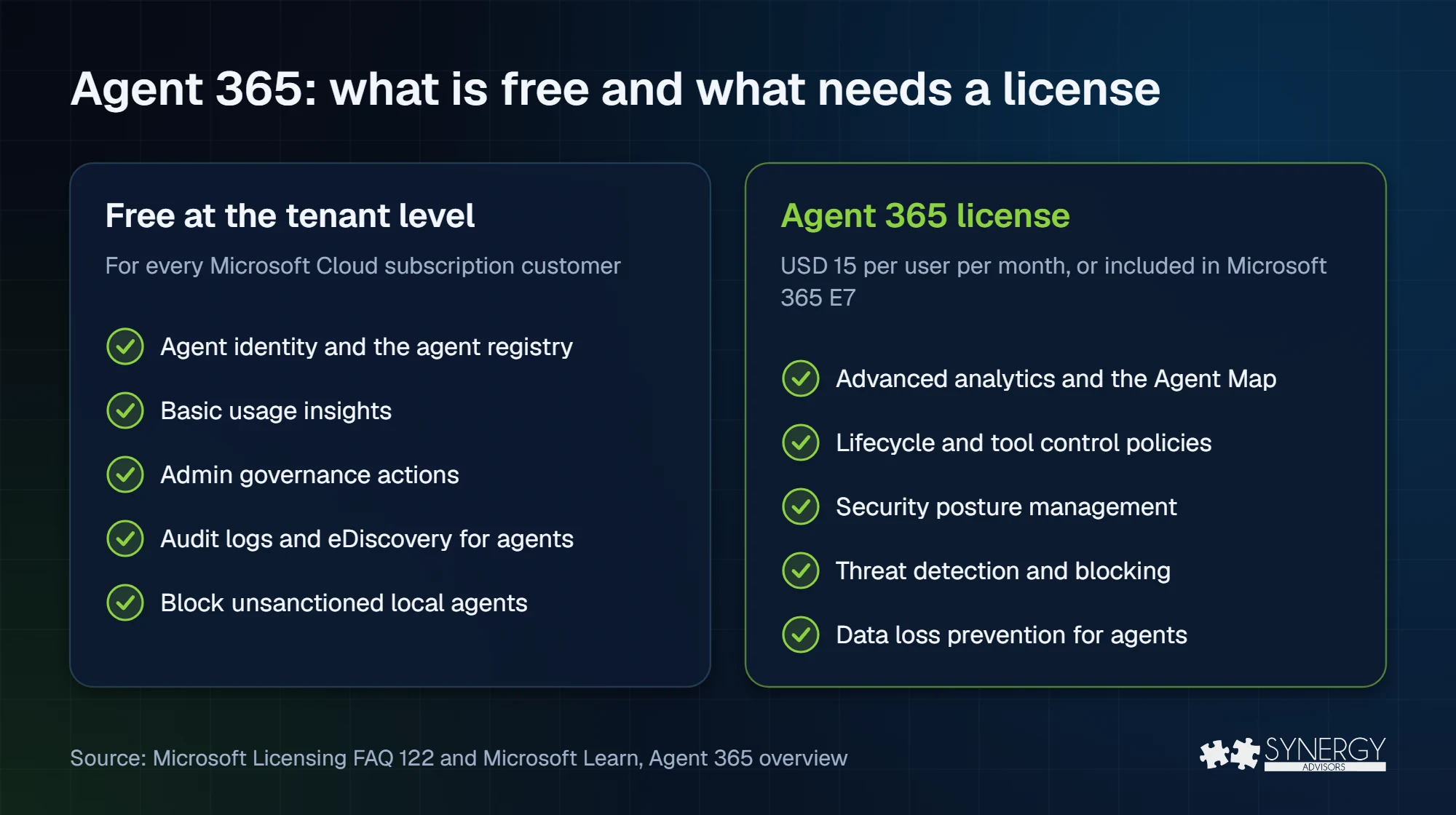
Free for every Microsoft Cloud subscription customer, at the tenant level: agent identity, the agent registry, basic usage insights, admin governance actions, audit logs and eDiscovery for agent activity, blocking unsanctioned local endpoint agents, and discovery of AI on endpoints.
Requires an Agent 365 license: premium capabilities such as advanced usage analytics and the Agent Map, governance policies such as lifecycle management and tool controls, security posture management, threat detection and blocking, and data loss prevention for agents.
Three licensing details that change the math:
- It is licensed per user, not per agent. Agents do not need their own license. A license is needed for users who delegate their access to agents, and for the owners or sponsors of agents that run with their own access, when those agents use premium capabilities.
- Price. Microsoft lists Agent 365 at USD 15 per user per month (annual commitment), and includes it in Microsoft 365 E7 at USD 99 per user per month. Local pricing and agreements vary.
- Prerequisites. Enterprise customers need Microsoft 365 E5, or Microsoft 365 E3 with the Defender and Purview suites. Small and midsize businesses need Microsoft 365 Business Premium. You do not need E7 to use Agent 365.
A 30-day plan to start
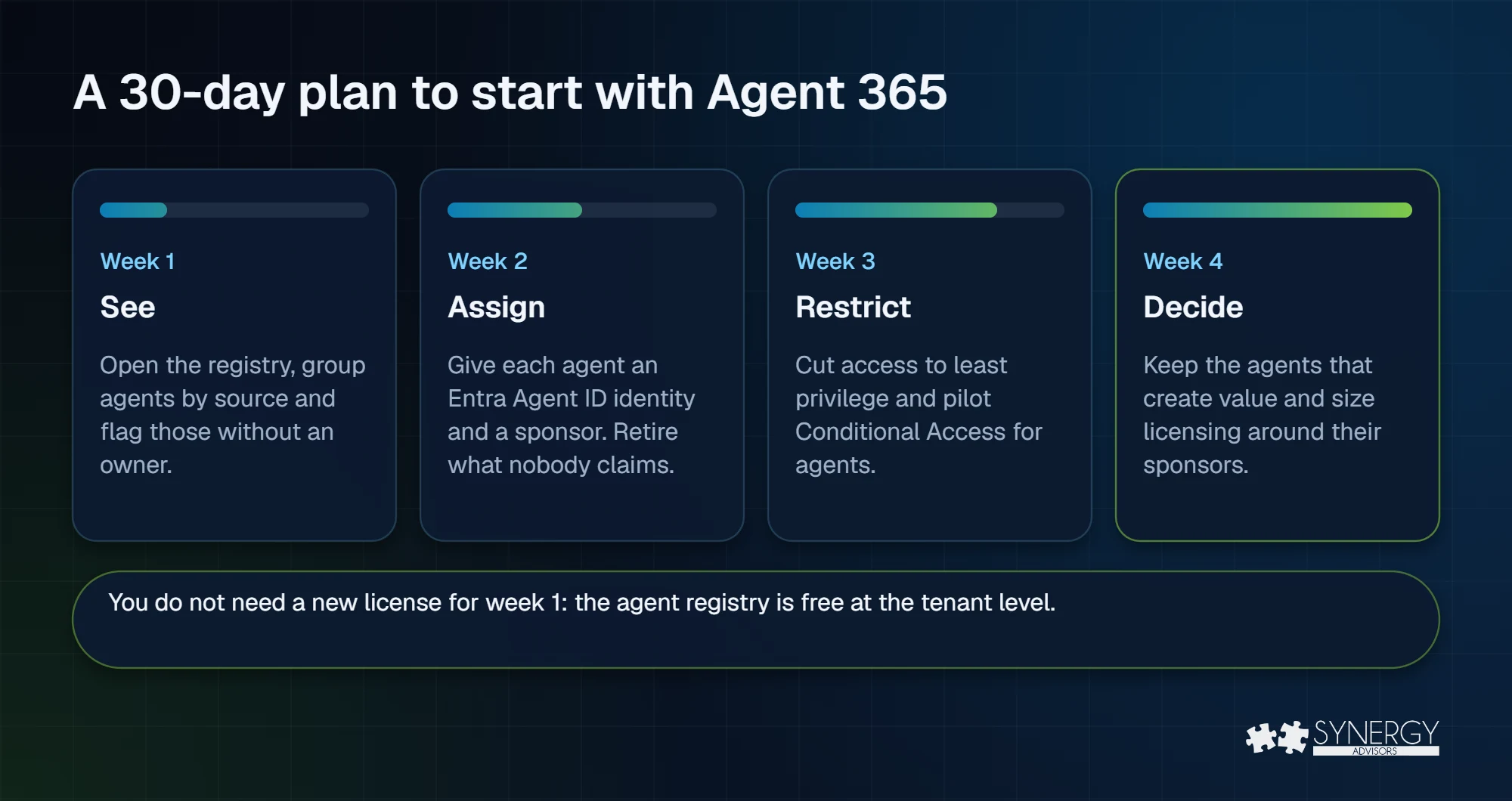
You do not need to purchase a new license to take the first, most valuable step: finding out what you have.
| Week | Goal | What to do |
|---|---|---|
| 1 | See | Open the agent registry in the Microsoft 365 admin center. Group agents by source (Microsoft, partner, Copilot Studio, local) and flag every agent without a clear owner. |
| 2 | Assign | Give each agent an identity in Microsoft Entra Agent ID and a named sponsor. Block unsanctioned local agents. Retire what nobody claims. |
| 3 | Restrict | Review what each remaining agent can reach and cut it to least privilege. Pilot Conditional Access for agents with the security team. |
| 4 | Decide | Use the usage insights to separate agents that create value from the rest. Define who can publish new agents, and size licensing around the people who sponsor or delegate to agents that need premium controls. |
Five mistakes we see often
- Licensing everyone “just in case.” Licenses follow the people who use, sponsor, or delegate to agents with premium capabilities, not the whole organization.
- Treating agents like apps. Apps wait to be used; agents act. They need an identity, an owner, and access reviews like any other identity.
- Building before inventorying. New agents on top of an unknown estate multiply the problem Agent 365 is meant to solve.
- No plan for orphaned agents. When a sponsor leaves, someone must inherit the agent or it must be retired.
- Ignoring the data underneath. Agents expose whatever people can already reach. If data is overshared today, fix sensitivity labels and DLP before scaling agents. See our article on data overexposure.
Frequently asked questions
Is Microsoft Agent 365 free?
Partly. Agent identity, the registry, basic insights and core admin governance are included for all Microsoft Cloud subscription customers. Premium analytics, governance policies, and security controls require a per-user license or Microsoft 365 E7.
Do agents need their own license?
No. Agent 365 is licensed per user. Agents themselves are not licensed.
What is the difference between Agent 365 and Microsoft Entra Agent ID?
Agent 365 is the control plane: inventory, governance, and security across the admin center, Entra, Purview, and Defender. Entra Agent ID is the identity layer inside it, giving each agent an identity that access policies can target.
Do I need Microsoft 365 E7?
No. Agent 365 can be bought on its own with Microsoft 365 E5, or E3 with the Defender and Purview suites. E7 bundles it with E5, Microsoft 365 Copilot and the Entra Suite.
Next step
The Synergy Advisors experts help organizations go from an unknown agent estate to governed agents through Agent 365 E-xperiences: hands-on labs, assessments, guided pilots, and more. Explore Agent 365 E-xperiences or join our free webinar Beyond the Agent on November 10.
Sources
- Microsoft Agent 365 overview Microsoft Learn
- Microsoft Agent 365 product page Microsoft
- Microsoft Licensing FAQ 122 Microsoft
- Protect agent identities with Microsoft Entra Microsoft Learn
- 2026 Work Trend Index Microsoft WorkLab
- Gartner predicts over 40% of agentic AI projects will be canceled by end of 2027 (June 25, 2025) Gartner