
After February 1, 2027, Microsoft will stop delivering SMS and voice codes for Microsoft Entra ID multifactor authentication. Organizations have two paths: move users to passkeys, at no additional cost, or keep SMS and voice through a third-party telephony provider that they contract and pay for. Provider setup opens on October 30, 2026, so this is the moment to decide which users will use which tool.
This guide explains what each option really involves, the security trade-off behind it, and four questions our identity experts use to decide the appropriate path, group by group. If you need the background first, read what the SMS and voice MFA retirement means for organizations.
The timeline that matters
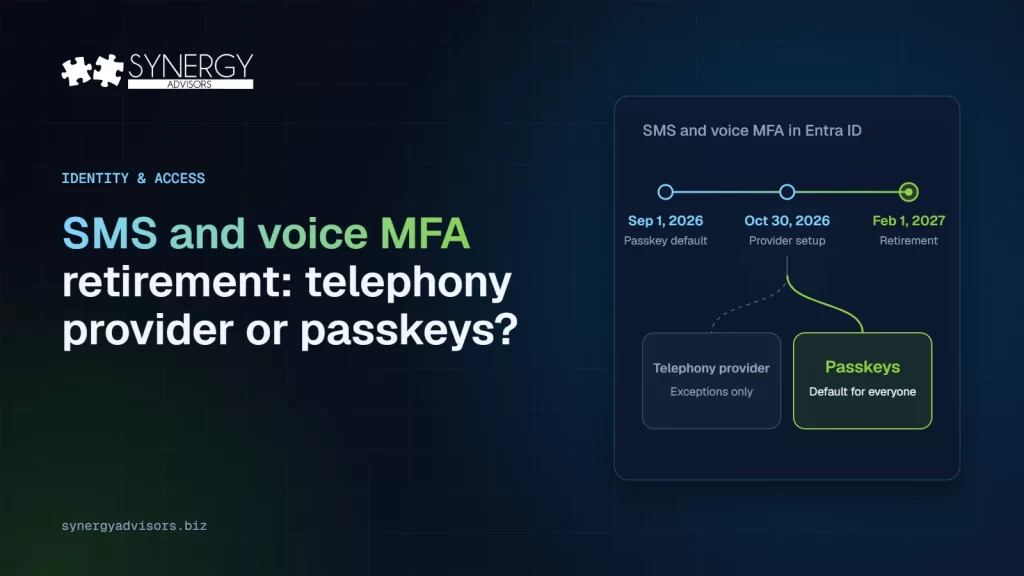
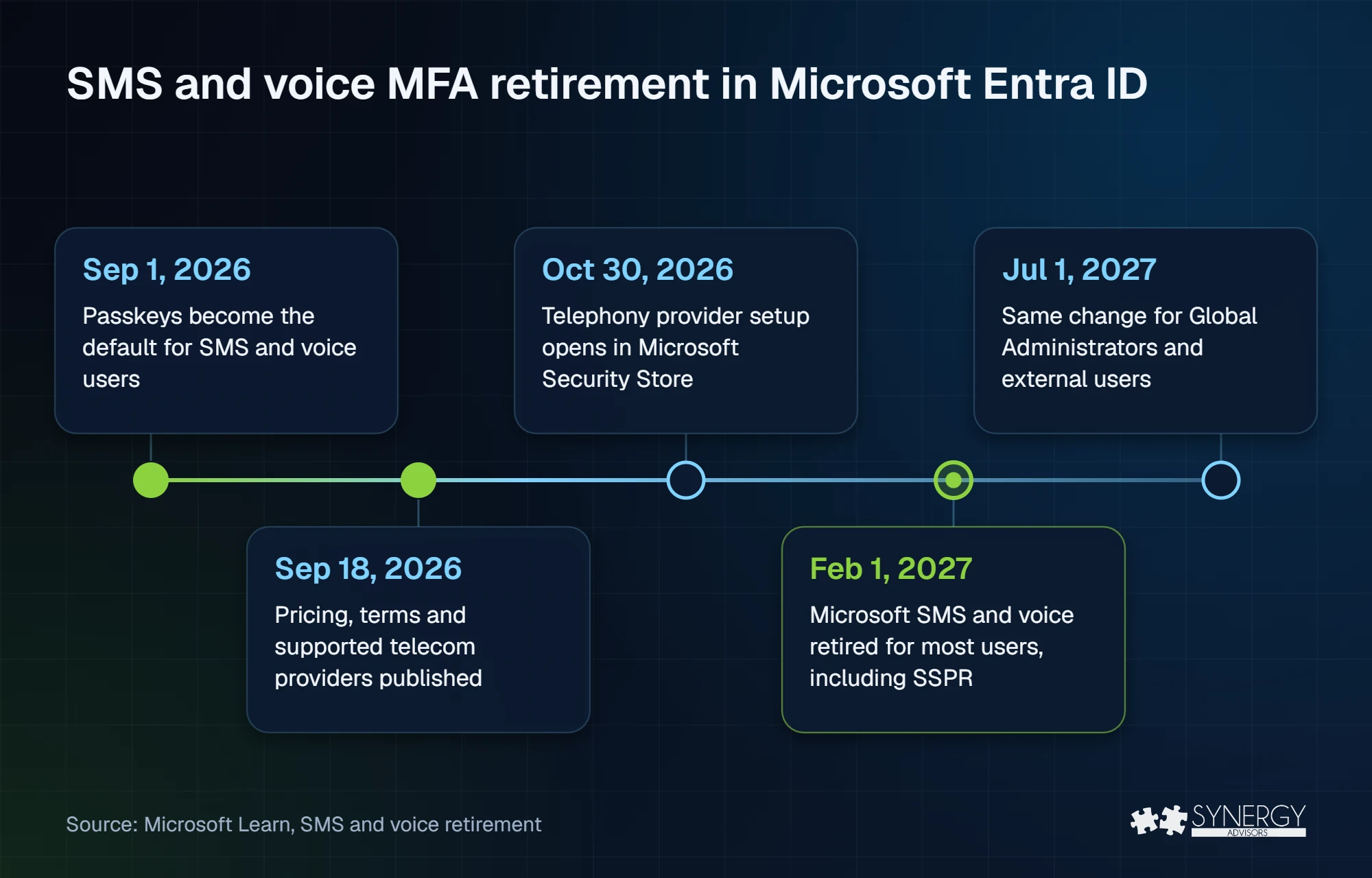
This transition will unfold in stages, beginning with passkeys becoming the default and ending with the full retirement of Microsoft-provided SMS and voice delivery. The dates below show when each change takes effect and when organizations must be ready, according to Microsoft Learn.
| Date | What happens |
|---|---|
| September 1, 2026 | Passkeys become the default sign-in experience. Users enabled for SMS or voice are automatically enabled for passkeys and prompted to register one. |
| September 18, 2026 | Microsoft shares pricing, commercial terms and the list of supported telecom providers. |
| October 30, 2026 | Organizations that need to keep SMS or voice can select and configure a telephony provider through the Microsoft Security Store. |
| February 1, 2027 | Microsoft-provided SMS and voice delivery is retired for all users, except Global Administrators and external users. Users whose only method is SMS or voice must register a passkey to continue to authenticate and access organizational resources. |
| July 1, 2027 | The same change applies to Global Administrators and external users. |
Two details are easy to miss. First, the change also applies to self-service password reset (SSPR), not only MFA. Second, the temporary opt-out from the passkey default only lasts until February 1, 2027: Microsoft states there is no opt-out for enforcement. Make no mistake: starting February 1, 2027, users whose only authentication methods are SMS and voice will no longer be able to sign in to their corporate apps and resources.
Option A: keep SMS and voice through a telephony provider
This option exists for organizations with a documented business, regulatory, or technical need for phone-based methods. It is not a switch you flip in the admin center. Instead, it involves the following high-level steps and considerations:
- A direct contract with a provider. You select the provider through the Microsoft Security Store. The initial providers in the private preview are Soprano and Telesign, with more expected by general availability.
- Your own costs. Microsoft states that customers are responsible for the telecom charges billed by the provider. A routing function also runs in your Azure subscription, with standard Azure consumption charges.
- Configuration and a pilot. The feature is enabled from the Microsoft Entra admin center, and Microsoft recommends piloting with a test group before rolling it out.
- The same weakness as today. A text message delivered by a different carrier is still a text message, and is no longer considered a secure form of authentication.
That last point is the one to weigh. The U.S. National Institute of Standards and Technology classifies the use of the public telephone network for authentication as a restricted authenticator in NIST SP 800-63B-4, and states that out-of-band authentication is not phishing-resistant. CISA’s guidance describes SMS and voice MFA as vulnerable to phishing, SS7 and SIM-swap attacks.
Option B: move users to passkeys
Passkeys replace the code with a cryptographic key that is bound to the site, so there is nothing for a user to type into a fake login page. Microsoft Entra ID supports synced passkeys and device-bound passkeys in Microsoft Authenticator or on FIDO2 security keys. Moving users to passkeys carries no additional licensing cost; the only extra expense is hardware security keys, if you choose them for some users.
The user experience is also better. In Microsoft’s own data from consumer accounts, people succeed signing in with a passkey 98% of the time versus 32% with passwords, and passkey sign-in is eight times faster than a password plus traditional MFA.
| Telephony provider | Passkeys | |
|---|---|---|
| Phishing-resistant | No | Yes |
| Cost | Provider charges + Azure consumption | No additional cost (unless using hardware keys) |
| Contract | Direct, with the provider | None |
| Effort | Contract, Azure setup, configuration, pilot | Registration campaign and user support |
| Best for | Documented exceptions | Default for everyone |
For most user populations, we recommend using passkeys. They are easier to use, they cost less, and, most importantly, they keep the user more secure against today’s identity threats.
Four questions to decide, group by group
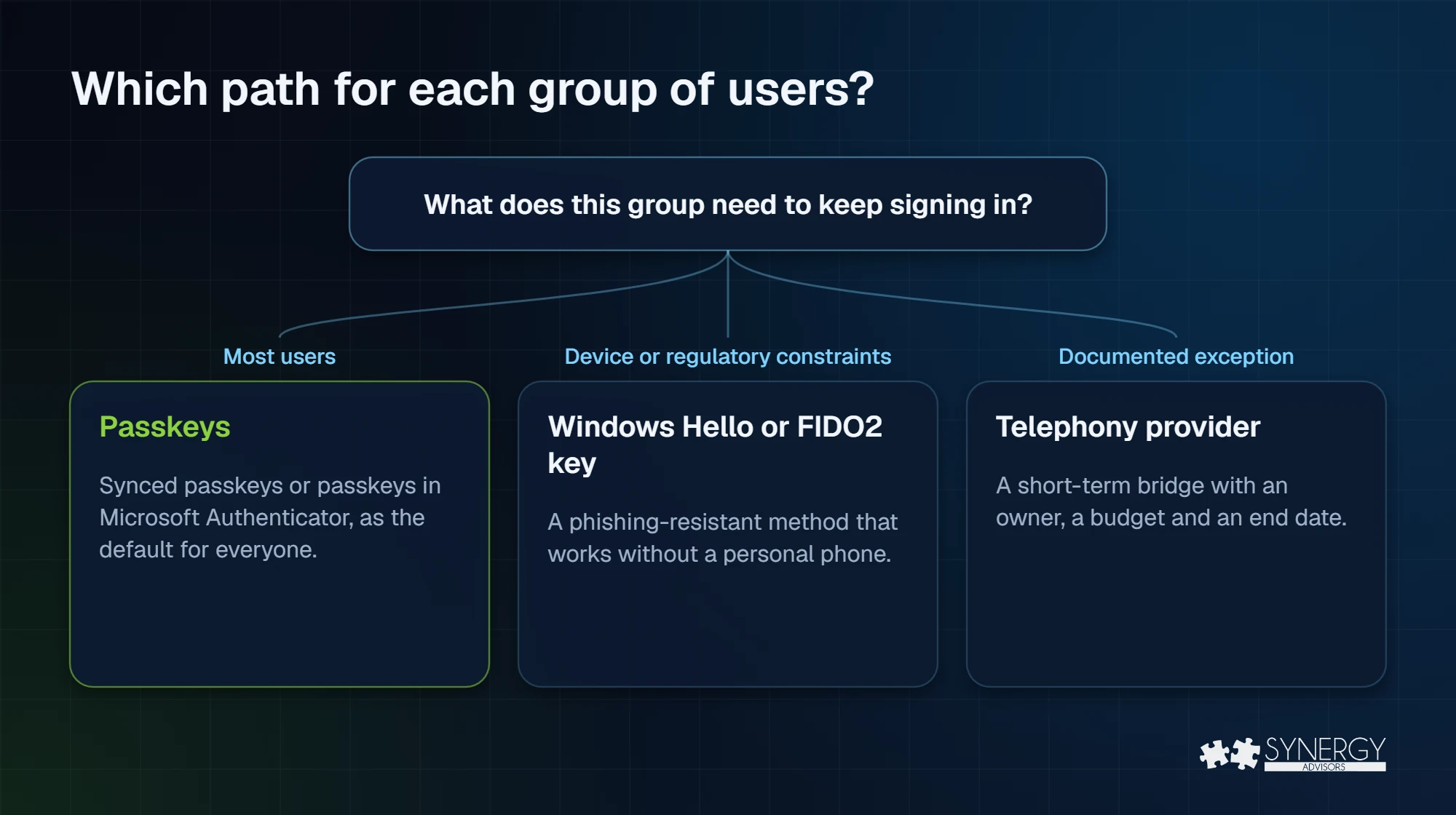
That said, in practice the right answer might not be to use the same approach across all users in your organization. We recommend using passkeys as the default, with a short, documented list of exceptions, as necessary.
Who depends on SMS or voice today? Before defining a passwordless strategy, it is essential to identify the users who still depend on SMS or voice authentication. Synergy Advisors provides data-driven assessments, user segmentation, adoption planning, and implementation support to accelerate passwordless modernization initiatives, including Microsoft Authenticator passkeys, Windows Hello for Business, and phishing-resistant authentication methods.
Is there a real reason a group cannot use a passkey? Not all users can follow the same passwordless journey. Some populations may have device, regulatory, or operational constraints. However, organizations can often address these requirements using Windows Hello for Business, FIDO2 security keys, or synced passkeys, avoiding continued reliance on SMS and voice-based authentication.
Synergy Advisors can assess user personas, identify authentication constraints, define exception scenarios, and recommend the most appropriate phishing-resistant authentication method for each population, accelerating SMS and voice authentication retirement while maintaining security, compliance, and user productivity.
Who will own the contract and the bill? Maintaining SMS and voice authentication requires more than selecting a provider. Organizations must establish ownership for vendor management, contract negotiations, recurring message charges, regulatory compliance, and the Azure Communication Services resources that support message delivery. Define accountability early to avoid operational and budgetary challenges later.
How will people reset their password? Organizations retiring SMS or voice-based authentication must ensure users have a secure recovery path when they lose access to their authentication methods. Review current dependency on SMS for password resets, account recovery, and identity verification, and define alternative recovery processes before making any authentication changes.
What we recommend
Synergy Advisors recommends treating February 1, 2027 as the latest acceptable completion date, not the project target. Organizations that postpone preparation risk concentrating user registration, support requests, and recovery activities into a single event, creating unnecessary pressure on the help desk and disrupting business operations. A phased approach that prioritizes administrators, privileged users, and high-impact populations before broader user deployment helps distribute effort, reduce operational risk, and improve adoption outcomes.
Where business or regulatory requirements justify temporary exceptions, telephony providers should be considered a short-term transition mechanism with defined exit criteria and decommissioning timelines. They should not be used as a long-term strategy to defer the organization’s transition to phishing-resistant authentication methods.
Common mistakes
- Turning on the opt-out and forgetting about it. It only delays the default; it does not delay February 1.
- Forgetting SSPR. The retirement covers password reset, not just sign-in.
- Assuming the provider is plug-and-play. It needs a contract, Azure resources, configuration, and a pilot, and is still in private preview at the time of this writing.
- Missing the second date. Global Administrators and external users move on July 1, 2027, but internal guests follow the February date.
Frequently asked questions
Will users be locked out on February 1, 2027?
Yes, without action. Users whose only method is SMS or voice will have to register a passkey before they can continue signing in. Once users register a passkey they can continue accessing corporate resources.
Can we opt out?
You can temporarily opt out of the passkey default until February 1, 2027. There is no opt-out from the retirement itself.
Does it affect self-service password reset?
Yes. The retirement applies across Microsoft Entra, including SSPR, unless you route SMS and voice through a telephony provider.
Is the telephony provider option free?
No. You pay the provider’s telecom charges plus Azure consumption for the routing function.
Does it affect Azure AD B2C?
No. Azure AD B2C is not affected, and Microsoft will announce External ID separately.
Next step
Every organization’s passwordless journey is different. Synergy Advisors can analyze your current authentication landscape to identify SMS dependencies, evaluate passkey readiness, assess account recovery requirements, and define appropriate exception and transition strategies. The result is a prioritized roadmap that helps reduce reliance on legacy authentication methods while improving security, user experience, and operational efficiency.
Request a no-cost Passwordless Readiness review or join our webinar Identity Protection Accelerator on November 4.
Sources
- Microsoft Learn: SMS and voice retirement Microsoft Learn
- Microsoft Learn: SMS and voice retirement FAQ Microsoft Learn
- Microsoft Learn: telephony providers FAQ Microsoft Learn
- Passkeys are the default authentication method in Microsoft Entra ID (July 13, 2026) Microsoft Security Blog
- NIST SP 800-63B-4 (final, July 2025) NIST
- Implementing phishing-resistant MFA (fact sheet) CISA
- Convincing a billion users to love passkeys (December 12, 2024) Microsoft Security Blog