
Attackers are posing as the IT help desk inside Microsoft Teams: Arctic Wolf documented more than 400 incidents in which a fake “IT Service Desk” contacted employees through Teams external chat, moved to a call and talked them into opening a remote session. Some of those intrusions ended in data theft and ransomware. No Teams vulnerability is involved. The attack uses a default setting, a trusted brand (“IT”), and a stressed employee.
This article explains how the attack works, why it is so effective, and the ten controls our experts check first in any Microsoft 365 tenant.
How the attack works
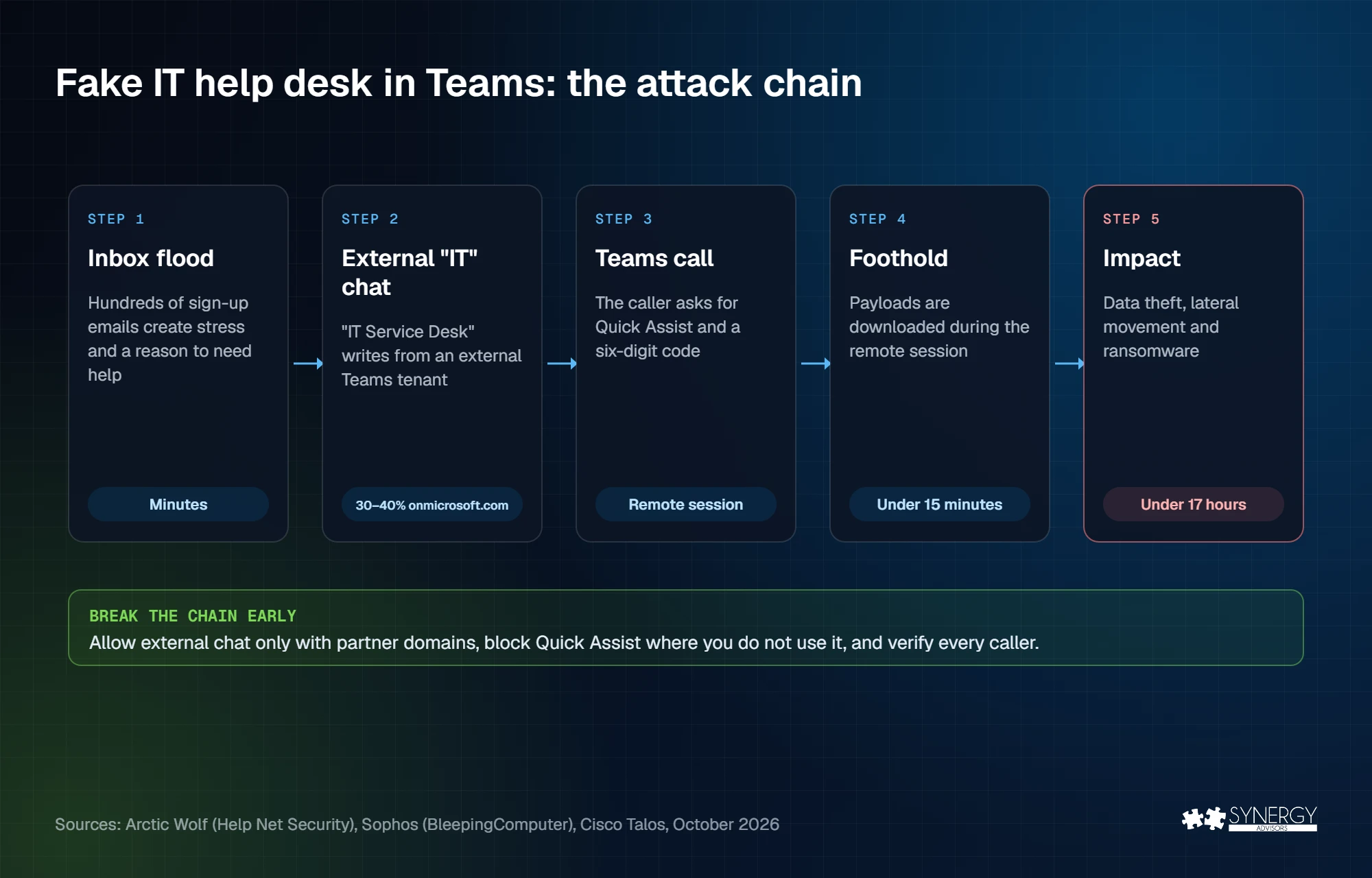
Arctic Wolf, Sophos, and Cisco Talos describe the same chain, with small variations:
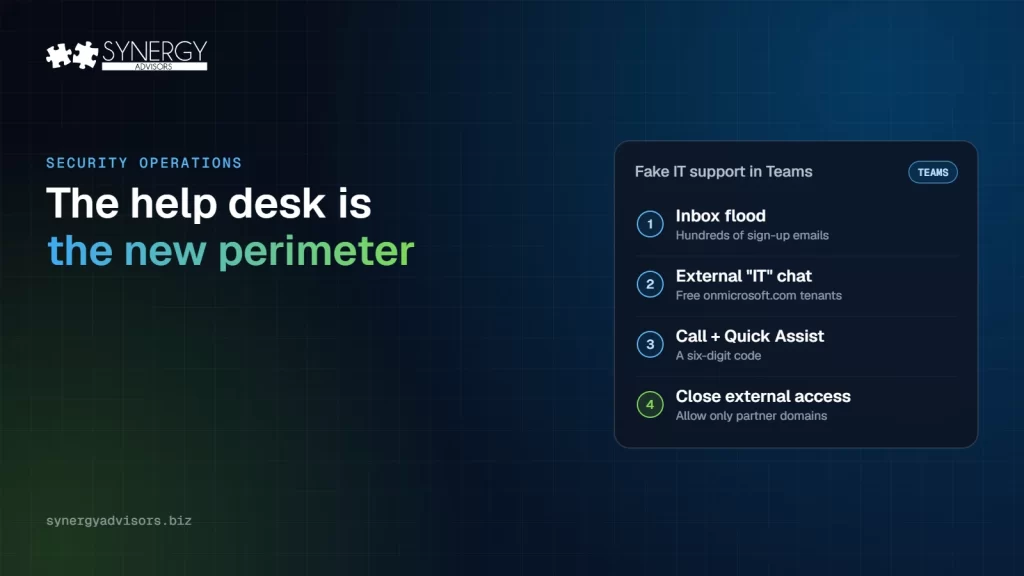
- The inbox flood. The victim suddenly receives hundreds of newsletter and subscription confirmations. The goal is stress and a reason to need help.
- The “help desk” chat. Minutes later, an external Teams account named “Help Desk”, “IT Support”, or “IT Service Desk (Matthew)” offers to fix the problem. Arctic Wolf found that 30 to 40 percent of cases used free onmicrosoft.com tenants, and more than 100 display names included emojis such as shields and wrenches.
- The call. The attacker moves to a Teams voice call and asks for remote access. Quick Assist is the most common tool: the victim only needs to read back a six-digit code.
- The foothold. Attackers avoid posting links in Teams, where scanning would catch them. Instead, they download payloads during the remote session. Malicious code can run in less than 15 minutes.
- The impact. Reconnaissance of Active Directory, lateral movement, data theft, and ransomware. In one Sophos case, less than 17 hours passed between the first Teams contact and the deployment of Chaos ransomware.
Microsoft first described this technique in May 2024. Since then, it has appeared in several ransomware operations and in the third quarter of 2026, Cisco Talos saw help desk impersonation by phone, email, and Teams lead to a new ransomware variant it calls VYPR.
Why it works
- Teams external access is on by default. Unless you changed it, any Teams tenant in the world can start a chat with your users.
- “IT” is a trusted voice. Employees are trained to follow the help desk’s instructions, and the inbox flood makes the offer of help look timely.
- Remote support tools are legitimate. Quick Assist and remote monitoring tools are signed, common, and often allowed everywhere.
- It is fast and automated. Arctic Wolf saw attackers target several users within about five minutes and credential theft alerts sometimes fired at the same time as the first chat alert.
When we review Teams settings, external access is almost always open to every domain. That is the first thing to change.
Ten controls to check this week
| # | Control | Where | Why it helps |
|---|---|---|---|
| 1 | Allow external chat only with specific partner domains | Teams admin center › Users › External access | Most organizations do not need chats from any tenant in the world |
| 2 | Stop unmanaged Teams accounts from contacting your users | External access › Teams accounts not managed by an organization | Blocks inbound contact from personal and free accounts |
| 3 | Keep trial-only tenants blocked | PowerShell: ExternalAccessWithTrialTenants (default: Blocked) | Throwaway trial tenants are a favorite source of fake help desks |
| 4 | Block subdomains when you block a domain | PowerShell: BlockAllSubdomains | Blocking a domain does not block its subdomains by default |
| 5 | Block or remove Quick Assist where you do not use it | Endpoint management | Microsoft recommends it and suggests Remote Help as a managed alternative |
| 6 | Limit remote support and monitoring tools to IT staff | Application control | Attackers fall back on AnyDesk, ScreenConnect, and similar tools |
| 7 | Verify the caller before any MFA change | Help desk process | Cisco Talos recommends help desk verification before users enroll new MFA methods |
| 8 | Publish one real IT channel and say what IT never does | Internal communication | IT never contacts users from an external account or asks for a remote session code |
| 9 | Correlate the signals in the SOC | Microsoft Defender XDR and your SIEM | An inbox flood, an external chat, and a new remote session on one user is an incident |
| 10 | Keep logs for at least 90 days, off the device | Log retention | Talos found insufficient logging in over 40% of its engagements |
If an account was used during the remote session, treat it as compromised. Our token theft eviction checklist explains how to remove sessions, devices, and MFA methods the attacker may have added, and a Temporary Access Pass gives the help desk a safe way to restore the user.
How our experts help
- E-Visor Teams App gives employees a real, internal IT channel inside Teams: they see their own identity, devices, and security alerts, and solve basics such as password resets and MFA themselves. When the real help desk lives inside Teams, an external “help desk” stands out.
- The Micro-Vigilant SecOps Agent shows SOC managers which Microsoft Defender XDR incidents are aging and who is overloaded. When code can run in 15 minutes, an incident cannot wait in the queue.
- MXDR managed security adds Synergy Advisors experts to monitor and respond across Microsoft Defender XDR.
- Secure Access E-ntelligence shows which users still rely on weak MFA methods, the accounts an attacker is most likely to take over after the remote session.
Frequently asked questions
Is this a Microsoft Teams vulnerability?
No. Arctic Wolf states that the activity does not exploit any known Teams vulnerability. It relies on external access, which is enabled by default, and on social engineering.
Should we turn off Teams external access?
Most organizations should not turn it off completely. Consider allowing it only for the specific partner domains you work with, block unmanaged accounts, and keep trial tenants blocked.
Should we uninstall Quick Assist?
If your IT team does not use it, Microsoft recommends blocking or uninstalling it. If you need remote support, use a managed tool such as Remote Help and limit who can use it.
How do employees recognize a fake help desk?
Look for the “External” label in Teams and remember that IT will never start a chat from an external account or ask for a remote session code. When in doubt, hang up and contact IT through the official channel.
Next step
Synergy Advisors experts can review your Teams external access, remote support tools, and help desk process in a single session and show you how the Micro-Vigilant SecOps Agent keeps incidents from aging. Talk to our experts.
Sources
- Attackers pose as IT help desk in Microsoft Teams (Oct 27, 2026) Help Net Security, Arctic Wolf research
- Attackers use Microsoft Teams IT help desk lures The Hacker News
- Microsoft Teams vishing attacks lead to Chaos ransomware BleepingComputer, Sophos research
- Cisco Talos: IT help desk vishing and Q3 incident response trends (Oct 30, 2026) Help Net Security
- Manage external meetings and chat in Microsoft Teams Microsoft Learn
- Threat actors misusing Quick Assist in social engineering attacks leading to ransomware (May 15, 2024) Microsoft Security Blog