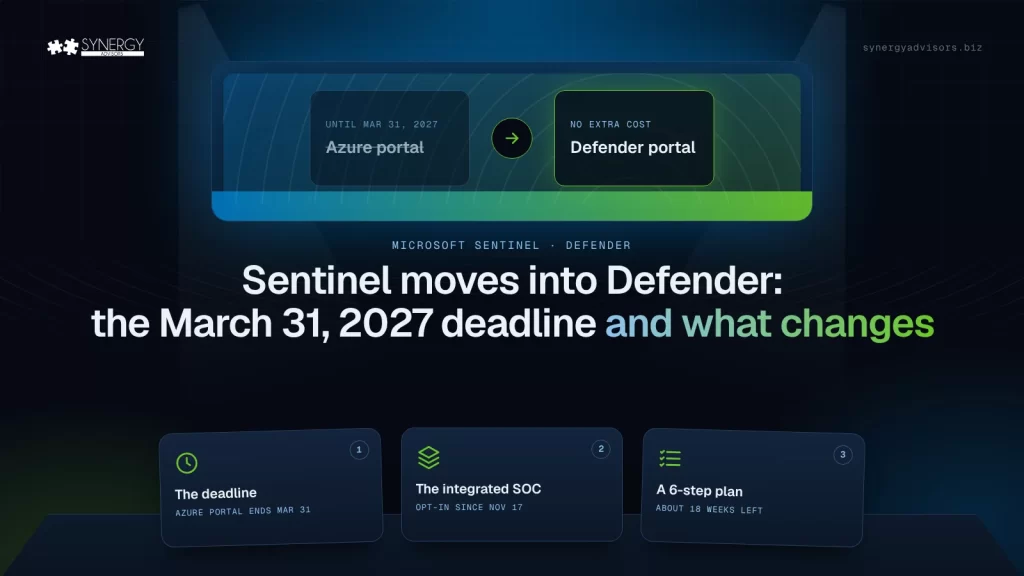

On March 31, 2027, Microsoft ends support for managing Microsoft Sentinel in the Azure portal, and Sentinel will be managed in the Microsoft Defender portal. The date was originally July 1, 2026; Microsoft extended it in January. At Ignite 2026, Microsoft added a reason to move sooner: since November 17, existing Sentinel customers with Microsoft 365 E5, Microsoft 365 E7 or Microsoft Defender Suite licenses can opt in to the integrated security operations center (ISOC) in Defender, with 90 days of retention for eligible Defender data and lower ingestion costs. Moving to Defender has no extra cost, but it does change how rules, automation and permissions work.
When this article publishes, there are about 18 weeks left, and the year-end holidays and change freezes fall in the middle. In yesterday’s Ignite summary we explained why the Defender portal is where Microsoft is putting its agentic SOC. This article covers the move itself: what retires, what ISOC adds, what changes in day-to-day operations and a plan to finish on time.
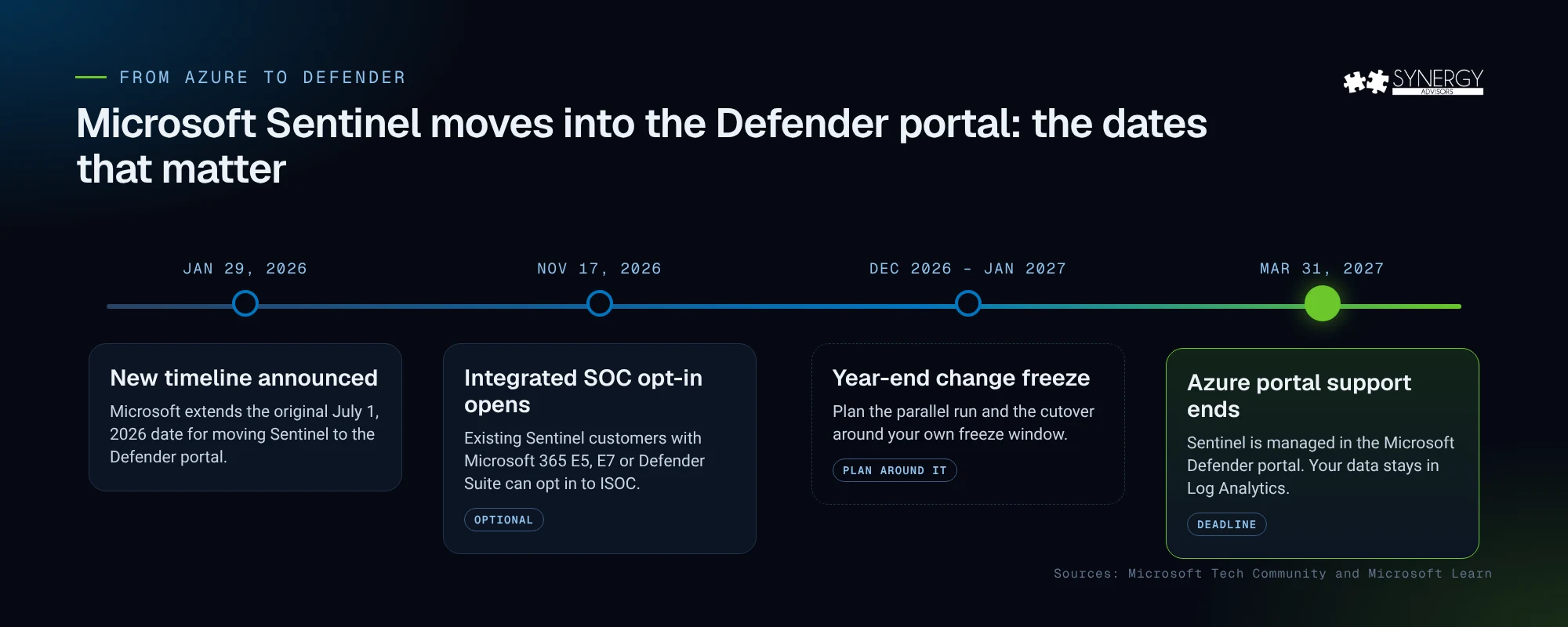
What retires on March 31, 2027, and what does not
What retires is the experience: Microsoft’s January update refers to “managing Microsoft Sentinel in the Azure portal.” Your data does not move. According to Microsoft Learn, the integration “doesn’t change how Microsoft Sentinel stores log data in Log Analytics,” and existing non-Microsoft data connectors keep running. Microsoft Learn also says that moving to Defender, “even for non-E5 customers, has no extra cost”: you keep paying for Sentinel consumption as usual.
Microsoft has also been clear that new features land in Defender first. Its January update lists capabilities available only in the Defender portal, such as Security Copilot, the Sentinel data lake, Sentinel graph, automatic attack disruption over AWS and Proofpoint signals, and SOC optimization recommendations.
What the integrated SOC adds
At Ignite, Microsoft’s Sentinel team announced that eligible customers who opt in to ISOC get:
| What you get | Detail |
|---|---|
| Longer retention | 90 days, up from 30, for eligible Defender data |
| Lower ingestion cost | “$2.4 per GB” through 500+ connectors, for Microsoft and non-Microsoft data, according to Microsoft |
| One place to work | SIEM and threat protection together in Defender, with a shared view for people and agents |
| Built-in data lake | For historical hunting, investigations and compliance |
Opting in is optional: “Customers can continue using Microsoft Sentinel as they do today,” the post says. On status, Microsoft Security describes ISOC as generally available for core capabilities, and the Book of News lists the full SIEM breadth and the 90 days of included Defender data retention as preview. Confirm pricing and terms against your own agreement before you decide.
Microsoft also announced, in the same post:
- Audit logs for automation (public preview): who created, edited, turned on or deleted automation rules and generated playbooks.
- Data & Connectors Overview (public preview): connector health, ingestion volumes and trends in one view.
- Ingest-time normalization (public preview in December 2026): Microsoft-managed parsers standardize selected data as it arrives, so queries are simpler and faster.
- Connector Builder Agent in VS Code, which Microsoft said would be generally available by the end of November, plus new connectors such as OpenAI and Salesforce audit logs, and UEBA coverage for AWS GuardDuty, Check Point, Zscaler and Fortinet data.
What changes when you move
Most of the move is configuration, but a few changes catch SOC teams by surprise. These are the ones Microsoft Learn documents that we check first:
| Area | What changes in Defender | What to do |
|---|---|---|
| Correlation | The Fusion rule is disabled; the Defender XDR engine correlates alerts and merges incidents | Expect merged incidents; review how analysts triage them |
| Analytics rules | Rules that create alerts only, without incidents, are not visible in the Defender portal | Decide which rules should create incidents |
| Automation conditions | Incident names can change after correlation, and the SecurityIncident table no longer has a Description field | Base conditions on analytics rule names and tags, not titles or descriptions; check ITSM integrations such as ServiceNow |
| Automation timing | Automation rules can take up to 10 minutes to run, and playbook triggers up to 5 minutes | Review time-sensitive playbooks |
| Manual playbooks | Running a playbook manually on an alert or an entity is not supported | Adjust analyst runbooks |
| Several workspaces | One primary workspace per tenant receives Defender XDR alerts; standalone Microsoft connectors are disconnected in secondary workspaces | Choose the primary workspace and move automation rules where needed |
| Workspace Manager | Not available in Defender | Use content as code from a repository (public preview) or the multitenant portal |
| Permissions and data policies | Unified role-based access control, and Defender XDR policies for data storage, retention and sharing | Map current roles and review data policies with compliance |
| Private Link and keys | Advanced hunting cannot query Sentinel data if Log Analytics queries are restricted to private endpoints; alerts and incidents are no longer encrypted with customer-managed keys | Review with your architects before onboarding |
A 6-step plan for the next 18 weeks
- Inventory. List workspaces, tenants and licenses, and decide whether ISOC makes sense for you.
- Permissions. Map today’s Sentinel and Defender roles to unified role-based access control.
- Content review. Find analytics rules that create alerts only, automation rules that use incident titles or descriptions, and playbooks that analysts run by hand.
- Onboard and run in parallel. Connect your primary workspace to Defender, and let analysts work in both portals for a few weeks.
- Update operations. Retrain analysts, update runbooks and fix integrations with your ticketing tools.
- Cut over early. Finish well before March 31, 2027, and outside your year-end change freeze.
Once you are in Defender, the agentic features we covered in our article on Microsoft Perception work on the same incidents.
How our experts help
- Our Managed Services run a 24x7x365 SOC with MXDR on Microsoft Defender XDR and Microsoft Sentinel. Our experts plan the move, map permissions, review rules and automation, and run both portals in parallel until the cutover.
- The Micro-Vigilant SecOps Agent shows SOC managers how incidents are handled, from workload to aging incidents, so you can confirm that operations improved after the move, not just changed.
Frequently asked questions
When does Microsoft Sentinel retire from the Azure portal?
Microsoft ends support for managing Sentinel in the Azure portal on March 31, 2027. After that date, you manage Sentinel in the Microsoft Defender portal.
Does moving to Defender cost extra?
No. Microsoft Learn says the transition has no extra cost, even for customers without E5. You keep paying for Sentinel consumption as usual.
Do I need Microsoft 365 E5 to use Sentinel in Defender?
No. Sentinel works in the Defender portal with or without Defender XDR. The ISOC benefits, such as longer retention and lower ingestion cost, are for eligible customers with Microsoft 365 E5, E7 or Defender Suite who opt in.
Is ISOC mandatory?
No. Microsoft says opting in is optional, and you can keep using Sentinel as you do today.
Will my data move?
No. Sentinel keeps storing log data in Log Analytics. What changes is where you work and which policies apply.
Next step
Synergy Advisors experts can plan and run your move to the Defender portal before the deadline, without stopping your SOC. Talk to our experts or join the Protect the Agentic Enterprise webinar on Tuesday, December 15, at 2:00 p.m. ET.
Sources
- UPDATE: New timeline for transitioning Sentinel experience to Defender portal Microsoft Sentinel Blog, January 29, 2026
- Transition your Microsoft Sentinel environment to the Defender portal Microsoft Learn
- Ignite 2026: What’s new in Microsoft Sentinel Microsoft Sentinel Blog, November 17, 2026
- Security for the agentic era, powered by Microsoft Perception (Aleš Holeček) Microsoft Security Blog, November 17, 2026
- Microsoft Ignite 2026 Book of News Microsoft, November 17, 2026