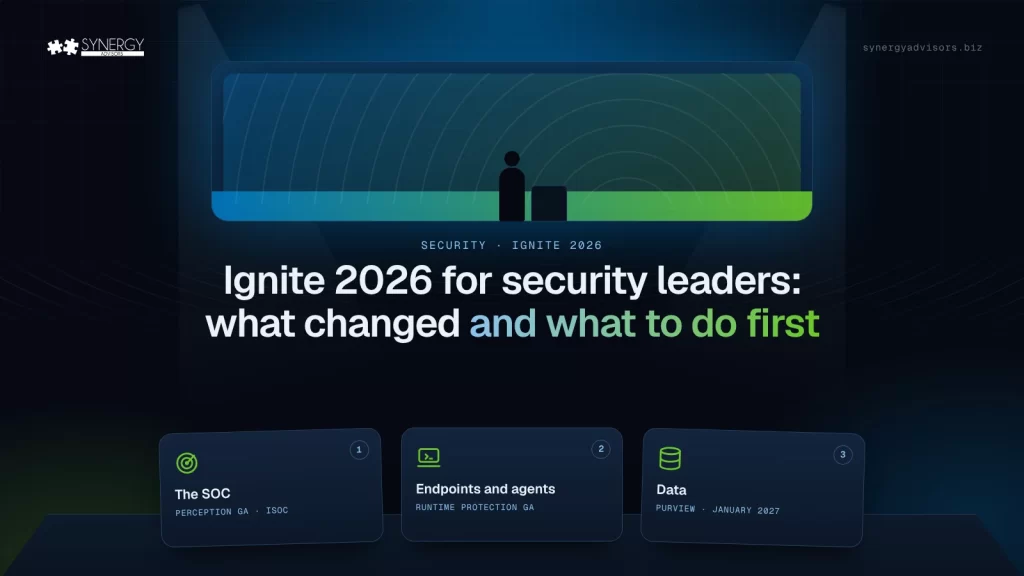

At Microsoft Ignite 2026 (November 17–20), Microsoft moved its security stack toward agents that defend alongside people. Microsoft Perception is now generally available, the core of an integrated security operations center (ISOC) arrived in Microsoft Defender, Defender now protects local AI agents on Windows, and Microsoft Purview will block Copilot from using sensitive files even when they are not labeled. Not everything is available today: several features are in preview, and the Purview changes start in January 2027. This guide sorts what changed, its status and what to do first.
The reason behind the push is speed. “The time from discovery to exploit is shrinking from months to minutes,” wrote Aleš Holeček, President and Chief Architect of Microsoft Security. His example: after two critical PHP flaws were disclosed this fall, a working exploit appeared within roughly a day, and about 29 million services were still vulnerable nearly two weeks later. He also cited more than 96,000 vulnerabilities published in 2026, more than double 2024, while only 26% of the vulnerabilities in CISA’s Known Exploited Vulnerabilities catalog were remediated in 2025.
We already covered the five keynote announcements and everything new in Agent 365. This article covers the SOC, endpoints and data. Over the rest of the week we go deeper: Microsoft Sentinel’s move to Defender on Wednesday, identity on Thursday and Copilot data protection on Friday.
1. Microsoft Perception is generally available
What was announced: Microsoft Perception, previously Project Perception, is generally available, “including the agents and playbooks announced in July,” according to the Book of News. It organizes specialized agents in three teams. Red team agents look for weaknesses from an attacker’s perspective, blue team agents triage, investigate and detect, and green team agents prioritize and fix. Playbooks coordinate them.
| Team | Agents and playbooks | Status |
|---|---|---|
| Blue (detect and respond) | Alert Triage Agent, Attack Investigation Agent, Detection Authoring Agent, Threat Intelligence Agent | Generally available |
| Red (think like an attacker) | Recon Agent Web App Pen Test Agent | Generally available Preview |
| Green (prioritize and fix) | Posture Prioritization Agent Risk Reduction Agent and the Reduce exposure risk playbook | Generally available Public preview |
| Integrations | Start playbooks from SIEM, SOAR and ITSM tools through APIs and MCP; signals from AWS, Okta and Salesforce | Preview |
According to Microsoft’s Perception team, the Triage Agent now covers about 80% of the alerts in a typical Defender queue. Microsoft notes that this is an aggregate figure, not a guaranteed rate for each customer. The Triage Agent also handles AWS and Salesforce alerts, and the Investigation Agent can reason over AWS and Okta data.
Why it matters: when we wrote about Project Perception on November 9, it was a limited preview by invitation. Now any eligible Defender customer can plan for it. Control stays with your team: “Your team sets the guardrails and signs off on high-impact actions,” Holeček wrote. Microsoft also added least-privilege access, approval controls, audit logs, usage views and a cost calculator.
What to do: before you turn agents on, write down which actions an agent may take on its own and which need a person, such as isolating a device or disabling an account. Measure your SOC today, too, so you can prove what the agents change.
2. The integrated SOC arrives in Microsoft Defender
What was announced: the core capabilities of the Integrated Security Operations Center (ISOC) in Defender are generally available. According to Holeček, eligible Defender Suite, Microsoft 365 E5 and Microsoft 365 E7 customers receive all Microsoft Sentinel SIEM features, 90 days of default retention for Defender data, more than 500 connectors, reduced ingestion rates and a built-in data lake. The Book of News lists the full breadth of SIEM capabilities and the 90 days of included retention as preview.
For existing Sentinel customers, Microsoft’s Sentinel team says that from November 17, 2026, those with Microsoft 365 E5, E7 or Defender Suite licenses can opt in. Opting in is optional. Separately, managing Sentinel in the Azure portal ends on March 31, 2027, so every Sentinel customer has to plan the move to Defender. Tomorrow’s article covers that move step by step.
3. Vulnerability shielding: time to patch
What was announced: vulnerability shielding, in preview, extends attack disruption in Defender from containing compromised assets to protecting vulnerable ones. During an active attack, it deploys targeted, temporary controls to known vulnerable systems, so attackers cannot exploit a flaw that is not patched yet. In routine operations, the Risk Reduction Agent suggests shielding when a patch is not available, and it can coordinate the permanent fix through Microsoft Intune while IT keeps control of deployment.
Defender threat intelligence also adds a zero-day and emerging threats experience, in preview, with clear tags, a zero-day widget, filters by industry and region, and email notifications. From January 2027, AI Readiness Initiatives in Perception, in preview, will turn priorities such as monthly patching, phishing-resistant authentication and agent governance into plans measured with live tenant data.
Why it matters: November’s Patch Tuesday alone fixed 1,094 vulnerabilities, 63 of them critical, including an Outlook zero-day (CVE-2026-124194) that attackers were already exploiting to steal hashed credentials, according to CSO Online. Shielding does not replace patching; it buys time.
4. Local AI agents on endpoints: runtime protection is here
What was announced: Defender runtime protection for local AI agents on Windows is generally available. It scans agent calls for malicious hidden instructions and works in Audit or Block mode, from the Defender or Intune portal. According to the Book of News, agent-native protection covers Claude Code, GitHub Copilot CLI, the GitHub Copilot app, Claude Desktop and the GitHub Copilot and Claude Code extensions for VS Code; network-based protection covers OpenClaw, Ollama Desktop and ChatGPT. It requires Microsoft Defender for Endpoint P2.
Intune also adds governance of local agents, in preview: devices running unapproved agents can be marked noncompliant and blocked from company data with Conditional Access, while Microsoft Execution Containers set limits for approved agents.
What to do: start runtime protection in Audit mode with a pilot group of developers, review what it would block, and only then switch to Block.
5. Data: Purview protects what Copilot and agents use
What was announced: Purview data loss prevention (DLP) will block Copilot from grounding responses on files with sensitive information even when those files are not labeled, and will extend protection to attached and linked files in prompts. Holeček described it as protection “which lets customers adopt Copilot without labeling every file first.” The same DLP controls extend to local agents on Windows. Both enter public preview in January 2027, according to Microsoft’s Purview team. Auto-labeling at scale, up to 500,000 SharePoint and OneDrive files per tenant per day, is generally available now.
What to do: use the weeks before January to decide which sensitive information types matter most to you and to test how accurately they detect your data. Friday’s article covers the preparation in detail. To see where Copilot could surface sensitive data today, start with our article on Copilot oversharing.
Ignite 2026 security at a glance
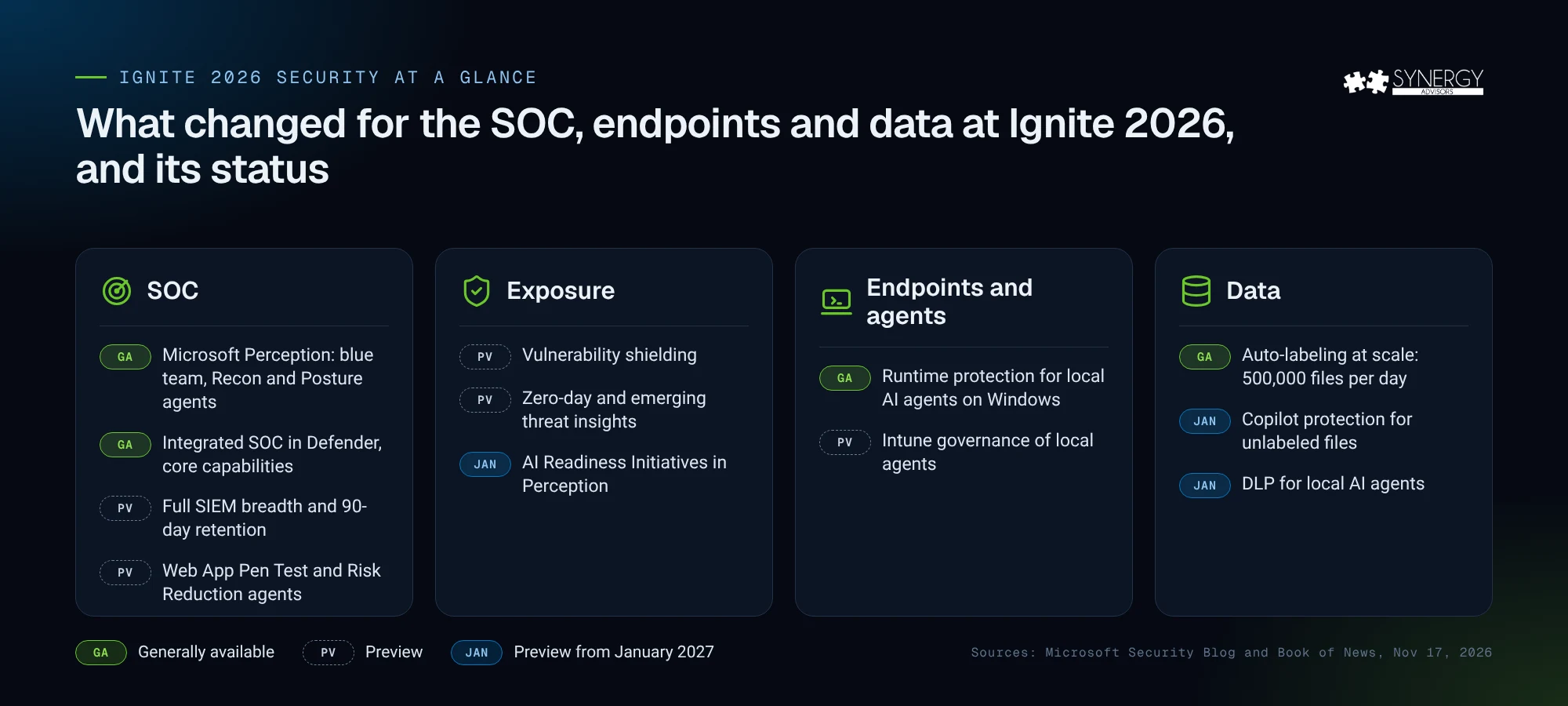
| Announcement | Status | What to do first |
|---|---|---|
| Microsoft Perception (blue team agents, Recon Agent, Posture Prioritization Agent) | Generally available | Write your approval matrix; pilot triage on one queue |
| Web App Pen Test Agent, Risk Reduction Agent, Reduce exposure risk playbook | Preview | Choose an authorized app and a pilot scope |
| Integrated SOC (ISOC) in Defender, core capabilities | Generally available; opt-in for existing Sentinel customers since November 17 | Check your licenses and plan the move before March 31, 2027 |
| Full SIEM breadth and 90 days of included Defender data retention | Preview | Compare with your current retention and costs |
| Vulnerability shielding | Preview | Identify systems you cannot patch quickly |
| Zero-day and emerging threat insights | Preview | Sign the SOC up for email notifications |
| Runtime protection for local AI agents on Windows | Generally available (Defender for Endpoint P2) | Start in Audit mode |
| Intune governance of local agents | Preview | Agree which agents are approved |
| Purview: Copilot grounding protection for unlabeled files; DLP for local agents | Public preview from January 2027 | Choose and test your sensitive information types |
| Purview auto-labeling at scale (500,000 files per day) | Generally available | Run a simulation on your priority sites |
| AI Readiness Initiatives in Perception | Preview from January 2027 | Review Secure Now priorities |
Your first 30 days
- Check your licenses. Confirm whether you have Defender Suite, Microsoft 365 E5 or E7, and what that means for ISOC and Perception.
- Write the approval matrix. List the actions agents may take on their own and the ones that need a person.
- Measure your SOC today. Record time to acknowledge, time to resolve and aging incidents, so you can compare after agents start working.
- Plan the Sentinel move. Set a date well before March 31, 2027, away from year-end change freezes.
- Pilot runtime protection for local agents in Audit mode with a small group of developers.
- Prepare your data. Choose the sensitive information types that matter and run an auto-labeling simulation on your most important sites.
How our experts help
- The Micro-Vigilant SecOps Agent shows how your SOC performs today, from workload and stale incidents to detection quality, with Microsoft Defender XDR data. It is the baseline to measure any agent against.
- Our Managed Services run a 24x7x365 SOC with MXDR on Microsoft Defender XDR and Microsoft Sentinel, including the approvals and change control around automated actions.
- E-Visor for M365 Data Sensitivity & AI Discovery reveals sensitive data exposure in SharePoint Online and OneDrive, including Copilot exposure, so you know where to start before the January previews.
Frequently asked questions
Is Microsoft Perception generally available?
Yes. Microsoft announced general availability on November 17, 2026, including the agents and playbooks announced in July. Some pieces remain in preview, such as the Web App Pen Test Agent, the Risk Reduction Agent and the integrations with SIEM, SOAR and ITSM tools.
What is the integrated SOC (ISOC)?
Microsoft’s name for SIEM and threat protection working together in Microsoft Defender. Its core capabilities are generally available; the full SIEM breadth and 90 days of included Defender data retention are in preview.
Do we have to move Microsoft Sentinel to Defender?
Managing Sentinel in the Azure portal ends on March 31, 2027, so yes, the experience moves to Defender. Opting in to ISOC is a separate, optional choice for eligible customers.
Can Purview stop Copilot from using unlabeled sensitive files today?
Not yet. Today, labels and DLP can restrict Copilot from processing labeled files and emails, and prompts that contain sensitive information. Protection for unlabeled files enters public preview in January 2027.
Does Defender protect AI coding agents such as Claude Code?
Yes, on Windows. Runtime protection for local AI agents is generally available for Defender for Endpoint P2 customers, in Audit or Block mode.
Next step
Synergy Advisors experts can help you turn Ignite announcements into a plan for your SOC and your data. Join the Protect the Agentic Enterprise webinar on Tuesday, December 15, at 2:00 p.m. ET, or talk to our experts.
Sources
- Security for the agentic era, powered by Microsoft Perception (Aleš Holeček) Microsoft Security Blog, November 17, 2026
- Microsoft Ignite 2026 Book of News Microsoft, November 17, 2026
- What’s new with Microsoft Perception at Ignite 2026 Microsoft Tech Community, November 17, 2026
- Ignite 2026: What’s new in Microsoft Sentinel Microsoft Sentinel Blog, November 17, 2026
- November 2026 Patch Tuesday: 63 critical Microsoft fixes, plus an Outlook zero-day that allows theft of hashed credentials CSO Online, November 2026
- Secure the data that fuels AI with Microsoft Purview Microsoft Security Community Blog, November 17, 2026