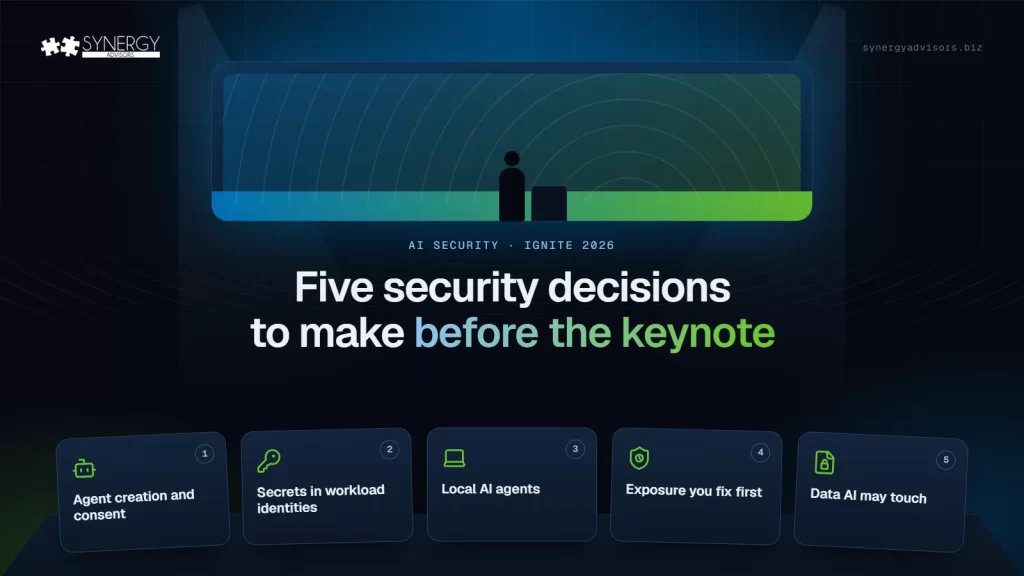

Microsoft Ignite 2026 opens on November 17 with four security themes: defending with AI, securing AI, preparing for AI, and securing data. During this event, Microsoft will make several announcements about new solutions and features in the security space. These announcements will pay off fastest for organizations that have already decided five things: who can create agents, which identities still run on secrets, which local agents are allowed, how fast exposure gets fixed and what data AI may touch.
Ignite runs from November 17 to 20 in San Francisco and online, with a Security Pre-Day on Monday, November 16, and the opening keynote on Tuesday, November 17, at 10:00 a.m. PT (1:00 p.m. ET). Every year brings a wave of announcements, a week of excitement but, for many IT teams, very little changes a month later.
The reason is rarely technical. Most of what Microsoft announces extends controls that already exist, and those controls need someone to decide how they will be used. In the tenants our experts review, the gap is rarely a missing feature; it is a decision nobody owns. Here are the five decisions I recommend you make before the keynote, each one grounded in something that changed in the first half of November.
Four themes, five decisions
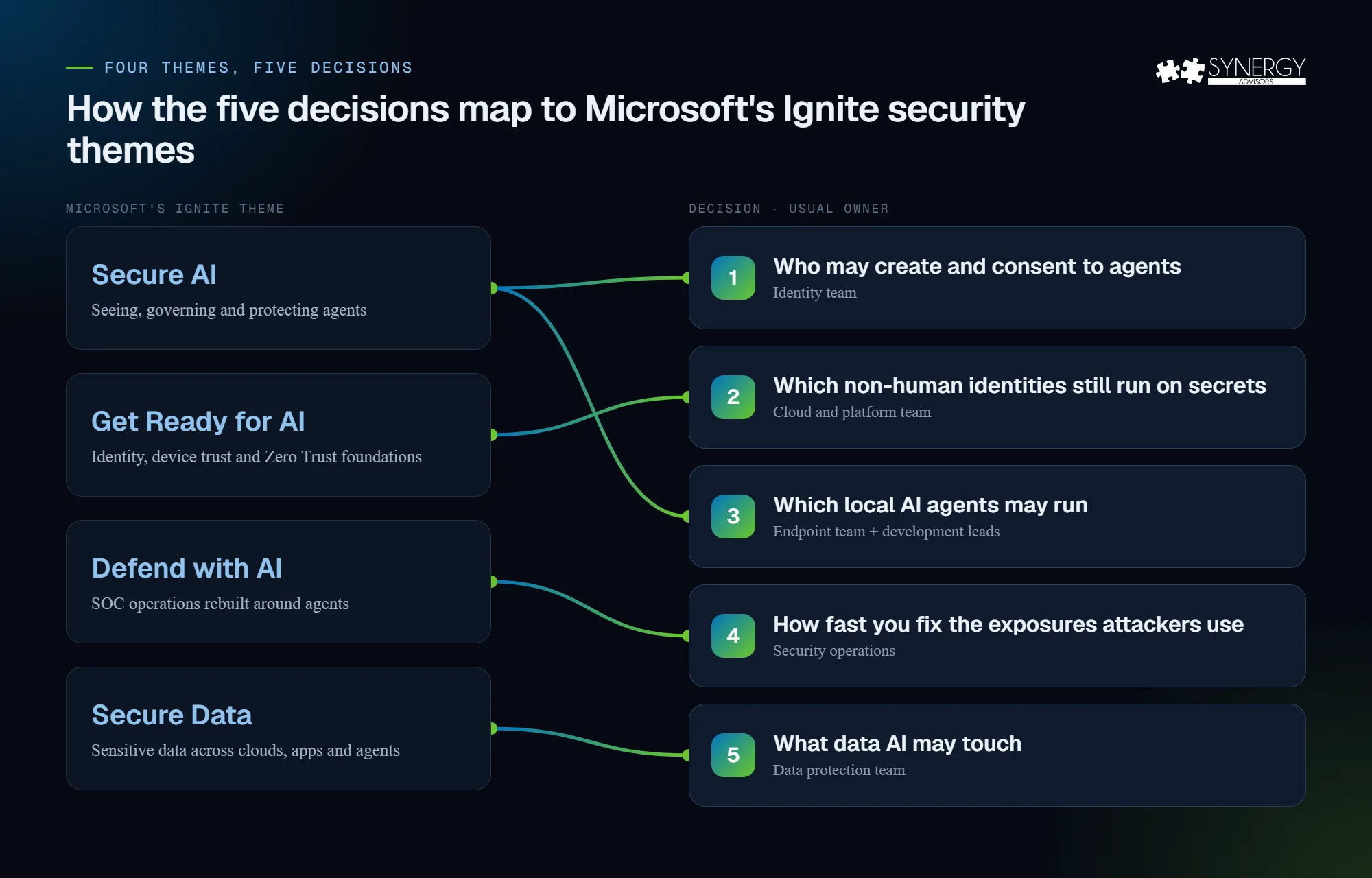
Microsoft has organized its Ignite security content around four themes. This is how the five decisions map to them:
| Microsoft’s Ignite theme | What it covers | Decision in this article |
|---|---|---|
| Secure AI | Seeing, governing, and protecting agents | 1. Who may create and consent to agents · 3. Which local agents may run |
| Get Ready for AI | Identity, device trust, data hygiene, and Zero Trust as foundations | 2. Which non-human identities still run on secrets |
| Defend with AI | Rebuilding SOC operations around agents | 4. How fast you can fix the exposures attackers use |
| Secure Data | Protecting sensitive data across clouds, devices, AI apps, and agents | 5. What data AI may touch |
Decision 1: Who may create agents in your tenant, and who may consent to them
Since early November, Microsoft has been rolling out a change announced in Message Center (MC1506733): users who hold no Microsoft Entra role can create agent blueprints by default, the templates from which agent identities are created. The setting, “Users can create agent blueprints”, sits under Entra ID > Users > User settings, and it is separate from “Users can register applications”. If you do nothing, the default applies when the rollout reaches your tenant.
It matters because consent is the new front door. On November 9, Proofpoint described BluePhishing, a proof of concept in which a victim approves a consent link for a malicious third-party blueprint. According to Proofpoint, the blueprint then receives a permission that cannot be revoked and can create up to 250 agent identities in the victim’s tenant. Proofpoint has not seen it in real attacks yet, which is exactly why this is the moment to decide.
Decide: who may create blueprints (for example, only people with the Agent ID Developer role), whether consent to third-party agents requires administrator approval, and which permissions users can never approve on their own. We covered the identity model behind this in AI Agent Identity.
Decision 2: Which non-human identities still run on secrets
On November 5, Microsoft Threat Intelligence described attackers using an agentic framework to search public GitHub repositories for exposed credentials. In one case, the agent went from finding a secret to exfiltrating data from Azure Key Vault in five minutes. In another, a compromised credential of a vendor’s multi-tenant application was used against several of that vendor’s customers. As Microsoft puts it, “Publicly exposed credentials remain usable until revoked or rotated.”
Workload identities (service principals, app registrations, and their secrets) cannot perform MFA and rarely have an owner. Agents make them more valuable to attackers, not less.
Decide: a target date to move your applications from client secrets to managed identities or federated credentials, a maximum lifetime for the secrets that remain, and what you will ask your vendors and managed service providers about the applications they run in your tenant. Conditional Access for workload identities can block sign-ins by location or risk, but it requires Workload Identities Premium and covers only single-tenant service principals.
Decision 3: Which local AI agents may run on your users’ devices
Agents no longer live only in the cloud. Coding assistants, agentic IDEs, desktop apps, and VS Code extensions run on laptops, with access to files, the network, and tools connected through MCP servers. On November 5, Microsoft made local agent discovery generally available in Microsoft Defender for Windows and macOS, covering more than 50 agents and their MCP server configurations. Microsoft Execution Containers, which confine what an agent can reach on Windows 11, have been generally available since October 7.
In our November 11 article, local agent discovery was one of the questions to ask a platform. The decision here is different: it is your policy.
Decide: which agents are approved, under review, or blocked, who approves a new MCP server, and which team pilots Execution Containers in learning mode, which blocks and logs what falls outside the policy so you can tune it before enforcing it. Central management of Execution Containers from Intune is not available yet, so plan the pilot on a small group.
Decision 4: How fast you fix the exposures attackers actually use
Microsoft’s November 2 analysis of real-world exploitation puts patching in perspective. Fewer than 1 in 200 published vulnerabilities are ever used in an attack, and takeover classes (remote code execution, authentication bypass, and privilege escalation) account for 78% of the vulnerabilities exploited in the wild. Meanwhile, the median time from publication to CISA’s Known Exploited Vulnerabilities catalog has dropped to three days for 2026 vulnerabilities, while the median patch time is about two weeks for Windows workstations, more than a month for Windows servers, and over a year for network appliances.
Attackers that use agents also adapt in seconds. In the campaign Microsoft described on November 5, the agent corrected its own failed requests and retried within 28 to 80 seconds.
Decide: to prioritize by exploitability and exposure, not by severity score alone; patch deadlines by class of vulnerability and type of asset; and, if your SOC is preparing for AI agents, which actions they may take without a person. We described that approval matrix in our Project Perception article.
Decision 5: What data AI may touch
Access is only half of the data question. Our November 5 article covered oversharing: who can see what. The other half is what AI may process. Microsoft Purview data loss prevention for the Microsoft 365 Copilot location can already keep files and emails with specific sensitivity labels out of Copilot responses, and block external web search when a prompt contains sensitive information. Blocking the prompt itself, excluding external email and scoping policies by administrative unit are in preview.
Two limits to know: these policies do not scan files that users upload into the chat, and changes can take up to four hours to apply.
Decide: which sensitivity labels are off-limits for Copilot and agents, who owns those policies (Purview includes a Data Security AI Admin role for this), and whether you start in simulation mode, which we recommend.
Your pre-keynote checklist
| Decision | Usual owner | You are ready if… |
|---|---|---|
| 1. Agent creation and consent | Identity team | The blueprint setting is set on purpose, and third-party consent has an approval path |
| 2. Secrets in workload identities | Cloud and platform team | You know how many apps use secrets, their expiry dates, and their owners |
| 3. Local agents | Endpoint team + development leads | Discovery is on and there is an approved and blocked list |
| 4. Exposure | Security operations | Patch deadlines exist by vulnerability class, not only by severity score |
| 5. Data for AI | Data protection team | The labels that Copilot may not use are defined |
How to follow Ignite without drowning
- Keynote: Tuesday, November 17, 10:00 a.m. PT (1:00 p.m. ET), streamed online.
- Agents and access: “AI agents: Access granted. Trust not included” (THR877, Tuesday) and “Local agents are here. Can you find and secure them?” (BRK339, Thursday).
- Identity roadmap: “AI is changing access. See how Microsoft Entra helps you stay ahead” (BRK343, Wednesday).
- SOC and data: “The Alert Is Dead. The Blueprint for the Agentic SOC” and “Microsoft Purview: Build the Trusted Data Foundation for AI”.
Breakout sessions are streamed and available on demand. On Thursday, November 19, we will publish our summary of what was announced and what to do next.
How our experts help
- Agent 365 E-xperiences: we help you take control of your agents, from creation and consent rules to discovery and governance.
- Secure Access Strategy: our identity experts review user and workload identities, Conditional Access, and the move away from secrets.
- Managed Services: our 24x7x365 SOC with MXDR on Microsoft Defender XDR and Microsoft Sentinel prioritizes exposure by real-world risk.
- E-Visor for Data Sensitivity and AI Discovery: shows where your sensitive data is before you decide what AI may touch.
Frequently asked questions
When is the Microsoft Ignite 2026 keynote?
On Tuesday, November 17, 2026, at 10:00 a.m. PT (1:00 p.m. ET). Ignite runs from November 17 to 20 in San Francisco and online, with a Security Pre-Day on November 16.
Do I need to attend Ignite to benefit from it?
No. Breakout sessions are streamed and available on demand. What matters more is having the owners and decisions in place to act on the announcements.
What is an agent blueprint?
The template in Microsoft Entra from which agent identities are created, similar to an app registration for applications. Since November 2026, users without a role can create them by default unless an administrator turns the setting off.
Is BluePhishing being used in real attacks?
Not as of November 9, 2026. Proofpoint describes it as a proof of concept and says it has not seen it in the wild. That makes it a good moment to set consent rules.
Next step
Synergy Advisors experts can help you turn Ignite announcements into decisions and controls that work in your tenant. Join the Beyond the Agent webinar on Tuesday, November 17, or the Identity Protection Accelerator on Thursday, November 19, both at 2:00 p.m. ET, or talk to our experts.
Sources
- Secure what’s next: Your guide to Microsoft Security at Microsoft Ignite 2026 Microsoft Security Blog, September 30, 2026
- MC1506733: Review who can create agents in Microsoft Entra Microsoft 365 Message Center, October 13, 2026
- BluePhishing: Initial Access via Third-Party Agent Blueprint Consent Proofpoint Threat Insight, November 9, 2026
- Threat actors use agentic AI tooling to find and abuse exposed secrets Microsoft Security Blog, November 5, 2026
- Conditional Access for workload identities Microsoft Learn
- What’s new in Microsoft Security, November 2026 Microsoft Security Blog, November 5, 2026
- Local agent discovery overview Microsoft Learn
- Exploited vulnerabilities are common: a data-driven analysis of real-world attacks Microsoft Security Blog, November 2, 2026
- Learn about data loss prevention for the Microsoft 365 Copilot location Microsoft Learn
- Catch Microsoft Entra at Ignite 2026 Microsoft Tech Community
- Your guide to Agent 365 at Ignite 2026 Microsoft Tech Community